BestCode Next Series 8 Technical Manual October 2022 Page 64 of 290
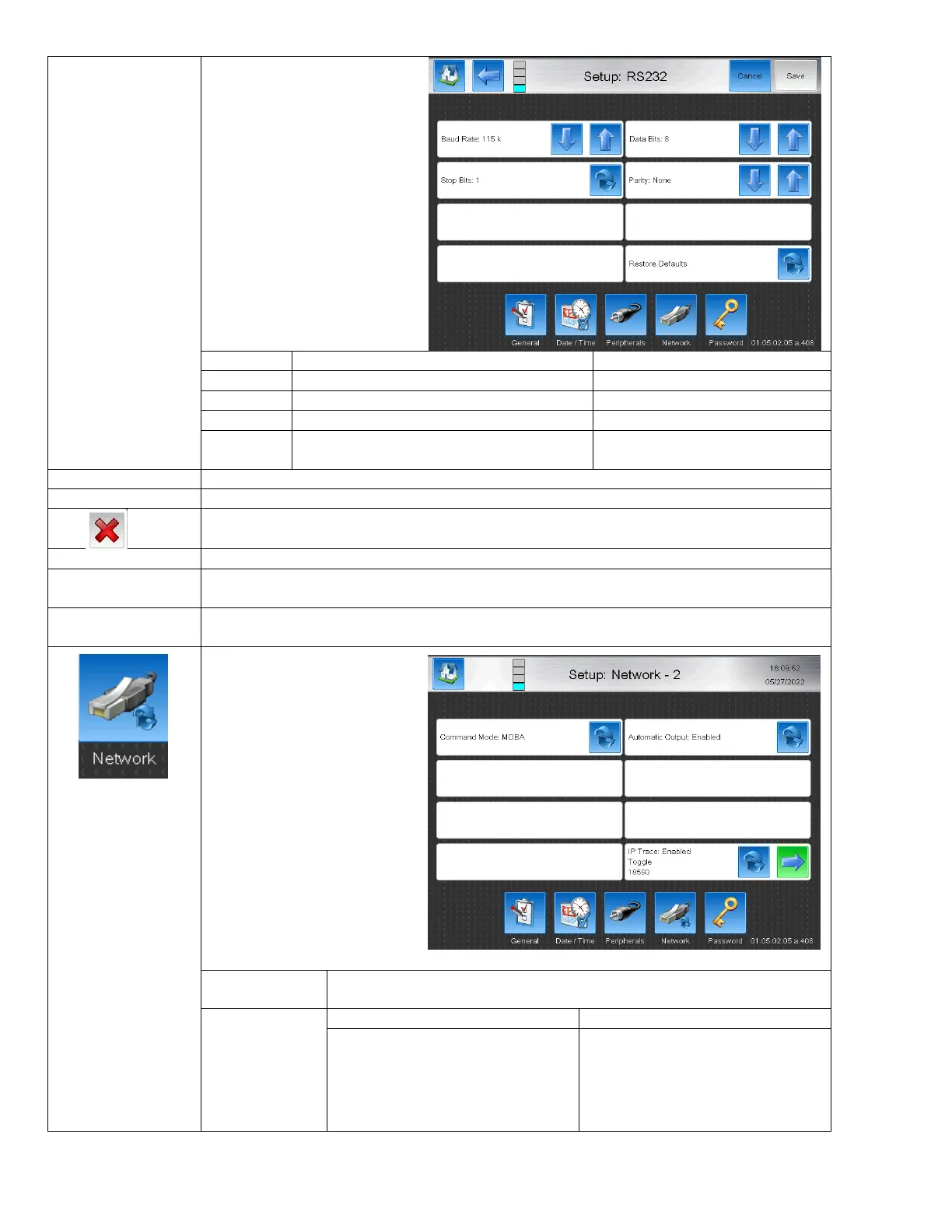
Setup configuration for RS232
connection (Baud Rate, Data
Bits, Stop Bits, and Parity)
BestCode Default:
Baud Rate: 115k
Stop Bits: 1
Data Bits 8
Parity: None
Remote Communication Speed
9600, 19.2K, 38.4K, 57K, 155K
Signals the end of binary data frame
The length of the binary data
None, Space, Mark, Even, Odd
Returns to BestCode Default values.
Displays the system IP address assigned by operator or network.
Displays the system Network Mask assigned by operator or network.
Disconnects from any established network. Prevents data transfer via ethernet.
Establishes where a connection is present between a remote device and the Printer.
Logs how many bytes of data has been received by the Printer. Helpful in diagnosing lost data or
remote commands.
Logs how much data has been sent from the Printer to the remote device. Helpful is diagnosing
lost confirmation or data requests from the remote device.
While on the Network – 1 Page,
pressing the Network button
again will open the Network – 2
Page for remote
communication input method
control
Switches between BestCode Remote communication protocol and serial
communication mode for MOBA devices.
Prompts and warnings will
automatically be sent from the
device via the serial connection.
Examples: Jet On / Off alert
System status info is not sent
automatically via serial, and must be
acquired by standard Remote
Communication requests.



 To Next Page