KBW (E6) 11/2016 page 101/147
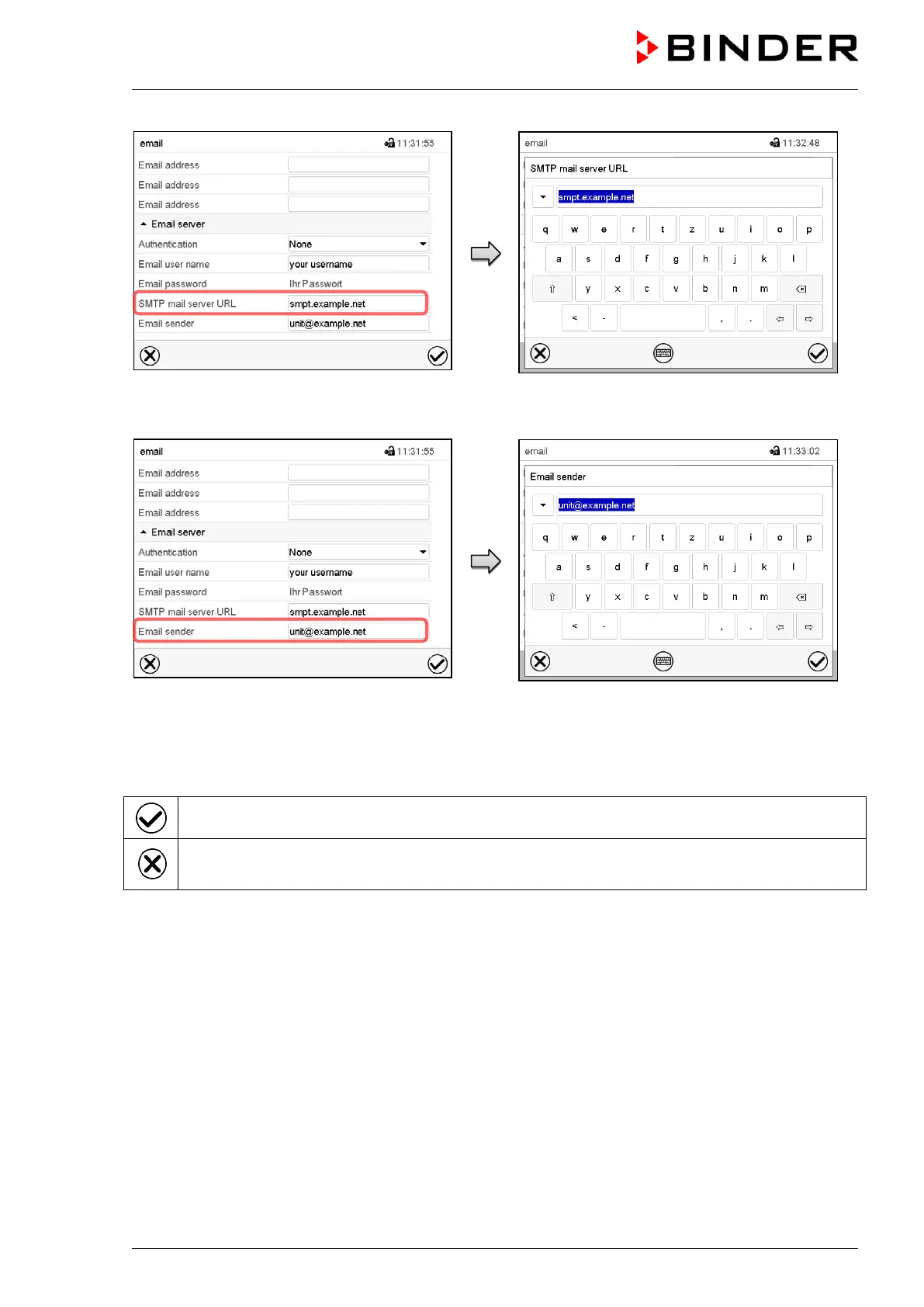
Select the field “SMTP mail server URL”.
Enter the SMPT mail server URL and press the
Confirm icon.
Select the field “Email sender”.
Enter the desired Email sender and press the
Confirm icon.
There are the following possibilities:
Press the Confirm icon to take over the entries and exit the menu.
Press the Close icon to exit the menu without taking over the entries.


 To Next Page