KBW (E6) 11/2016 page 102/147
14.6 USB menu
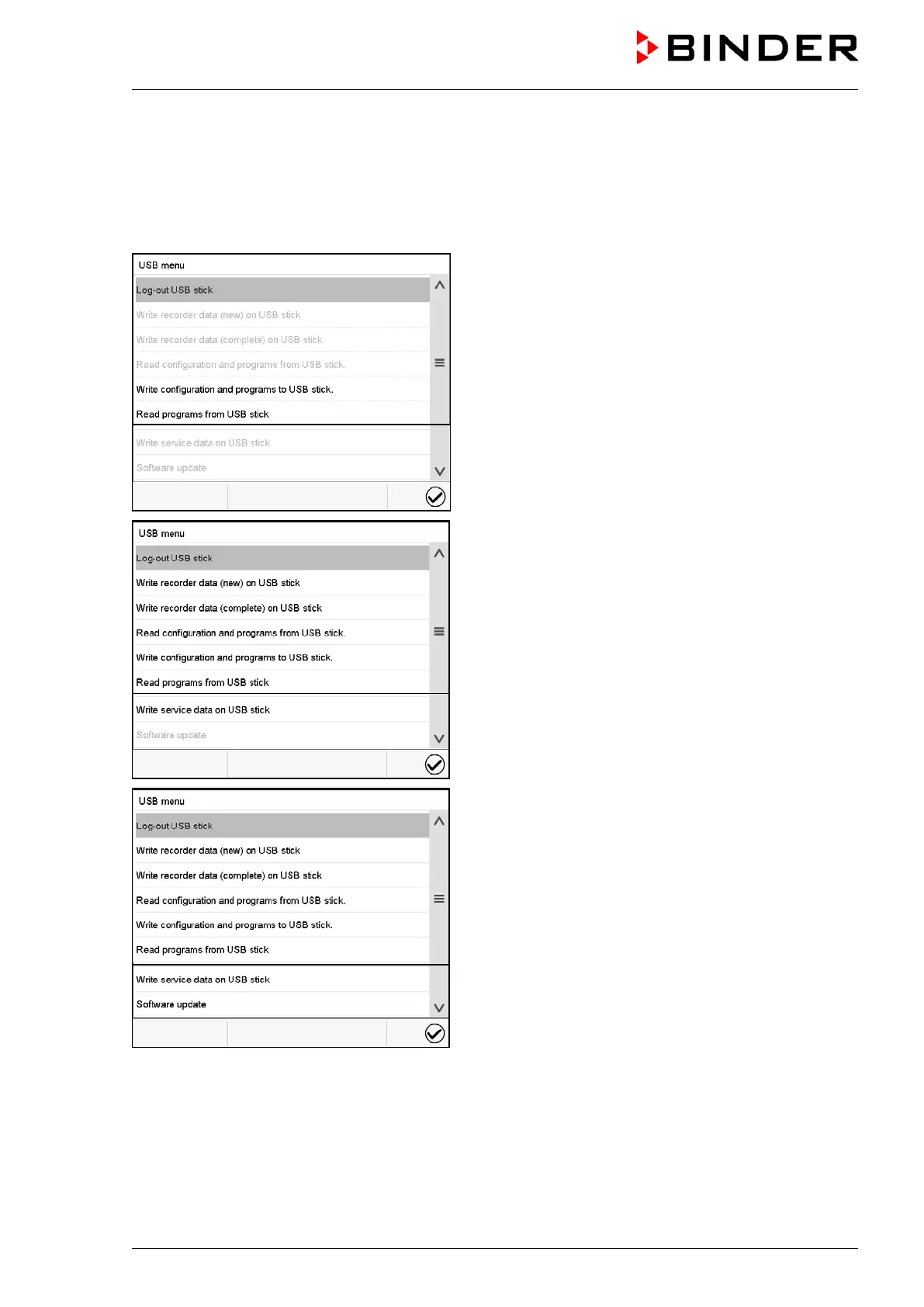
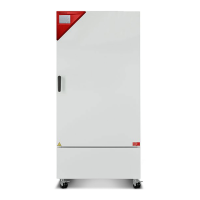
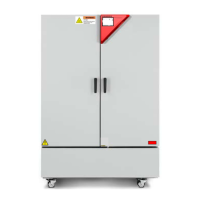
When you insert a USB-stick, the “USB” menu opens.
Depending on the user’s authorization level, different functions (highlighted in black) are available for the
logged-in user.
Available functions with “User” authorization level
Available functions with “Admin” authorization level
Available functions with “Service” authorization level


 To Next Page