KBW (E6) 11/2016 page 90/147
14. General controller settings
Most of the general settings can be accessed in the “Settings” submenu, which is available for users with
“Service” or “Admin” authorization level. It serves to enter date and time, select the language for the con-
troller menus and the desired temperature unit and to configure the controller’s communication functions.
14.1 Selecting the controller’s menu language
The MB2 program controller communicates by a menu guide using real words in German, English,
French, Spanish, and Italian.
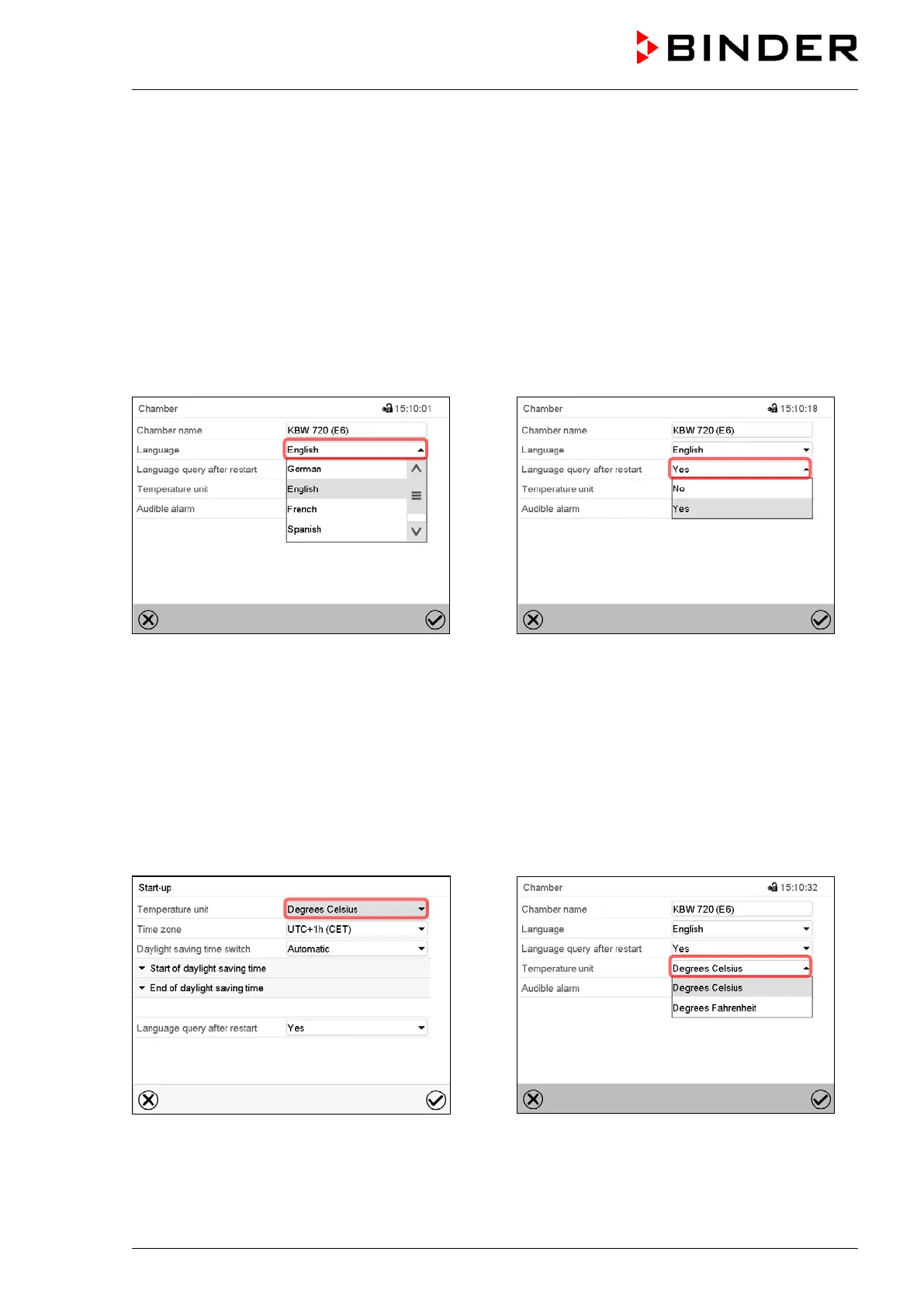
Path: Main menu > Settings > Chamber
“Chamber” submenu (example).
Select the desired language.
“Chamber” submenu (example).
Select if there shall be a language query after
restarting the chamber and press the Confirm
icon.
14.2 Selecting the temperature unit
Following start-up of the chamber:
Or later:
Path: Main menu > Settings > Chamber
Select the desired temperature unit and press
the Confirm icon.



 To Next Page