KBW (E6) 11/2016 page 37/147
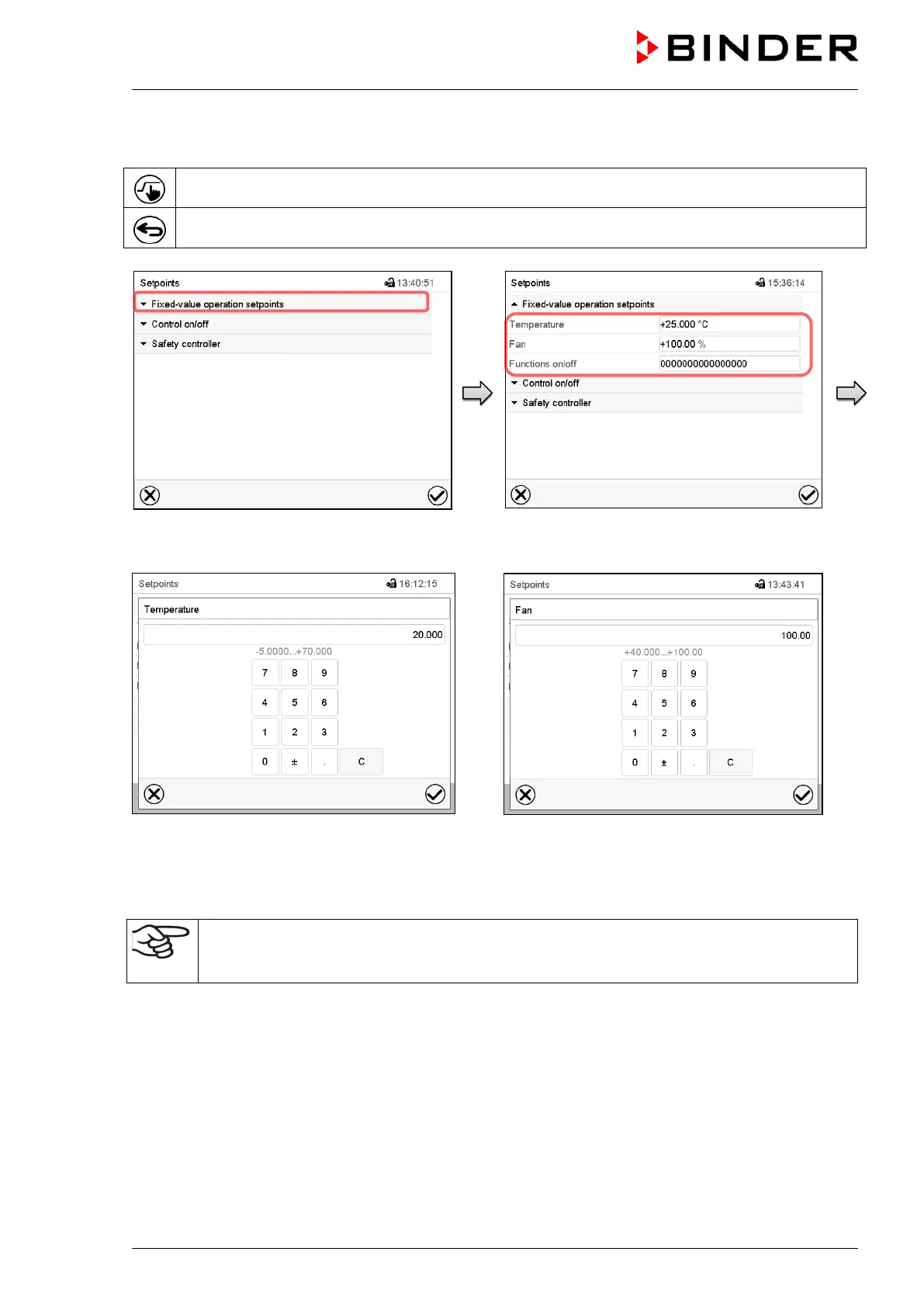
7.1 Set-point entry through the “Setpoints” menu
Press the Setpoint setting icon to access the “Setpoint” setting menu from Normal display.
Press the Back icon to go return to Normal display from any menu.
“Setpoints” menu.
Select “Fixed value operation setpoints”.
Select the parameter to enter the setpoint.
“Temperature” entry menu.
Enter the desired setpoint and press the
Confirm icon.
“Fan” entry menu.
Enter the desired setpoint and press the Con-
firm icon.
When entering a value outside the setting range, the message: “Value outside of limits! (Min:
xxx, Max: xxx)” appears (xxx is a wildcard for the limits of the respective parameter). Press the
Confirm icon and repeat the entry with a correct value.



 To Next Page