KBW (E6) 11/2016 page 55/147
9.7.4 Temperature setpoint
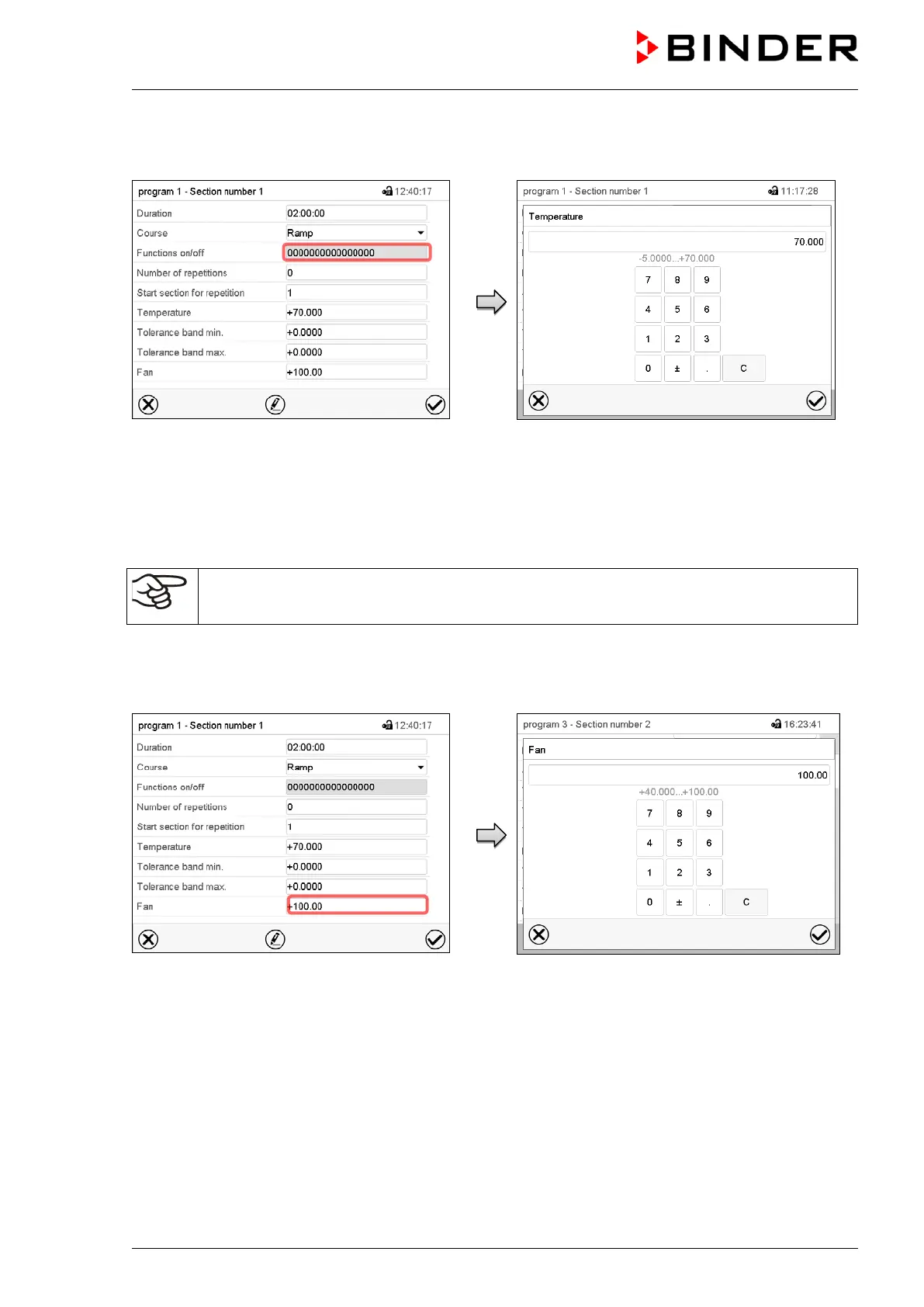
Section view.
Select the field “Temperature”.
“Temperature” entry menu.
Enter the desired temperature and press the
Confirm icon.
Setting range: -5 °C up to 70 °C
The controller returns to the section view.
Entering the set point values when operating without illumination:
Adapt the setting of the temperature set-point according to the table in chap. 7.3.
9.7.5 Fan speed setpoint
Section view.
Select the field “Fan”.
“Fan” entry menu.
Enter the desired value and press the Confirm
icon.
Setting range: 40% up to 100% fan speed.
The controller returns to the section view.



 To Next Page