KBW (E6) 11/2016 page 97/147
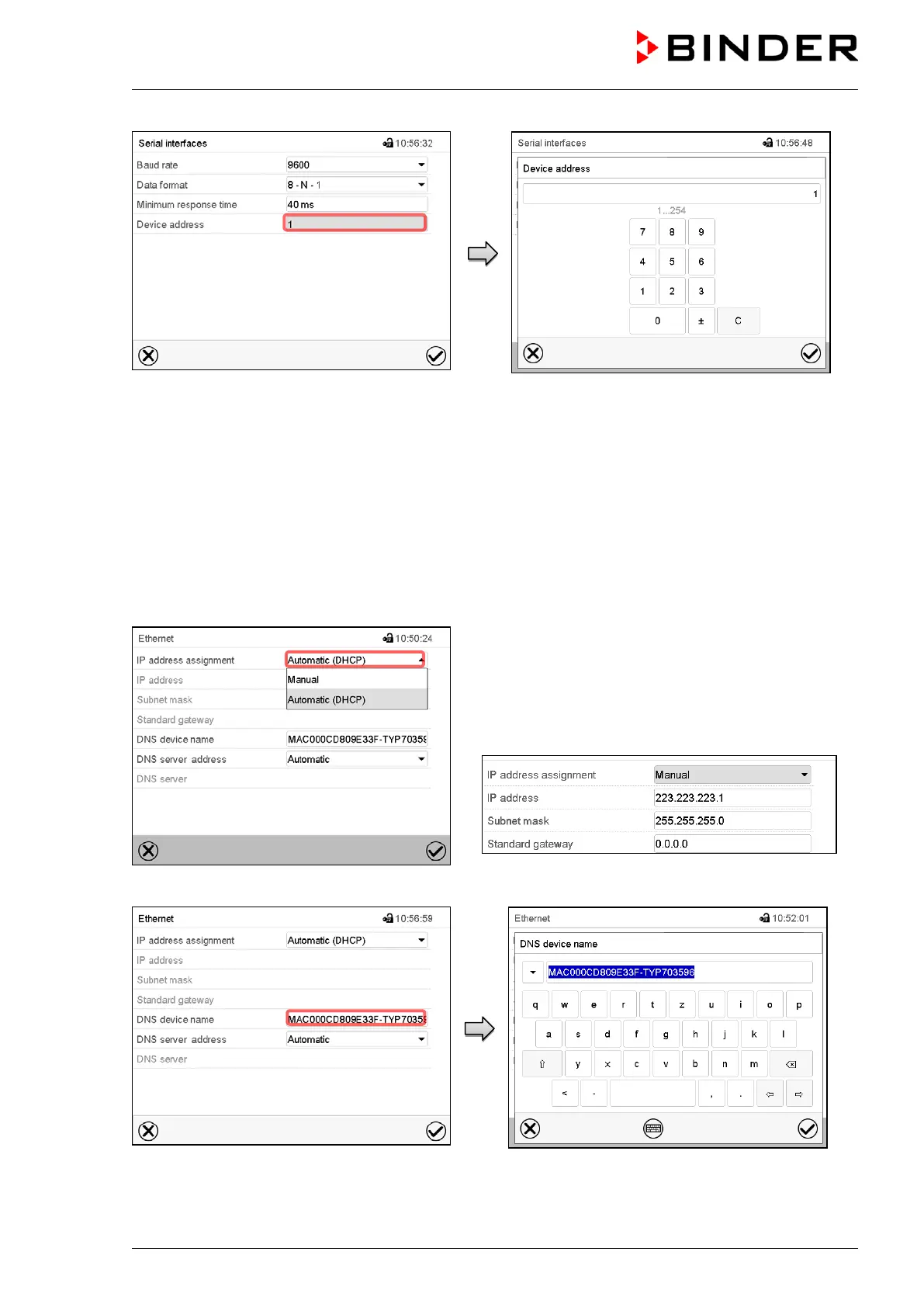
“Serial interfaces” submenu.
Select the field “Device address”.
“Device adress” entry menu
Enter the device adress and press the Con-
firm icon.
Factory setting: “1”.
14.5.2 Ethernet
14.5.2.1 Configuration
Path: Main menu > Settings > Ethernet
“Ethernet” submenu.
In the field “IP address assignment” select the desired
setting “Automatic (DHCP)“ or “Manual“.
With selection „Manual“ you can enter the IP-address,
the subnet mask and the standard gateway manually.
“Ethernet” submenu.
Select “DNS device name”.
“DNS device name” entry menu.
Enter the DNS device name and press the
Confirm icon.



 To Next Page