KBW (E6) 11/2016 page 56/147
9.7.6 Tolerance ranges
For temperature, you can specify a tolerance range for each program section with different values for the
tolerance minimum and maximum. When the actual value exceeds the given threshold, the program is
interrupted. This is indicated on the display (see below). When the actual temperature is situated again
within the entered tolerance limits, the program automatically continues. Therefore, the duration of the
program may be extended due to the programming of tolerances.
Programming of tolerances may extend program duration.
An entry of “-99999” for the tolerance minimum means “minus infinite” and an entry of “999999” for the
tolerance maximum means “plus infinite”. Entry of these values will never lead to program interruption.
The entry of “0” for the tolerance minimum and/or maximum deactivates the respective tolerance function.
When requesting rapid value transitions, we recommend not programming tolerance values in order to
enable the maximum heating-up and cooling-down speed.
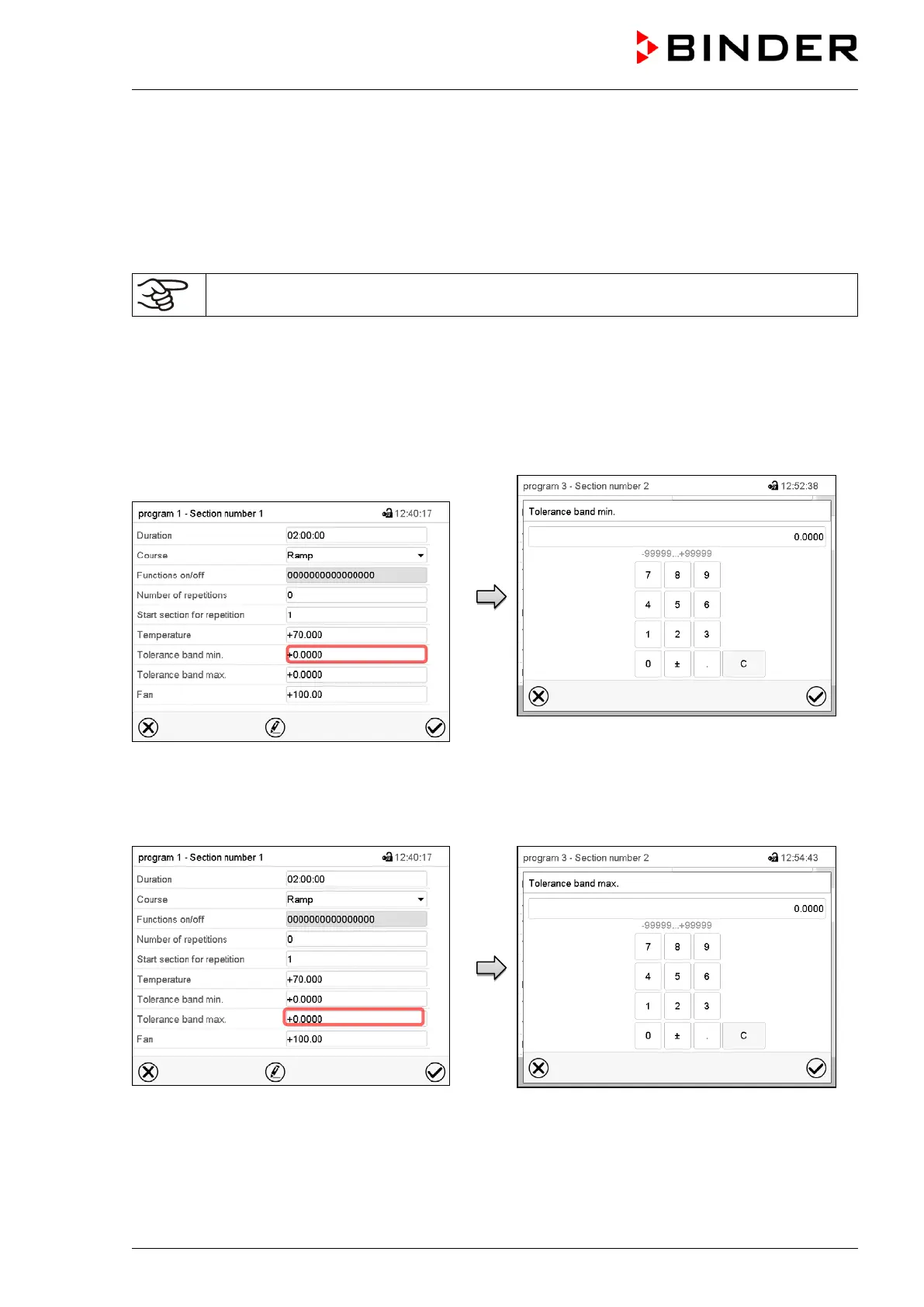
Tolerance range entry for temperature:
Section view.
Select the field “Tolerance band min” to enter
the lower tolerance band value.
“Tolerance band min” entry menu.
Enter the desired value and press the Confirm
icon.
Setting range: -99999 to 99999
The controller returns to the section view.
Section view.
Select the field “Tolerance band max” to enter
the upper tolerance band value.
“Tolerance band max” entry menu.
Enter the desired value and press the Confirm
icon.
Setting range: -99999 to 99999
The controller returns to the section view.



 To Next Page