KBW (E6) 11/2016 page 38/147
7.2 Direct setpoint entry via Normal display
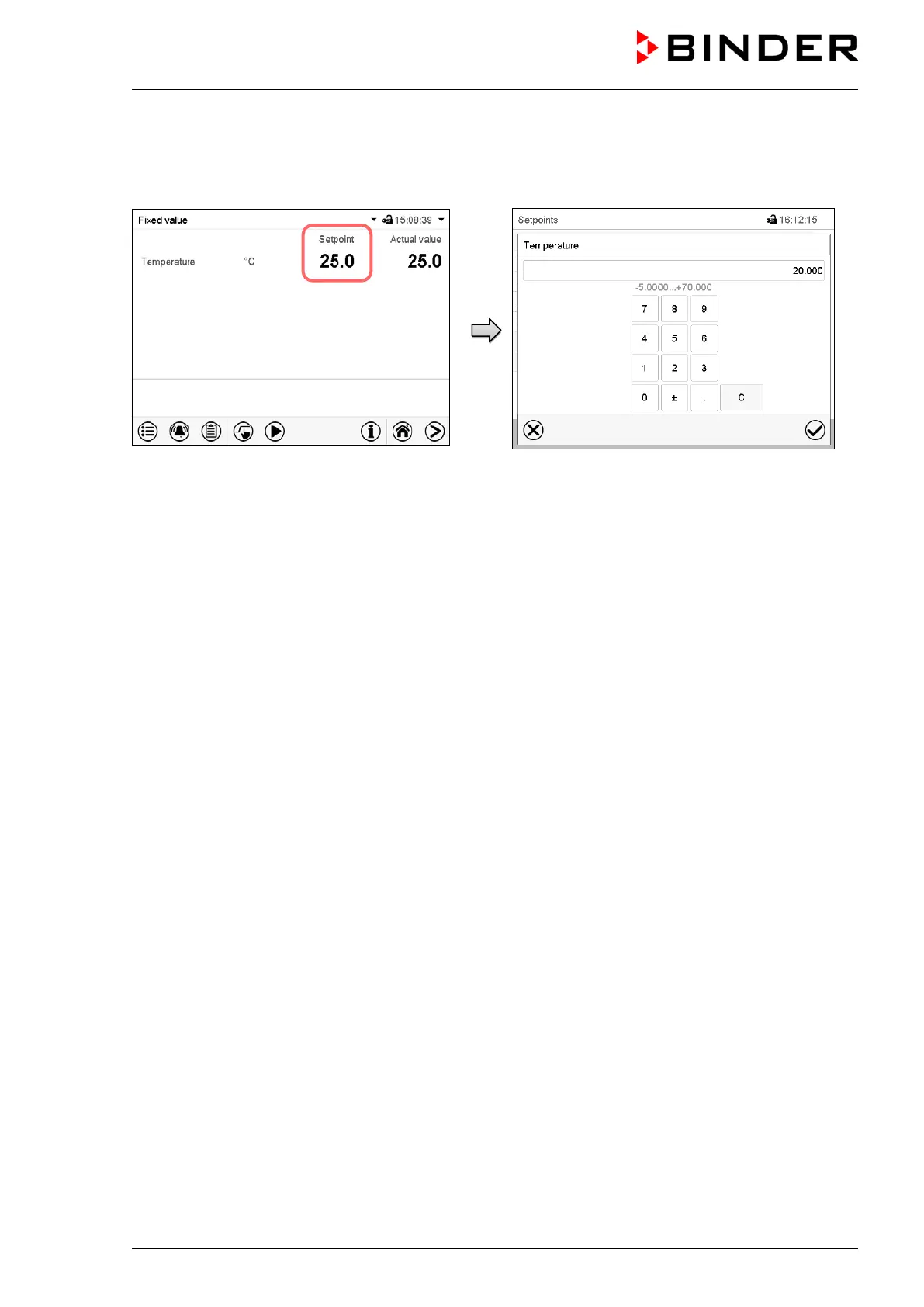
Alternatively you can also enter the setpoints directly via Normal display.
Normal display.
Select the setpoint you want to change.
Example: “Temperature” entry menu.
Enter the desired value and press the Confirm
icon.
7.3 Automatic correction of the actual value when turning on or off the illumi-
nation
The chambers have been adjusted for operation with maximum illumination. Since the illumination creates
a heat input in the chamber, this is considered automatically when operating without illumination.
This can be recognized when turning on or off the illumination by a change of the actual temperature val-
ue, which subsequently will equilibrate again to the set-point.



 To Next Page