KBW (E6) 11/2016 page 93/147
14.4 Display configuration
14.4.1 Adapting the display parameters
This function serves to configure parameters like display brightness and operating times.
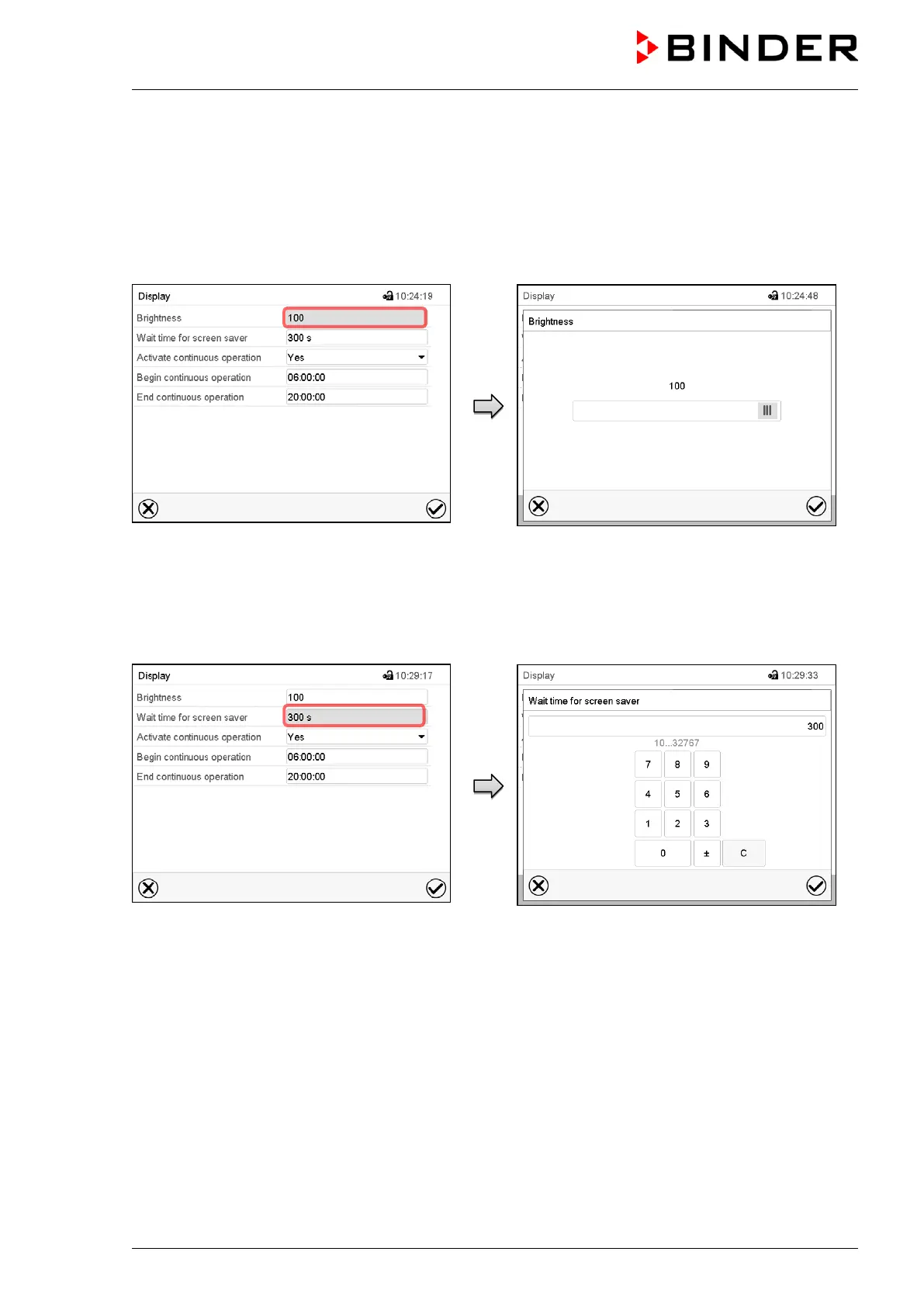
Path: Main menu > Settings > Display > Display
“Display” submenu.
Select the field “Brightness”.
Move the grey slide to the left or right to define
the brightness of the display
• left = darker (minimum value: 0)
• right = brighter (maximum value: 100)
Press the Confirm icon.
“Display” submenu.
Select the field “Wait time for screen saver”.
Entry menu “Wait time for screen saver”.
During the waiting time the display is off.
Enter the desired waiting time for the screen
saver in seconds and press the Confirm icon.
Setting range: 10 sec up to 32767 sec.



 To Next Page