KBW (E6) 11/2016 page 94/147
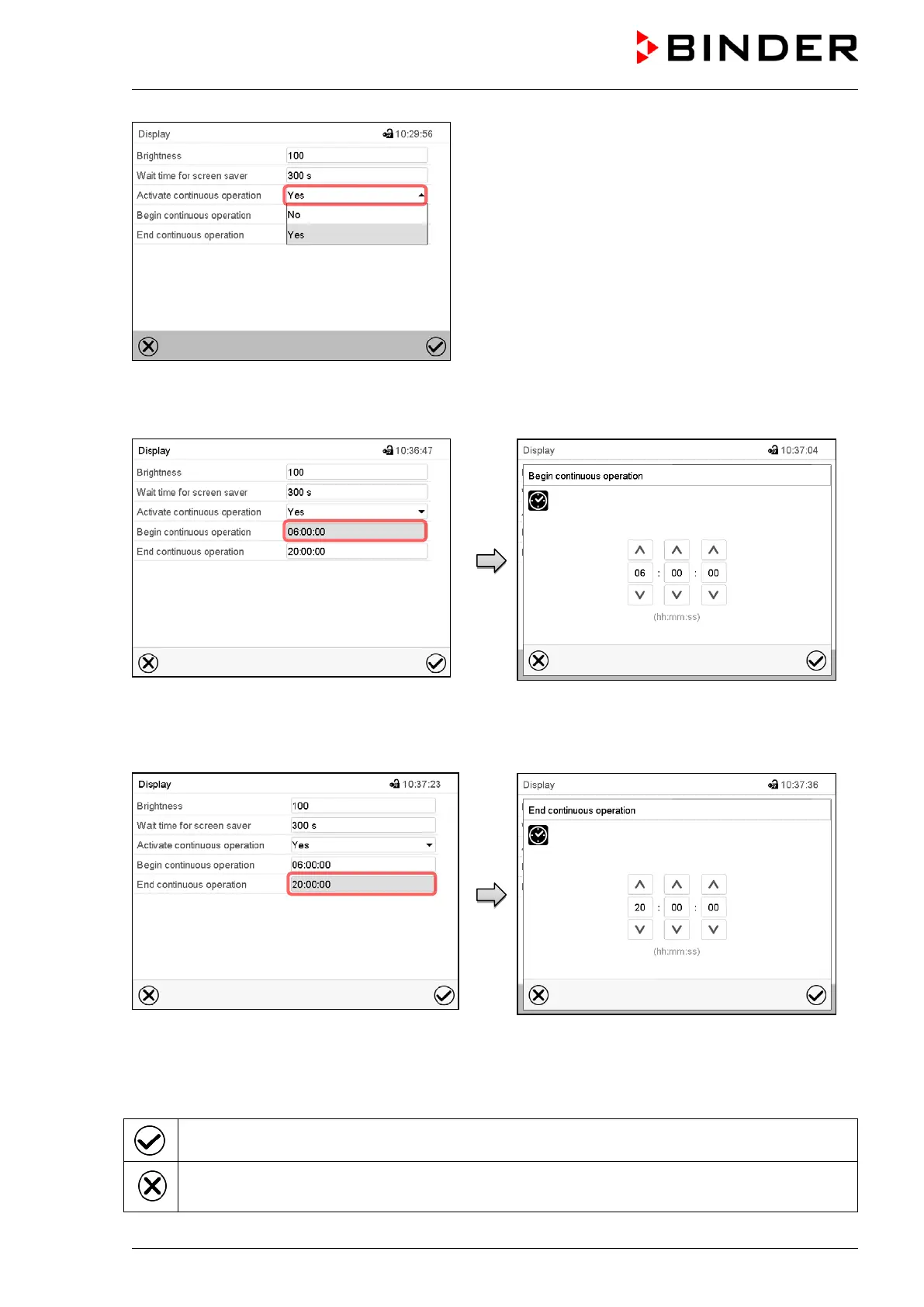
“Display” submenu.
In the field “Activate continuous operation”
select the desired setting “Yes” or “No”.
“Display” submenu.
Select the field “Begin continuous operation”
(possible only if continuous operation is activat-
ed)
Entry menu “Begin continuous operation”.
Enter the time with the arrow keys and press the
Confirm icon.
“Display” submenu.
Select the field “End continuous operation.
(only possible if continuous operation is activated)
Entry menu „End continuous operation“.
Enter the time with the arrow keys and press the
Confirm icon.
There are the following possibilities:
Press the Confirm icon to take over the entries and exit the menu.
Press the Close icon to exit the menu without taking over the entries.


 To Next Page
 Loading...

