KBW (E6) 11/2016 page 95/147
14.4.2 Touchscreen calibration
This function serves to optimize the display for the user’s individual angular perspective.
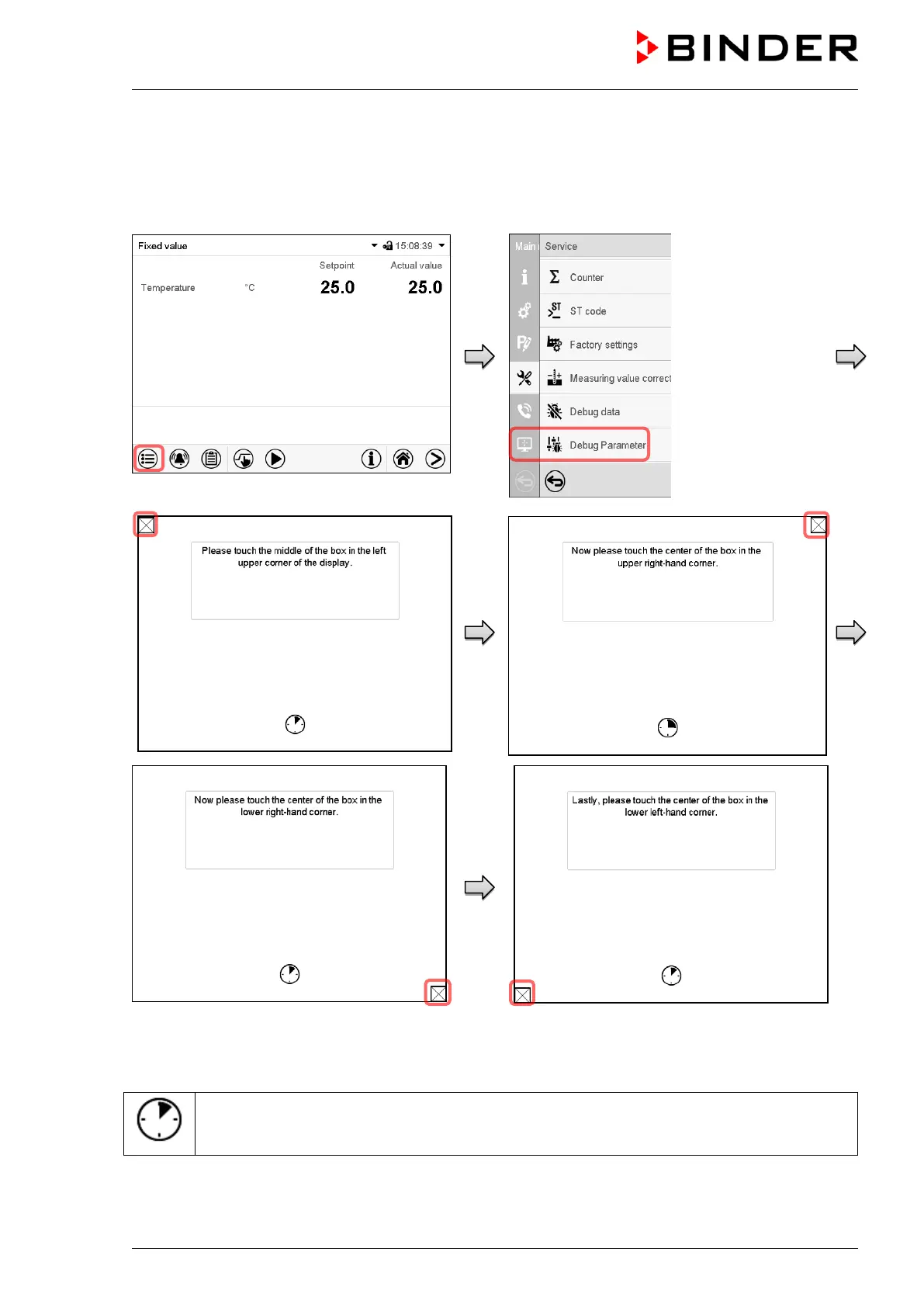
Path: Main menu > Calibrate touchscreen
Normal display.
Follow the instructions on the display.
You need to touch all four corners of the touchscreen to calibrate it. Appropriate boxes appear succes-
sively in each corner.
The clock icon shows how much time there is left to touch the currently activated box. If the
box is not touched withing this period, calibration is aborted and the display changes to Normal
display.
After completing the calibration, i.e., touching all four boxes, the display changes to Normal display.



 To Next Page