KBW (E6) 11/2016 page 87/147
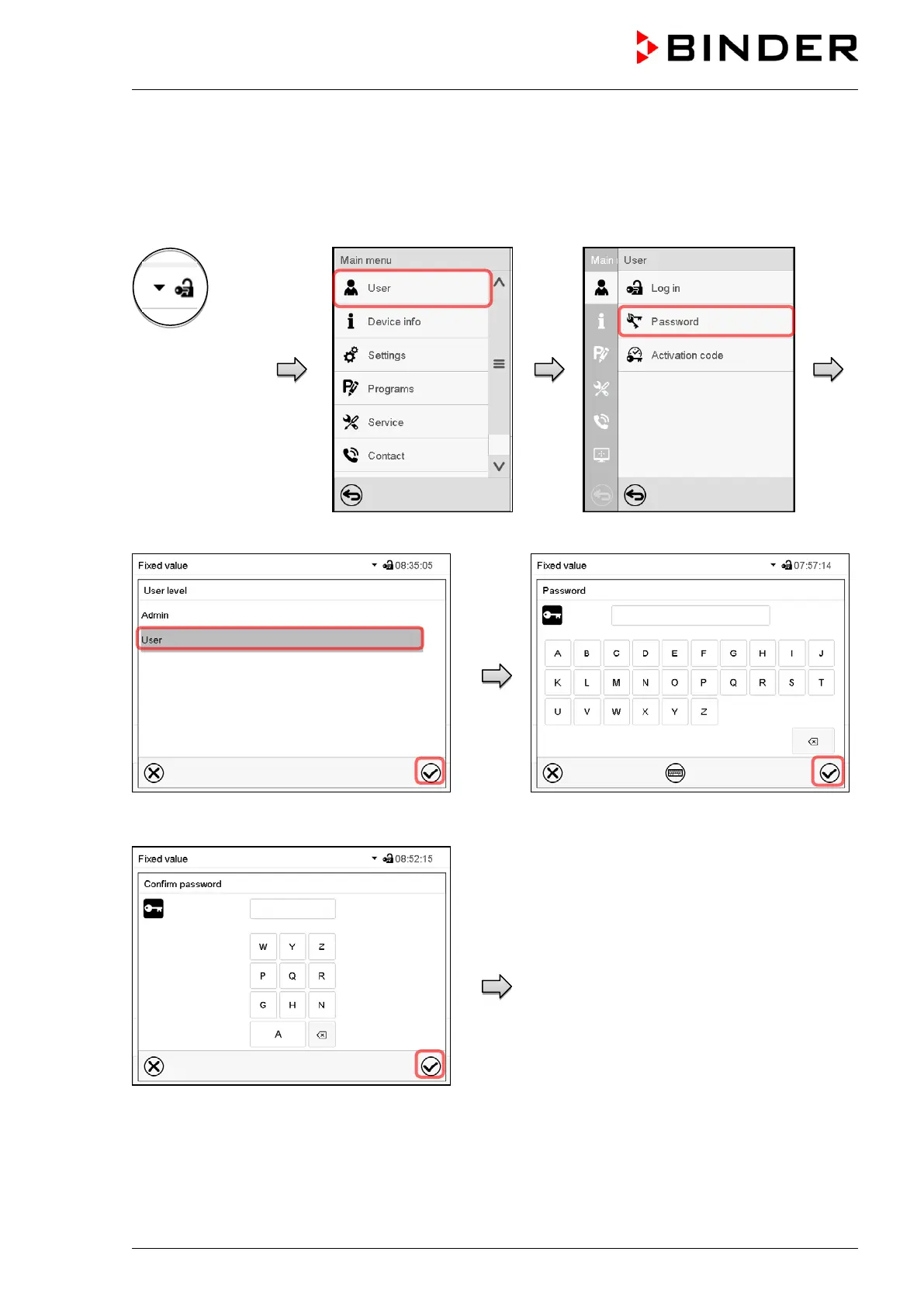
13.5.2 Deleting the password for an individual authorization level
A user logged-in with “Service” or “Admin” authorization can delete the passwords of his current level and
of the next lower level(s). To do this no password is entered during a password change.
Path: Main menu > User > Password
Controller with
logged-in user
(e.g. with “Admin”
authorization)
Select the authorization level for which the
password shall be deleted.
No entry in the “Password” screen. Press the
Confirm icon.
No entry in the “Confirm password” screen.
Press the Confirm icon.
The password is deleted.



 To Next Page