KBW (E6) 11/2016 page 99/147
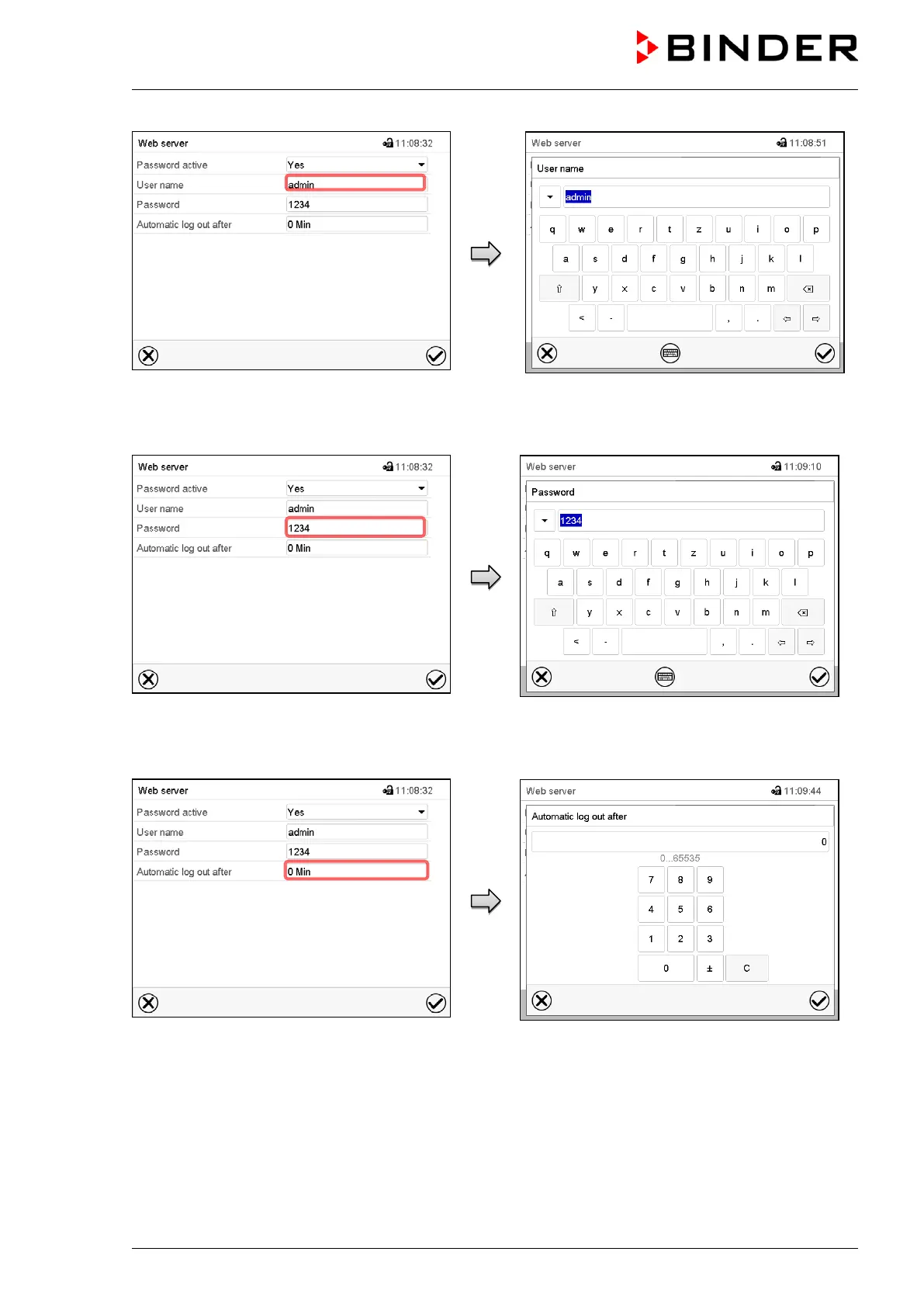
Submenu “Web server”.
Select the field “User name”.
“User name” entry menu.
Enter the desired user name and press the
Confirm icon.
Submenu “Web server”.
Select the field “Password”.
“Password” entry menu (example).
Enter the desired password and press the Con-
firm icon.
Submenu “Web server”.
Select the field “Automatic log out after”.
“Automatic log out after” entry menu.
Enter the time in minutes after which the web-
server shall log out automatically and press the
Confirm icon.
Setting range: 0 min to 65535 min.



 To Next Page