CB / CB-UL, CBF / CBF-UL (E7) 01/2022 Page 105/199
Alarm messages are displayed in the list of active alarms until acknowledging them. They are also shown
in the event list.
When operating the chamber without CO
2
/ O
2
/ N
2
connection, turn off the corresponding
gas control in the “setpoints” menu (chap. 6.7) in order to avoid tolerance range and
pressure alarms.
CBF / CBF-UL: When operating the chamber without water supply, turn off humidity control
in the “setpoints” menu (chap. 6.7) in order to avoid humidity alarms..
11.2 State of alarm
1. Visual indications in Normal display: alarm message, screen header flashing in red color
2. Audible alert, if the buzzer is enabled (chap. 11.4).
3. In some cases: Switching the zero-voltage relay alarm output (chap. 11.6) to transmit the alarm e.g., to
a central monitoring system.
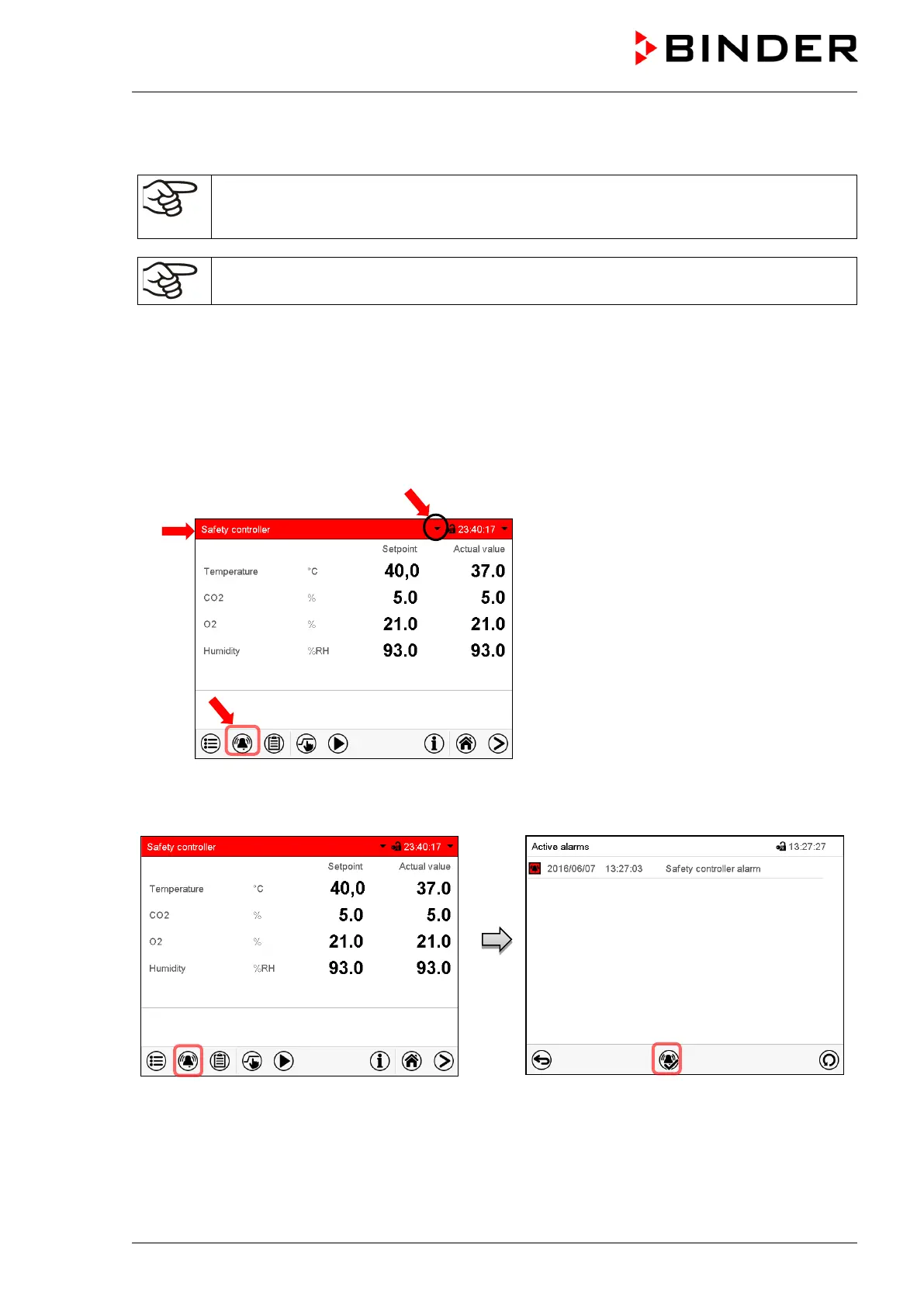
Normal display in state of alarm (example).
(a)
Screen header flashing in red color and
showing the alarm message
(b) Alarm icon on the bottom of the screen:
change to the list of active alarms and
alarm acknowledgement
(c) If applicable, information icon in the screen
header. Indication of a certain condition
11.3 Resetting an alarm, list of active alarms
Normal display in state of alarm (example).
Press the Alarm icon
List of active alarms.
Press the Reset alarm icon.
Pressing the Reset alarm icon mutes the buzzer for all active alarms. The icon then disappears.
• Acknowledging while the alarm condition persists: Only the buzzer turns off. The visual alarm
indication remains on the controller display. The alarm remains in the list of active alarms.


 To Next Page