CB / CB-UL, CBF / CBF-UL (E7) 01/2022 Page 137/199
16.2 Setting the parameters
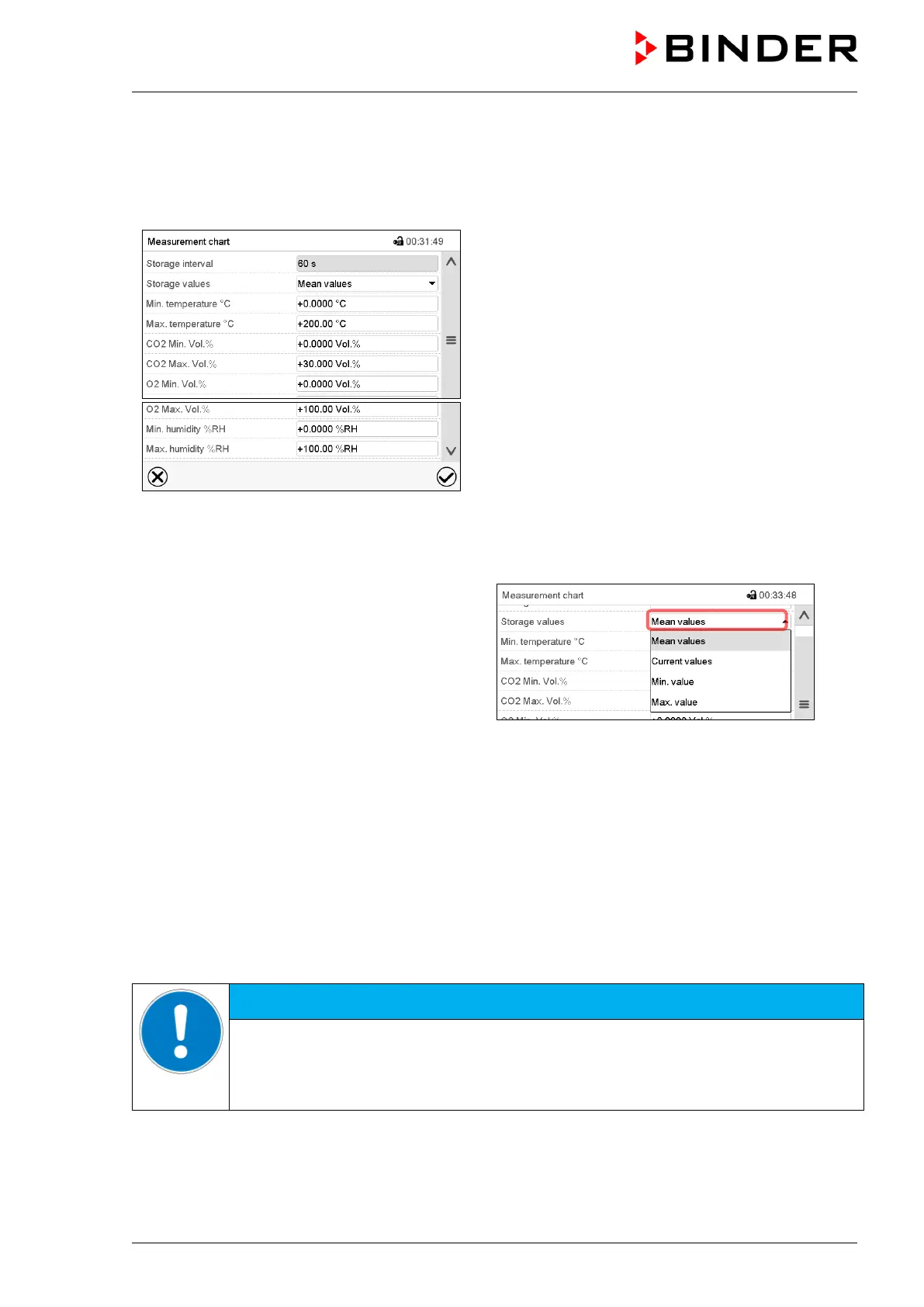
This menu allows setting the storage interval, the type of values to be shown and the scaling of the charts.
Path: Main menu > Settings > Measurement chart
“Measurement chart” submenu.
• Select the field “Storage interval” and enter the desired storage interval. Confirm entry with Confirm icon.
The available presentation depends on the pre-selected storage rate. Factory setting: 60 seconds. This
means the higher the storage rate, the more precisely but shorter the data representation will be.
• In the field “Storage values” select the desired
value type to be displayed.
• For scaling the representation select the desired minimum and maximum temperature, CO
2
/ O
2
or
humidity value and enter the desired values. Confirm each entry with Confirm icon.
Display ranges:
• Temperature: 0 °C up to 200 °C
• CO
2
: 0 Vol.-% up to 100% Vol.-%.
• O
2
: 0 Vol.-% up to 100% Vol.-%.
• Humidity: 0% r.h. up to 100% r.h.
Setting the storage rate or rescaling (minimum and/or maximum) will clear the measured-value memory
and the event list.
NOTICE
Danger of information loss when setting the storage rate or rescaling.
Data loss of measured-value memory and event list.
Change the storage rate or scaling ONLY if the previously registered data is no longer
needed.
After completing the settings, press the Confirm icon to take over the entries and exit the menu, or press
the Close icon to exit the menu without taking over the entries.



 To Next Page