CB / CB-UL, CBF / CBF-UL (E7) 01/2022 Page 93/199
9.7.7 Saving the time program
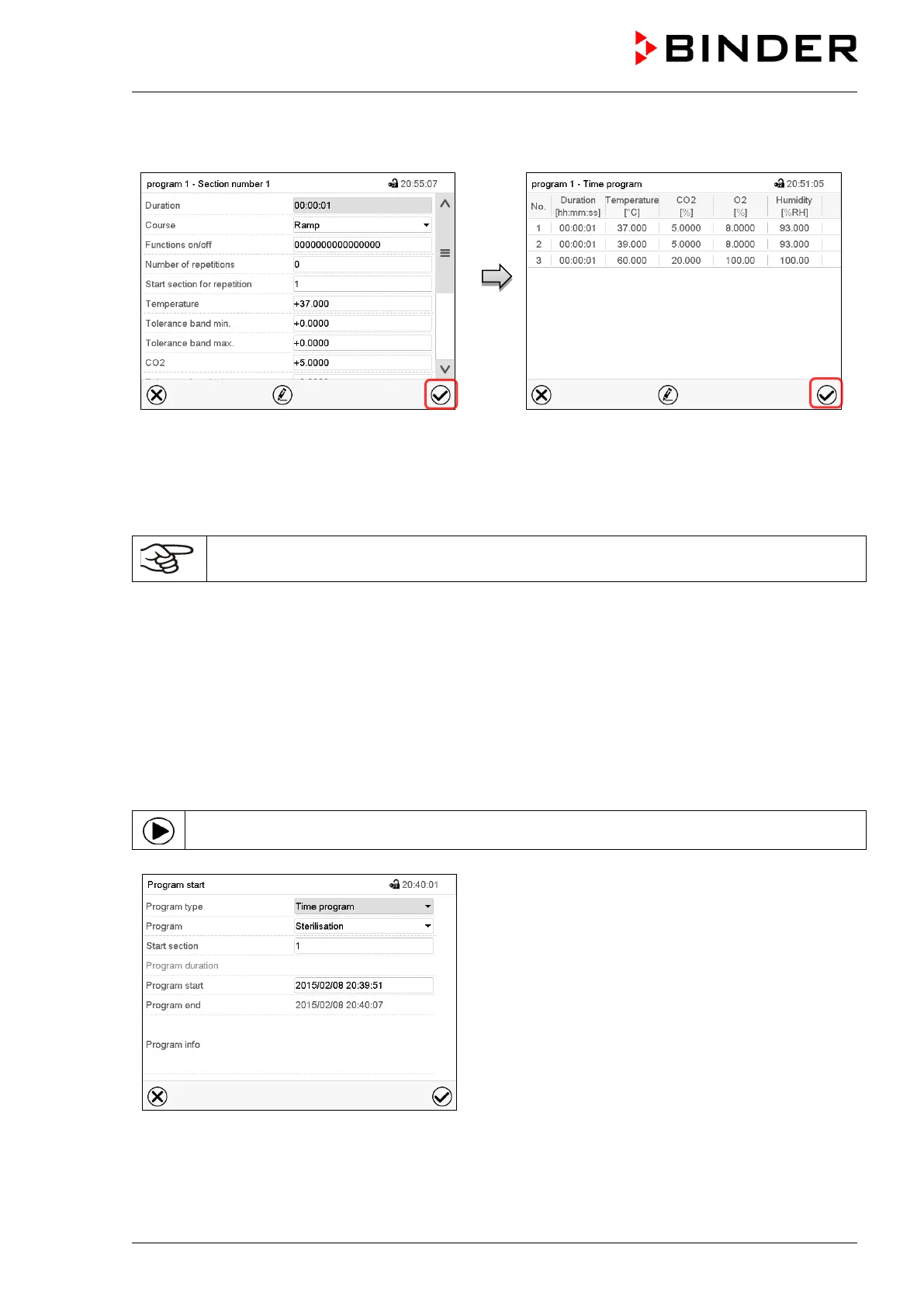
Section view.
After the all desired values of the program
section have been configured, press the
Confirm icon to take over the programming.
The controller changes to the program view.
Program view.
Press the Confirm icon to take over the
programming.
The controller changes to the Normal display.
To save the programming it is absolutely required to press the Confirm icon. Otherwise all
settings will be lost! There is no confirmation prompt!
10. Week programs
The MB2 program controller permits programming week programs with real-time reference. It offers 5 week
program places in total with up to 100 shift points for each week program.
Path: Main menu > Programs> Week program
10.1 Starting an existing week program
In Normal display press the Program start icon to access the “Program start” menu.
“Program start” menu.
• In the field “Program type” select the setting “Week program”.
• In the field “Program” select the desired program.
• There are no further settings available in the “Program start” menu for week programs, as they are
needed only for time programs.



 To Next Page