CB / CB-UL, CBF / CBF-UL (E7) 01/2022 Page 126/199
14.5 Network and communication
For these settings at least the “Admin” authorization level is required.
14.5.1 Serial RS485 interface (available via BINDER INDIVIDUAL Customized Solutions)
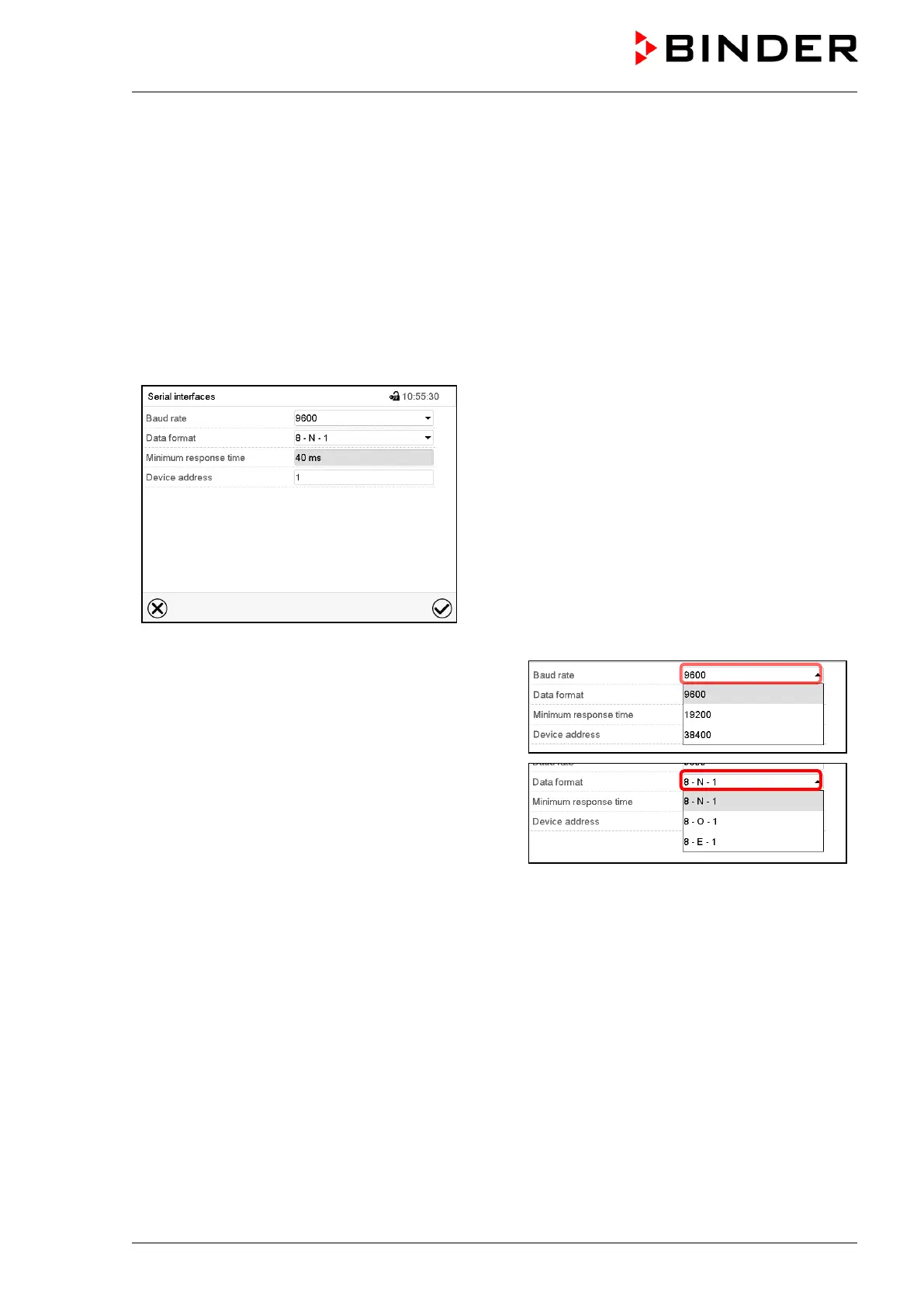
This menu allows to configure the communication parameters of the RS485 interface.
The device address is required to recognize chambers with this interface type in a network, e.g. when
connecting it to the optional BINDER APT-COM™ 4 Multi Management Software (chap. 18.1). In this case
do not change the other parameters.
Path: Main menu > Settings > Serial interfaces
“Serial interfaces” submenu.
• Select the desired setting in the field “Baud rate”.
• Select the desired setting in the field “Data format”.
• Select the field “Minimum response time” and enter the desired minimum response time. Confirm entry
with Confirm icon.
• Select the field “Device address” and enter the device adress. Factory setting is “1”. Confirm entry with
Confirm icon.
After completing the settings, press the Confirm icon to take over the entries and exit the menu, or press
the Close icon to exit the menu without taking over the entries.



 To Next Page