CB / CB-UL, CBF / CBF-UL (E7) 01/2022 Page 156/199
21.3.2 Preparation for a hot-air sterilization
Before carrying out the first hot-air sterilization, remove any protective lamination sheet from
the inner metal surfaces.
When starting a hot-air sterilization, all gas controls automatically deactivate.
The safety controller settings are inactive during sterilization. They become functional again
following completing or prematurely terminating of the sterilization cycle and/or restart of the
chamber at the main power switch.
The O
2
sensor must be plugged in during a hot-air sterilization.
• Empty the Permadry™ water pan.
WARNING
Danger of implosion caused by a filled water pan during sterilization.
Destruction of the chamber.
Empty the Permadry™ water pan before starting the hot-air sterilization.
• Water pans and shelves must be inside the chamber.
• Close the inner glass door and the outer chamber door.
Before starting a hot-air sterilization, the entire interior must be clean and dry. No residue of
e.g., water, medium or plastic must remain inside the chamber.
21.3.3 Starting the sterilization cycle and running the hot-air sterilization
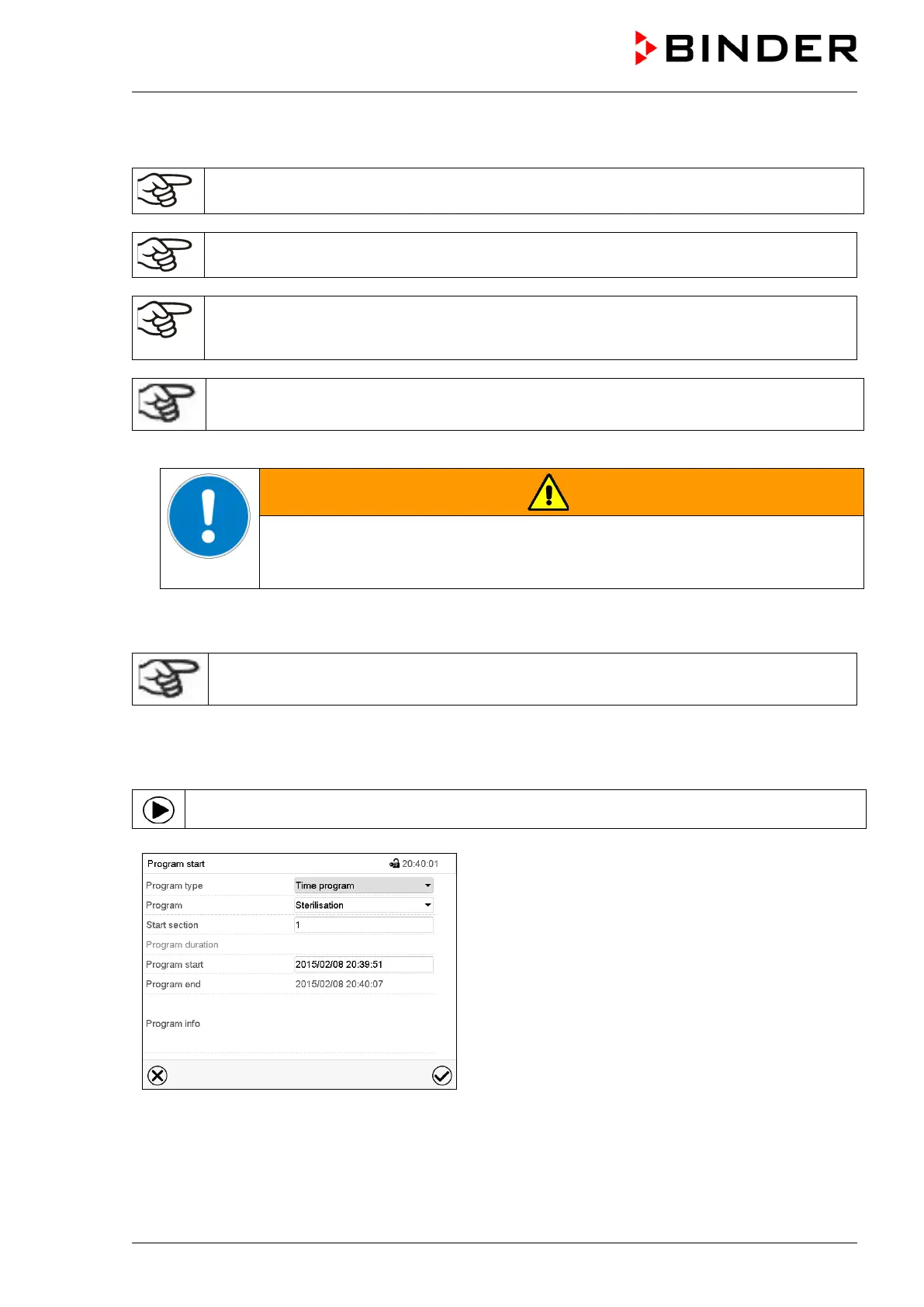
In Normal display press the Program start icon to access the “Program start” menu.
“Program start” menu
• In the field “Program type” select the setting “Time program”.
• In the field “Program” select the program “Sterilization”.
• Select the field “Program start” and enter the desired program start time in the “Program start” entry
menu. Press the Confirm icon.



 To Next Page