101
6. Maintenance
Cleaning Instructions
With the system turned OFF, wipe down all surfaces with a damp cloth. Mild soap and water can
be used to remove stains and scuff marks. Pay particular attention to the upholstery that can be
damaged by exposure to perspiration and other body fluids.
NOTE: DO NOT use cleaning solutions containing ammonia or alcohol to clean upholstery. Mild
soap and water should be sufficient. Allow the system to dry thoroughly before resuming
testing, rehab or activity sessions.
A leather cleaner/conditioner can be used monthly on all upholstery.
Hardware
As needed, inspect all locking and adjustment mechanisms for signs of wear or damage.
If there are any questions or if further assistance is required, contact the Customer Service
Department.
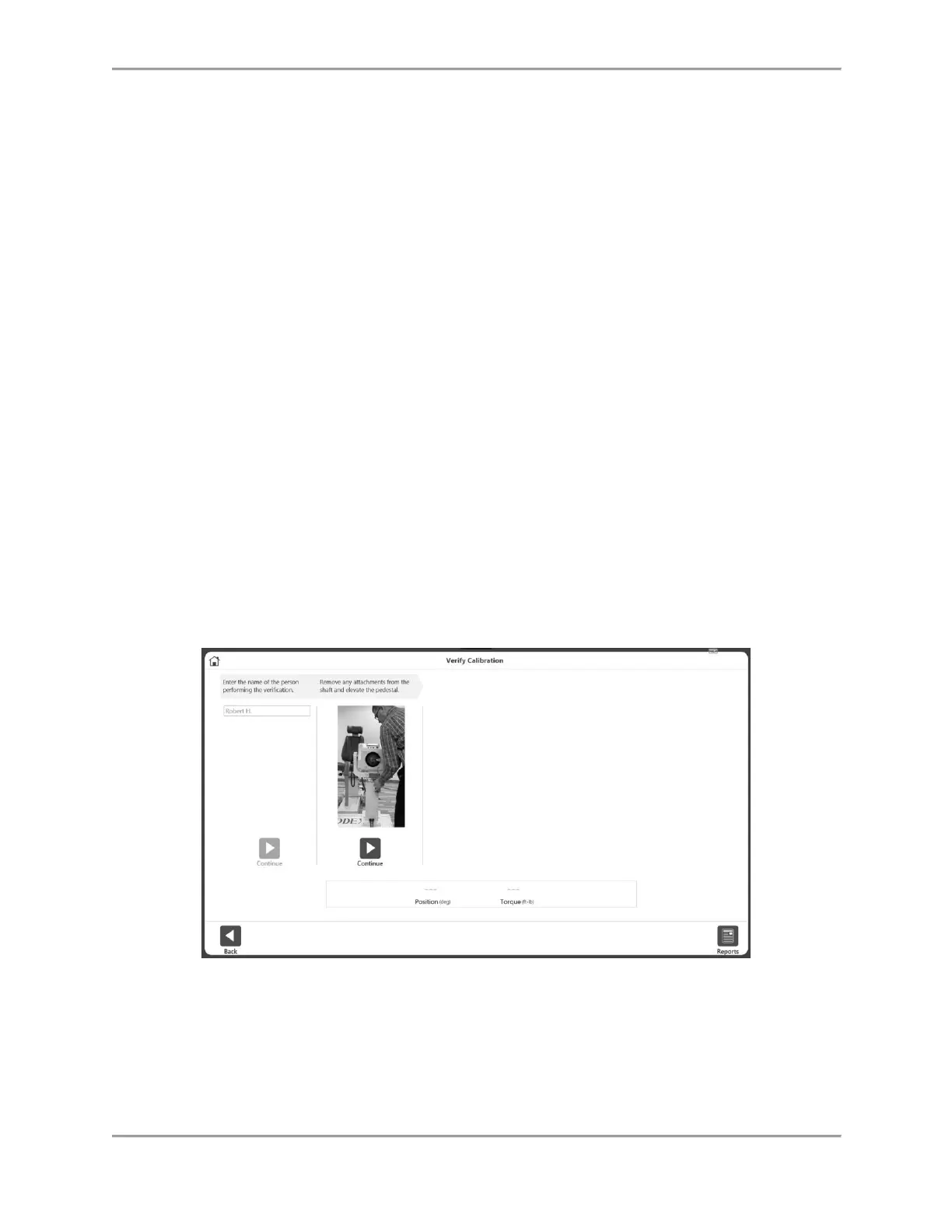
Verify Calibration
1. From the Home screen, click the Utilities icon.
2. Click the Verify Calibration button.
3. Enter the name of the person performing the verification on the Verify Calibration
screen.
4. Select the Continue icon.
5. Watch the video. Remove any attachments from the shaft and elevate the pedestal.
6. Select the Continue icon.
7. Watch the video. Attach the shoulder attachment and then attach the calibration weight.
Allow it to settle.
8. Select the Continue icon.
9. Watch the video. Remove the calibration weight.



 To Next Page