86
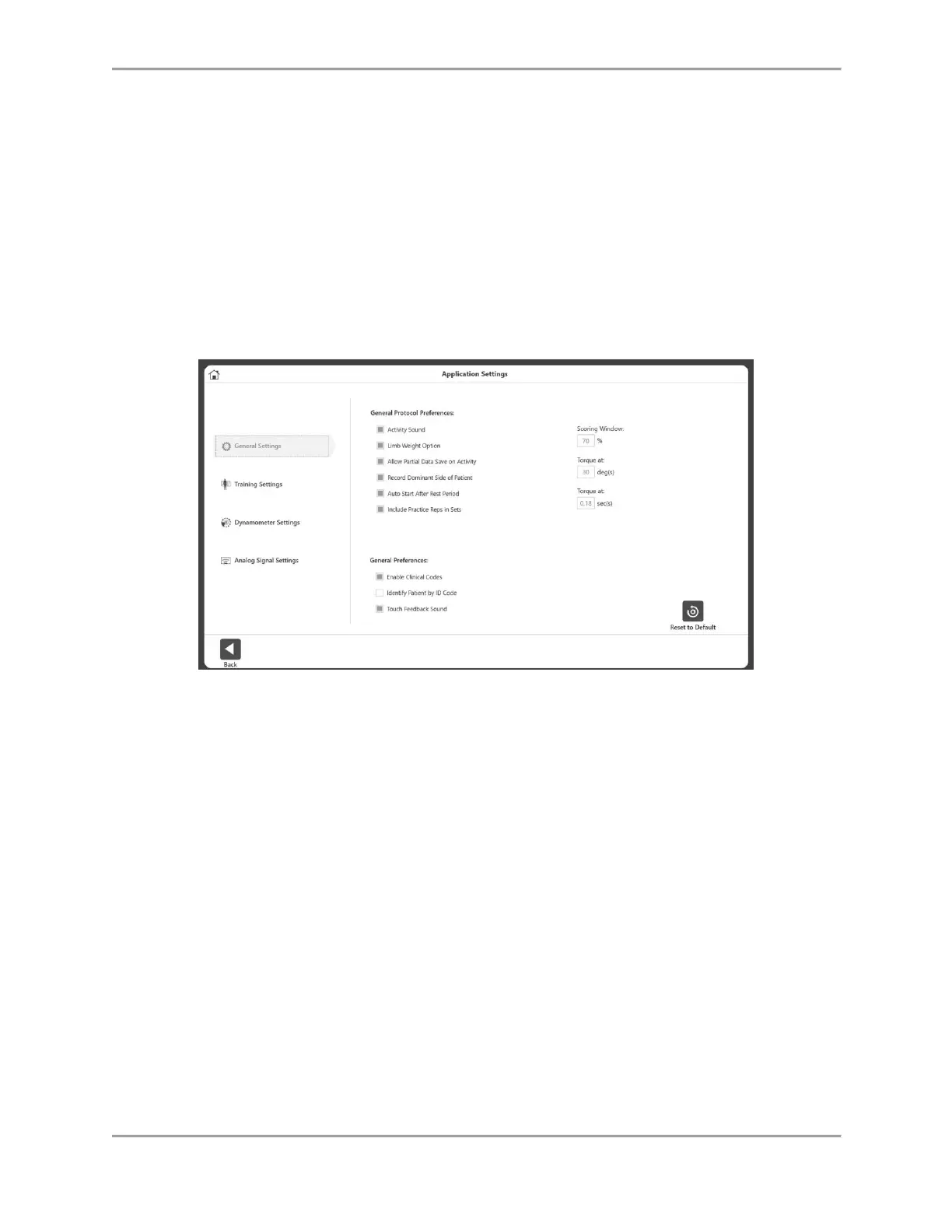
Application Settings
The Application Settings option allows settings to be changed. Any changes made to this
screen, will be saved.
NOTE: When the Reset to Default icon is selected, it will only reset the section the user is
currently on.
1. Enter Access Code 159 and select the OK icon.
2. On the Application Settings screen, select General Settings, Training Settings,
Dynamometer Settings, or Analog Signal Settings. Once selected, the appropriate
options for that setting will display on the right side of the screen.
General Settings
General Protocol Preferences:
Activity Sound – controls the sound of the Activity Start, complete, rep sound.
Limb Weight Option – enable/disable option to set Limb Weight on ROM setup.
Allow Partial Data Save on Activity – If enabled, allows the user to save partial
data. User won’t be able to skip side if disabled.
Record Dominant Side of Patient – Optional setting to record patient’s dominant
side.
Auto Start After Rest Period – Automatically starts the next set after a rest period
is over.
Include Practice Reps in Sets – Automatically starts a Practice Trial for each set
before the actual activity starts.
Scoring Window – Allows the user to change the value of the scoring window used
on the activity screen. The default setting is 70%.



 To Next Page