19
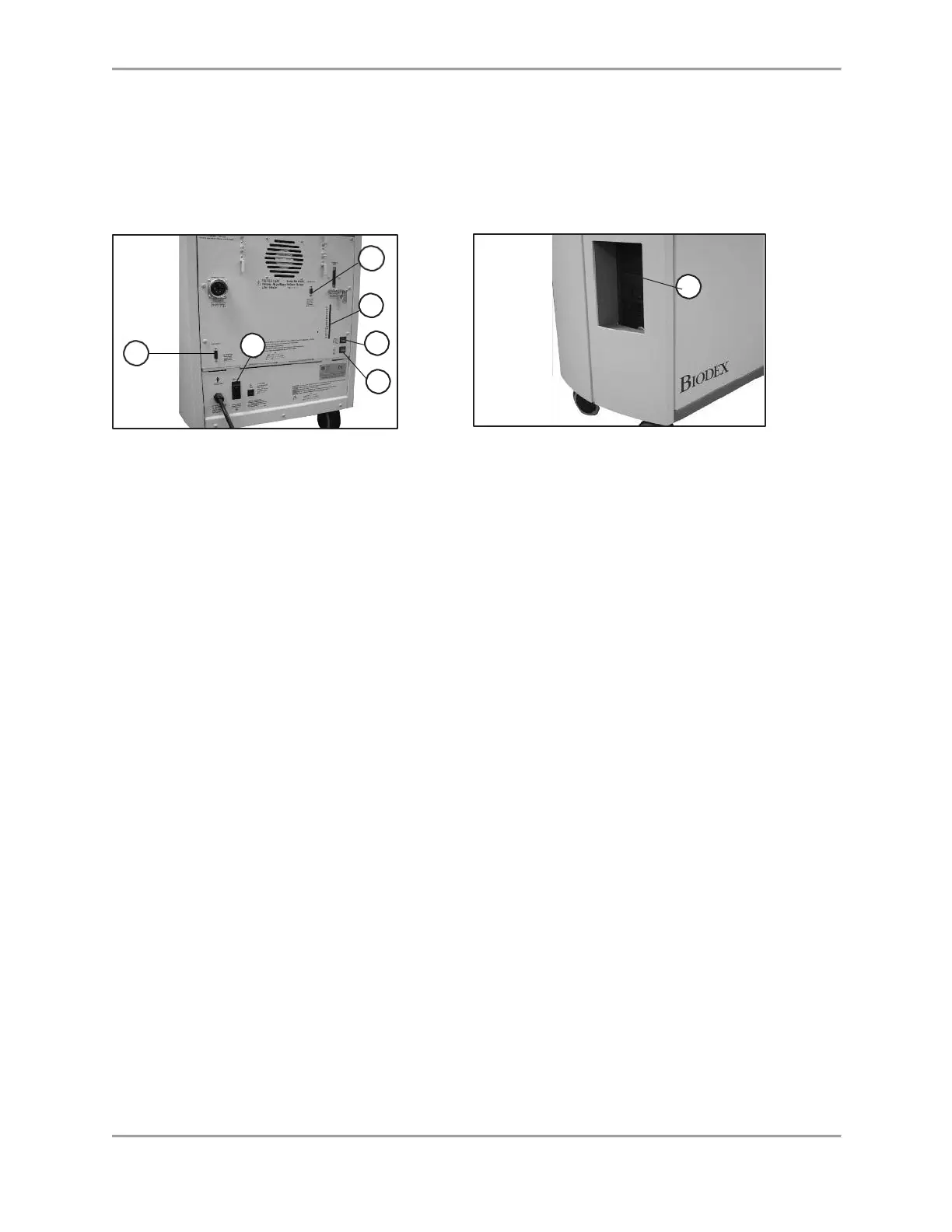
CPU ON/OFF Switch: Use this switch to turn the CPU ON/OFF.
Status/Diagnostics Panel (LEDs): This panel provides information to assist in troubleshooting of
dynamometer/control panel problems. In the event of a system malfunction, always be sure to
record that LEDs light before attempting to correct a problem or restart the system. Contact a
Service Representative whenever the status panel indicates a malfunction.
Figure 2.8. Rear Panel Figure 2.9. Front Panel
Figures 2.8 and 2.9. The System 4 Controller front panel (right) and rear of unit (left):
1. Main Power Switch
2. Dynamometer Power Switch
3. Controller Power Switch
4. Status/Diagnostics Panel (LEDs)
5. CPU ON/OFF Switch
6. Remote Access for Analog Signals
7. Auxiliary RS 232 for RTK Interface
Readying the System for Use
1. Turn the main power switch on the back of the controller to the ON (1) position (see Figure
1.8).
2. Ensure that the green dynamometer and computer power switches are set to the ON (I)
position. They will be illuminated when ON.
3. Turn on the computer. Whenever the computer is shut down it must be turned on manually.
4. Upon power up, a message will be displayed on the monitor that the system needs to be
initialized. Initialization consists of a self-test during that the firmware checks to ensure that
the dynamometer and associated hardware are working properly. Initialization must be
performed any time the system is turned ON following system shut-down or an interruption
in power supply.
5. Remove any attachments from the dynamometer input shaft and select <OK> to proceed
with initialization. The dynamometer input shaft will turn fully clockwise and
counterclockwise. If any problems are encountered, the system will display an error
message. If all circuits and phases of the System 4 dynamometer and hardware are working
properly, no error message will be presented and the display advances to the Dynamometer
Operation screen. The message “Set ROM Limits” should now be displayed in the System
Status window at the top of the screen. The system is now ready for use.



 To Next Page