54
Training
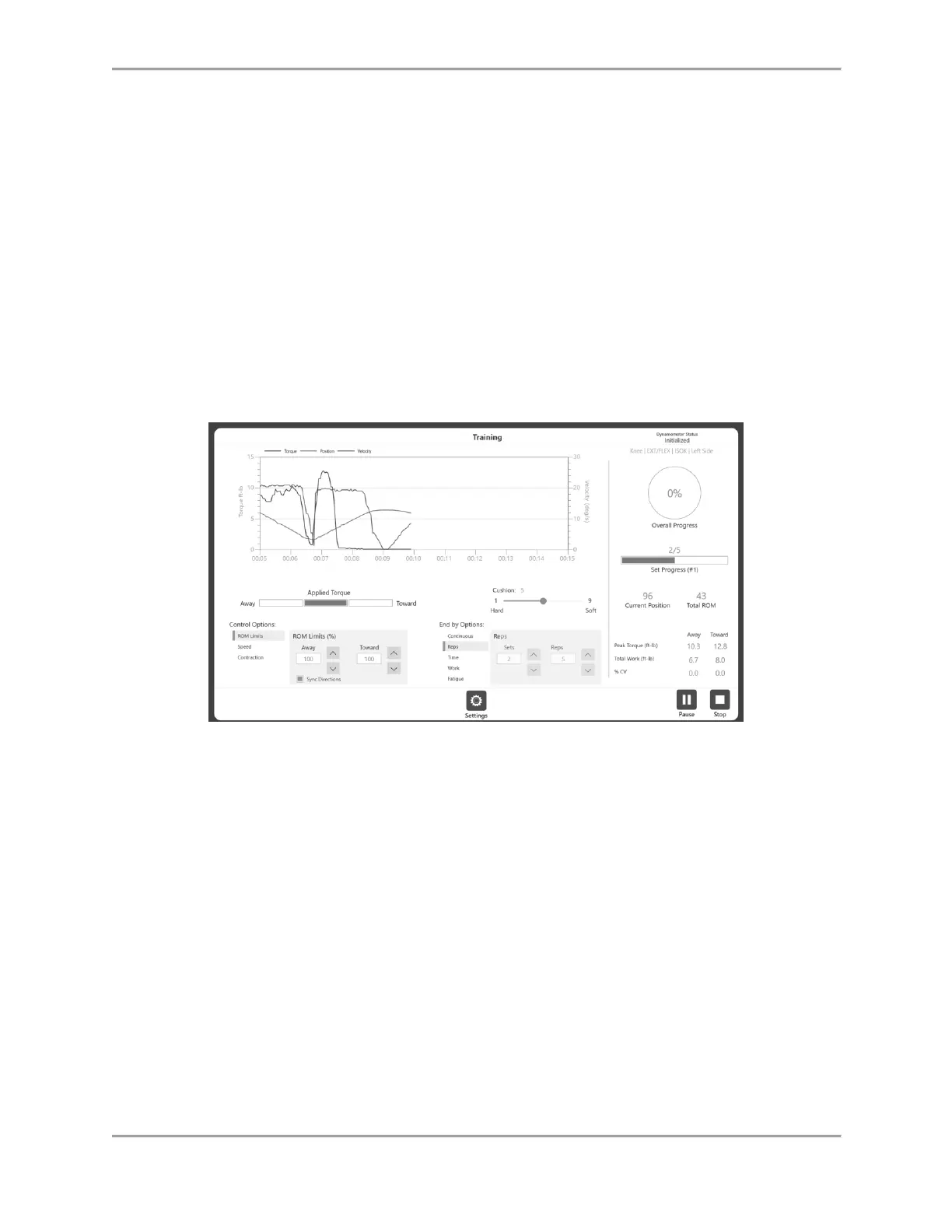
1. The Training screen will display:
a. A Graph option in the middle.
b. The bottom portion will display different control options (Speed, Torque, %ROM
etc.).
NOTE: Speed, Torque, and %ROM Limits can be adjusted after a session has
started.
NOTE: It is recommended to start with a smaller %ROM and increase it during a
session. The %ROM can be made smaller or larger during a session, but no larger
than the maximum ROM set during the initial ROM setup.
c. The top right portion will display the overall progress and Set progress.
d. The bottom right portion will display different metrics – Peak Torque, Total Work,
%CV.
e. Start, Stop and Settings button.
NOTE: Under the Set Progress bar, the set number for multiple sets
can be displayed.



 To Next Page