2-2-10 Data Dump Mode
This function can be used to diagnose the communication issues when the printer does not work correctly.
In this mode, the received data are not analyzed and printed, instead they are dumped in
hex format without processing.
Turn the printer off and on to recover to the Print Standby Mode.
Use Stand-alone Configuration Mode, Sequence Number 5(refer to 5-1) to start Data Dump Mode.
2-2-11 The Peel-Off(Option)
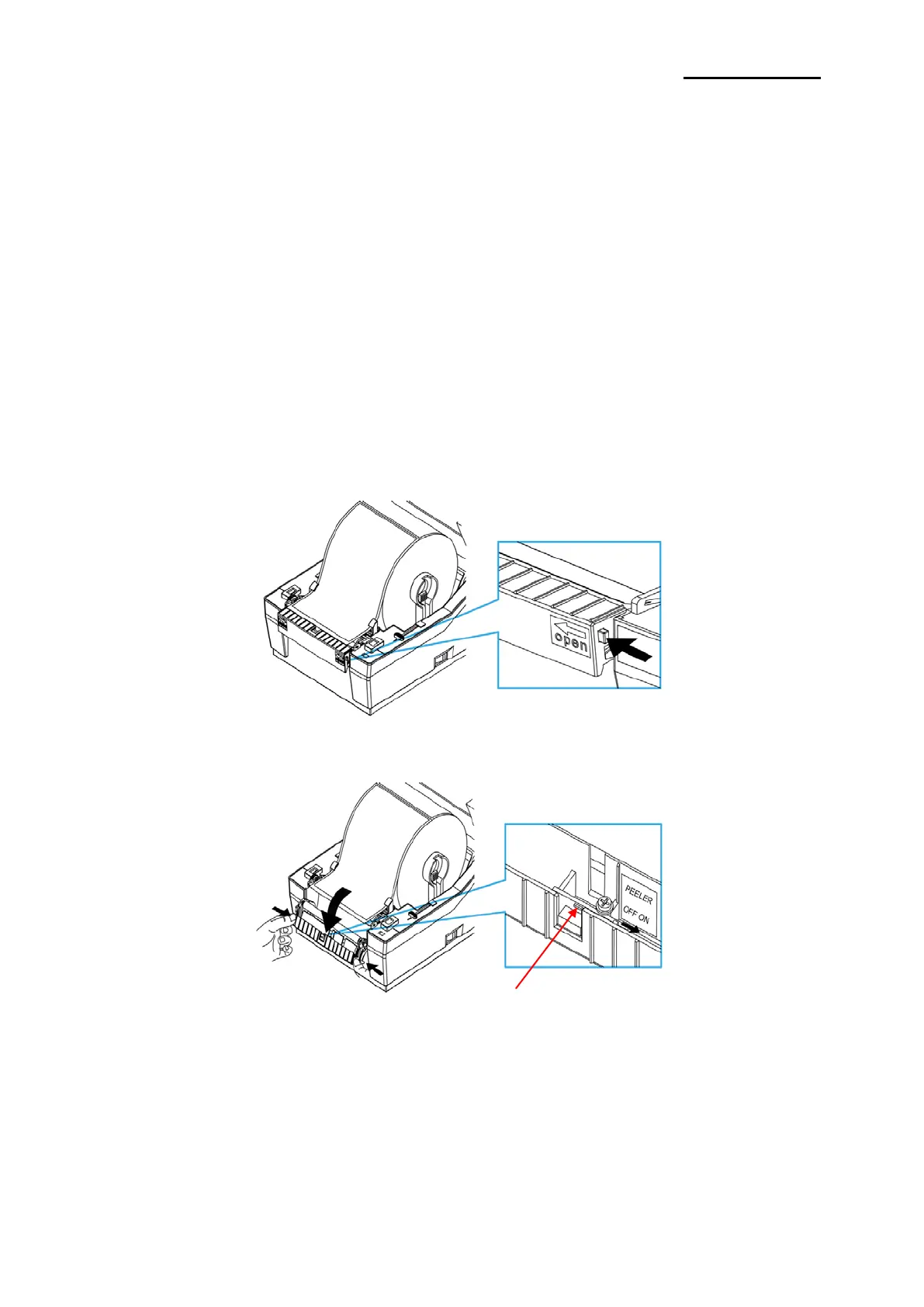
This function is used to automatically separate labels from the liner.
1) Open the paper cover.
2) Open the peel-off cover and turn on the peeler switch.
3) Check if the peeler LED is on.
Ver. 1.01
- 14 -













 To Next Page