7. Troubleshooting
This character describes the methods for troubleshooting in this Label Printer.
• Troubleshooting flow chart
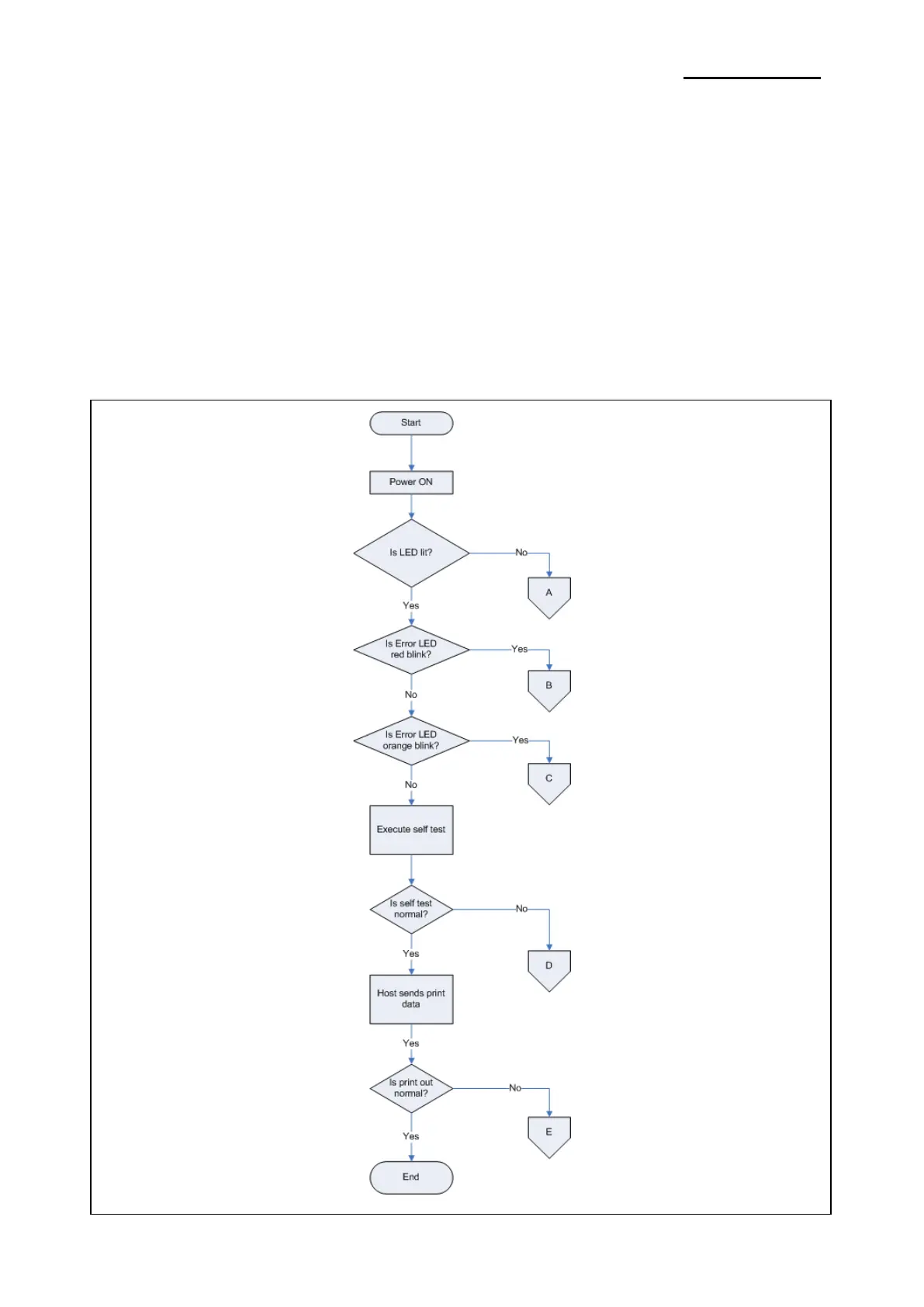
When the source of the problem is not clear, use the flowchart to find and replace a defective component.
• Troubleshooting tables
Follow the steps outlined in these tables to repair a defect whose symptoms are known.
7-1 Troubleshooting flow chart
7-1-1 Basic flow chart
If the source of a problem is not clear, use the flowchart below to find and replace a defective component.
Normally, servicing should be performed by component replacement. Repairs of the PCBs and other
components should be performed only by technicians.
Ver. 1.01
- 50 -













 To Next Page