47
1.8 7 7. 8 7 7. 2 2 6 9 BLACKBOX.COM
NEED HELP?
LEAVE THE TECH TO US
LIVE 24/7
TECHNICAL
SUPPORT
1.8 77.877.2269
CHAPTER 12: OSD FUNCTIONS
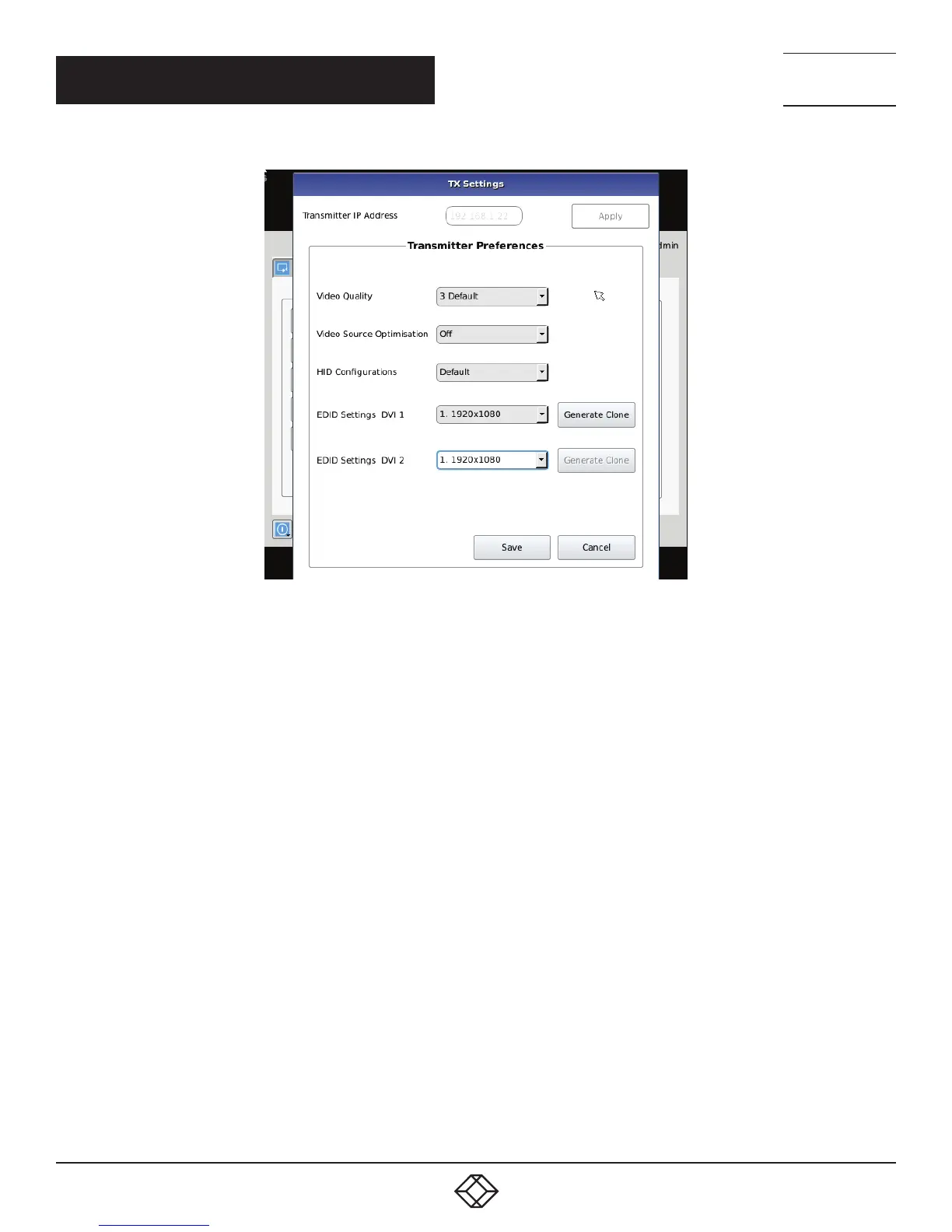
FIGURE 12-20
Transmitter Video Quality Settings
1. Best Quality – lossless compression, pixel-perfect mode of operation. Generally needs dedicated network to ensure no frame loss.
2. Visually Lossless Compression – high quality visual image. Some compression on stream to reduce bandwidth to allow
operation on standard corporate networks. Compression does not vary based on available network bandwidth, so may lead
to some dropped frames during network congestion periods.
3. Optimized Quality (default) – system tuned to maintain visually lossless compression while increasing compression level during
periods of network congestion to reduce frame loss. Balances visual quality with frame loss in periods of congestion (i.e. attempts
to reduce/eliminate frame loss).
4. Optimized Bandwidth – system tuned to maintain visually lossless compression but increased levels of compression level during
periods of network congestion to reduce frame loss. Optimized towards lower bandwidth during congestion periods compared to
level 3.
5. Lowest Bandwidth – high level of compression to minimize average network bandwidth. No dynamic change to compression
levels – always seeking to reduce bandwidth.
If the active IP address is not the address of a valid InvisaPC Transmitter or this address is unreachable, an error message is
returned.
HID Configurations
The HID configuration can be set to be default which allows Audio over USB as well as keyboard and mouse connections or Basic HID
which provide compatibility with DKM, DCX and older servers that require a keyboard and mouse HID only.
Basic HID is also required to access any computer’s BIOS menus.



 To Next Page