129
1. 8 7 7. 8 7 7. 2 26 9 BLACKBOX.COM
NEED HELP?
LEAVE THE TECH TO US
LIVE 24/7
TECHNICAL
SUPPORT
1.877.87 7.2269
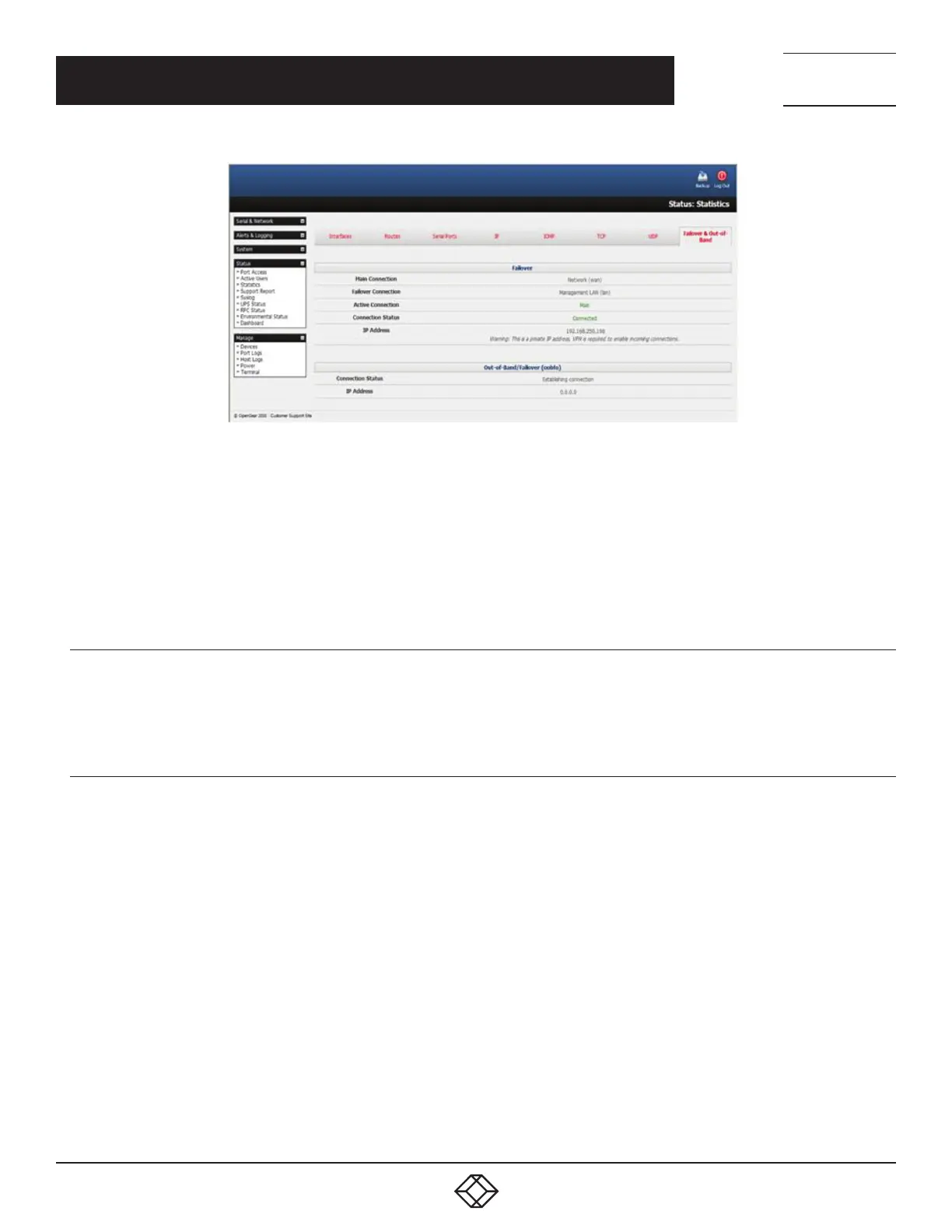
FIGURE 6-17.
Note the Active Connection value.
If the Main Connection is good, the Active Connection value will be Main.
If the Main Connection is down, the Out-of-Band/Failover section displays information relating to a configured Out-of-Band/Failover
interface and the status of that connection. The IP Address of the Out-of-Band/Failover interface will be presented in the Out-of-
Band/Failover section once the Out-of-Band/Failover connection has been triggered and made.
6.7.3 CELLULAR ROUTING
Once you have a configured carrier connection, the cellular modem can be configured to route traffic through the console server.
This requires setting up forwarding and masquerading as detailed in Section 6.8.
6.7.4 CELLULAR CSD DIAL-IN
CSD is a legacy form ofdatatransmission developed for TDMA-based mobile phonesystems likeGSM. CSD uses a single
radiotime slotto deliver 9.6 kbps data transmission to the GSMNetwork and Switching Subsystemwhere it could be connected
through the equivalent of a normal modemto thePublic Switched Telephone Network(PSTN) allowing direct calls to anydial-
upservice.
CSD is provided selectively by carriers and it is important you receive a Data Terminating number as part of the mobile service your
carrier provides. This is the number that external modems will call to access the console server.
Once you have configured carrier connection, the cellular modem can be configured to receive Circuit Switched Data(CSD) calls.
Navigate to System > Dial.
Click the Internal Cellular Modem tab.
Check the Enable Dial-In radio button.
Enter the required information in the Dial-In Settings section.
CHAPTER 6: FIREWALL, FAILOVER AND OOB ACCESS











 To Next Page