38
1. 8 7 7. 8 7 7. 2 26 9 BLACKBOX.COM
NEED HELP?
LEAVE THE TECH TO US
LIVE 24/7
TECHNICAL
SUPPORT
1.877.87 7.2269
CHAPTER 4: SYSTEM CONFIGURATION
NOTE: The System Name can contain from 1 to 64 alphanumeric characters as well as the following special characters . - _. There
are no restrictions on the characters that can be used in the System Description, which can contain up to 254 characters.
Optional: text entered in the MOTD Banner field is displayed to users when the log-in to the console server.
Click Apply.
NOTE: If you are not confident your console server has been supplied with the current release of firmware, you can upgrade it. (See
Chapter 12 for details.)
4.3 NETWORK CONFIGURATION
The next step is to enter an IP address for the principal Ethernet (LAN/Network/Network1) port on the console server; or enable its
DHCP client so that it automatically obtains an IP address from a DHCP server on the network it is to be connected to.
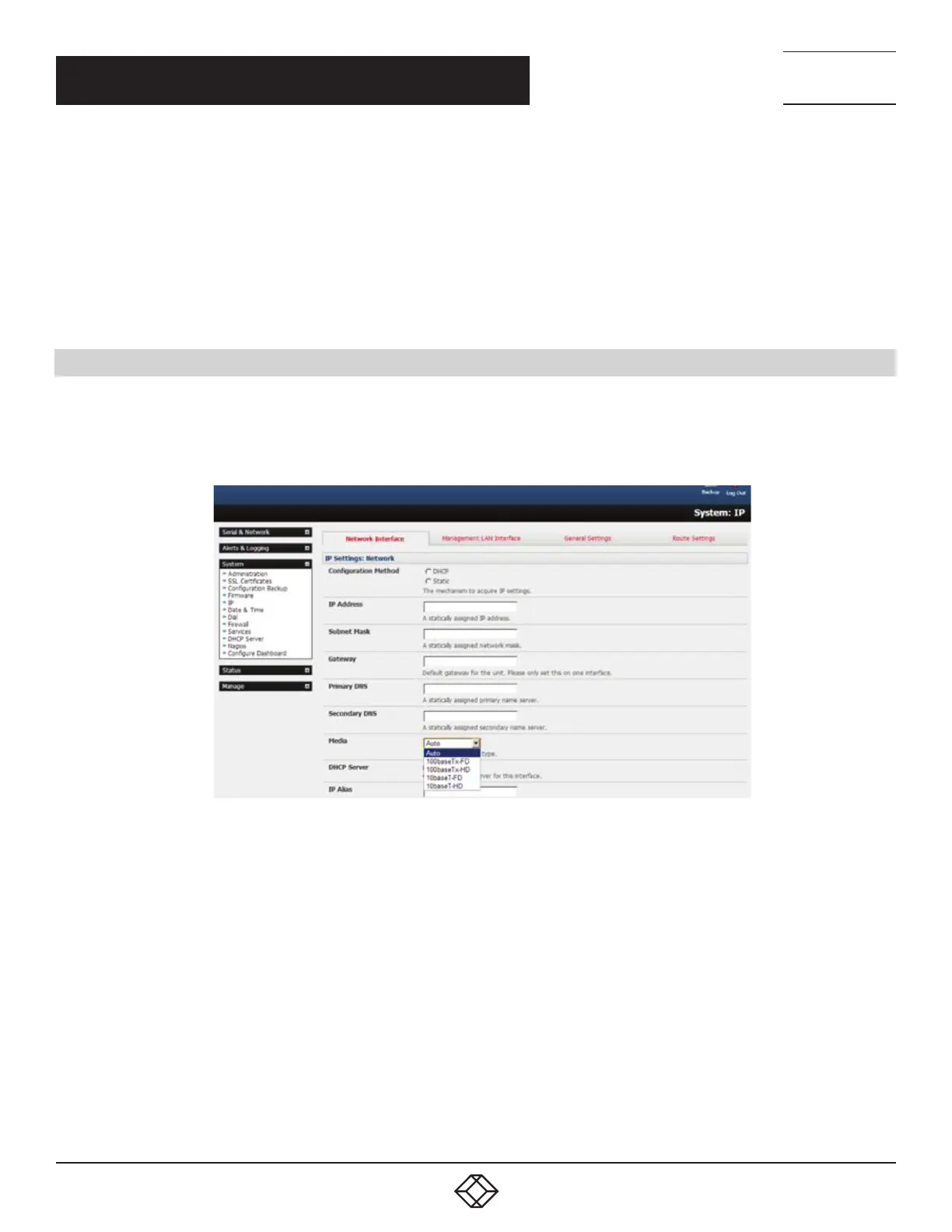
On the System > IP menu, select the Network Interface page then check DHCP or Static for the Configuration Method.
FIGURE 4-7. NETWORK INTERFACE PAGE
If you selected Static, you must manually enter the new IP Address, Subnet Mask, Gateway and DNS server details. This selection
automatically disables the DHCP client.
By default, the console server LAN port auto detects the Ethernet connection speed. To lock the Ethernet port to 10 Mbps or 100
Mbps and to Full Duplex (FD) or Half Duplex (HD), select a speed and duplex setting from the Media pop-up menu.
If you encounter packet loss or poor network performance with the default auto-negotiation setting, try manually setting the Media
settings on both the console server and the device it is connected to. In most cases, select 100BASE-TX-FD (100 megabits, full
duplex). Make sure both sides are set identically.
If you selected DHCP, the console server will look for configuration details from a DHCP server. This selection automatically disables
any static address. The console server’s MAC address can be found on a label on the base plate.
In its factory default state (with no Configuration Method selected), the console server has its DHCP client enabled, so it
automatically accepts any network IP address assigned by a DHCP server on your network. In this initial state, the console server
will then respond to both its Static address (192.168.0.1) and its newly assigned DHCP address.
You may also enter a secondary address or comma-separated list of addresses in CIDR notation as an IP Alias.











 To Next Page