90
1. 8 7 7. 8 7 7. 2 26 9 BLACKBOX.COM
NEED HELP?
LEAVE THE TECH TO US
LIVE 24/7
TECHNICAL
SUPPORT
1.877.87 7.2269
5.10 OPENVPN
The LES1600, LES1516A, LES1532A, LES1548A, and LES1700 family of advanced console servers with Firmware v3.2 and later, include
OpenVPN. OpenVPN uses the OpenSSL library for encryption, authentication, and certification, which means it uses SSL/TSL (Secure
Socket Layer/Transport Layer Security) for key exchange and can encrypt both data and control channels. Using OpenVPN allows
for the building of cross-platform, point-to-point VPNs using either X.509 PKI (Public Key Infrastructure) or custom configuration files.
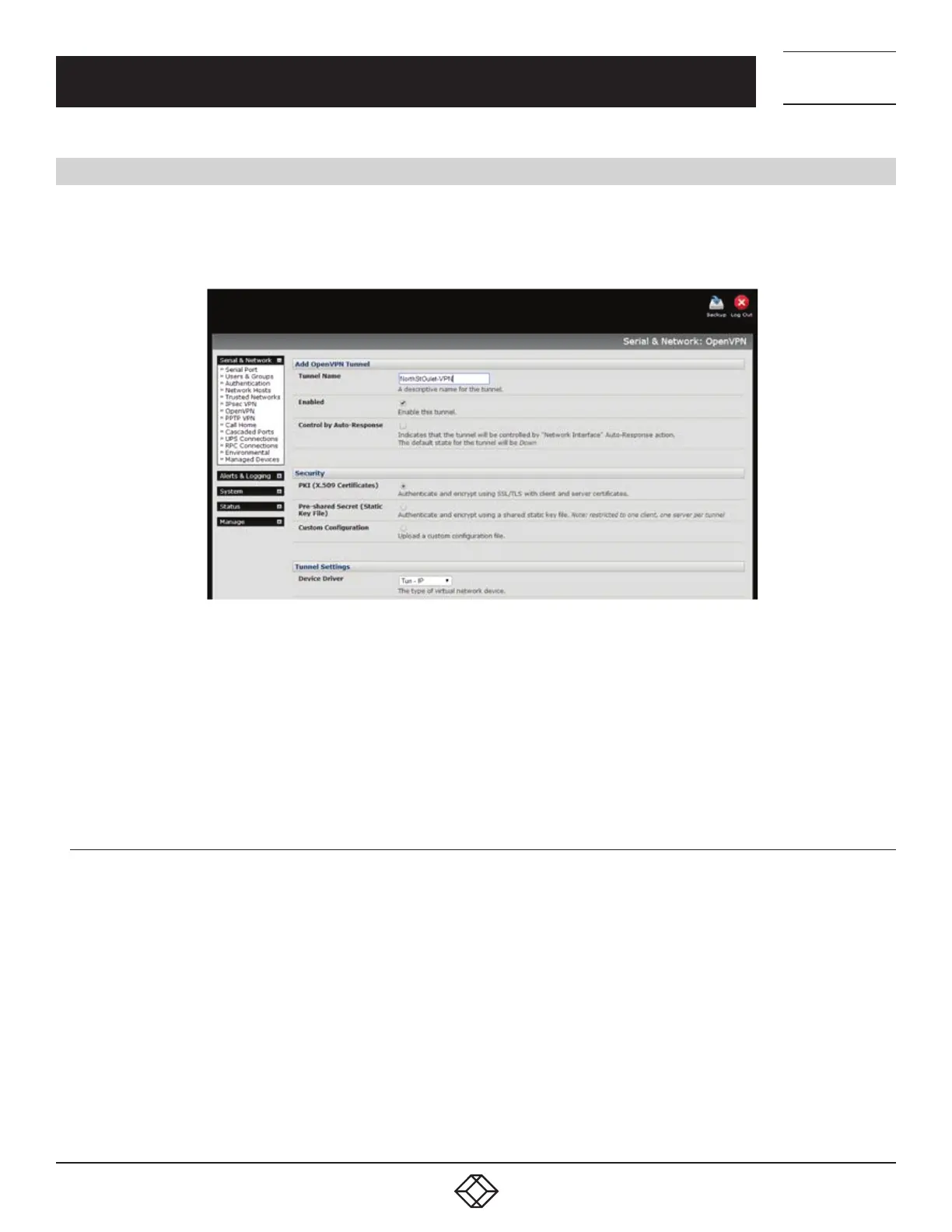
FIGURE 5-26. OPENVPN SCREEN
OpenVPN allows secure tunneling of data through a single TCP/UDP port over an unsecured network, thus providing secure access
to multiple sites and secure remote administration to a console server over the Internet.
OpenVPN also allows the use of Dynamic IP addresses by both the server and client thus providing client mobility. For example, an
OpenVPN tunnel may be established between a roaming windows client and an Black Box advanced console server within a data
center.
Configuration of OpenVPN can be complex so Black Box provides a simple GUI interface for basic set up as described next.
5.10.1 ENABLE THE OPENVPN
Select Serial & Networks > OpenVPN.
Click Add.
Fill-out the required fields on the Add OpenVPN Tunnel screen.
Enter a descriptive name to identify the added IPsec Tunnel. For example West-St-Outlet.
Select the authentication method to be used.
To authenticate using certificates, select PKI (X.509 Certificates).
To authenticate using a custom configuration, select Custom Configuration to upload custom configuration files.
NOTE: Custom configurations must be stored in /etc/config.
If you select PKI (public key infrastructure), you will need to establish:
a separate certificate (also known as a public key).
This Certificate File will be a *.crt file type.
CHAPTER 5: SERIAL PORT, HOST DEVICE AND USER CONFIG











 To Next Page