237
1. 8 7 7. 8 7 7. 2 26 9 BLACKBOX.COM
NEED HELP?
LEAVE THE TECH TO US
LIVE 24/7
TECHNICAL
SUPPORT
1.877.87 7.2269
CHAPTER 12: SYSTEM MANAGEMENT
12.3 DATE AND TIME CONFIGURATION
Set the local Date and Time in your Black Box appliance as soon as it is configured. Features such as Syslog and NFS logging use
the system time for time-stamping log entries, while certificate generation depends on a correct Timestamp to check the validity
period of the certificate.
Your Black Box appliance can synchronize its system time with a remote Network Time Protocol (NTP) server. NTP uses
Coordinated Universal Time (UCT) for all time synchronizations so it is not affected by different time zones. You do need to specify
your local time zone so the system clock shows correct local time.
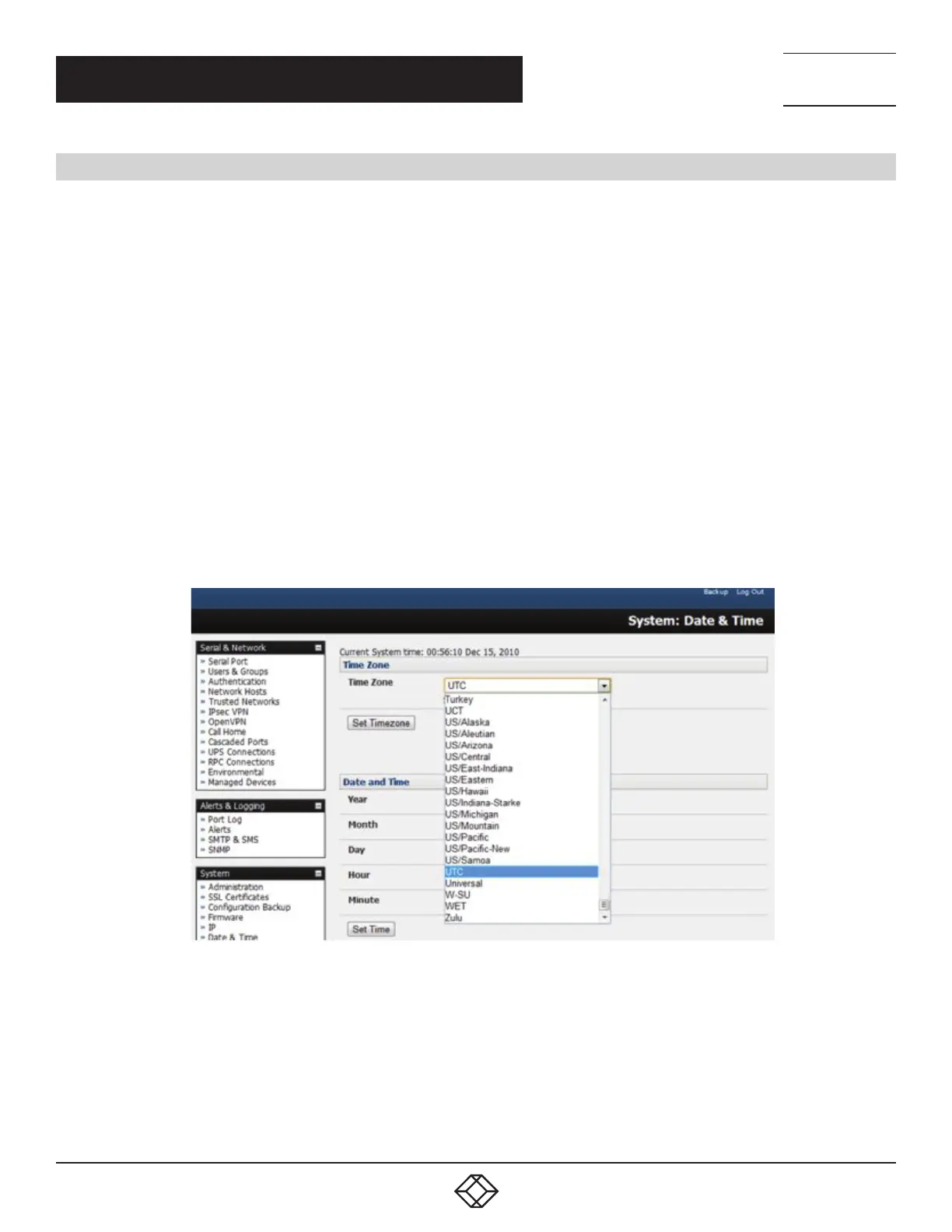
Select System > Date & Time.
Set your appropriate region in the Time Zone selection box and click Set Time.
NOTE: With firmware v3.2.0 and later the Time Zone can also be set to UTC, which replaced Greenwich Mean Time as the World
standard for time in 1986.
Configuring NTP ensures theBlack Box appliance clock is kept extremely accurate once an Internet connection has been
established.
Select theEnable NTPcheckbox in theNetwork Time Protocol section of theSystem > Date & Timepage.
Enter the IP address of the remoteNTP Server.
If your external NTP server requires authentication, specify theNTP Authentication Keyand the Key Indexto use when
authenticating with the NTP server.
FIGURE 12-3.
ClickApply NTP Settings.
If remote NTP is not used, the time can be set manually:
Enter theYear,Month,Day,HourandMinuteusing theDateandTimeselection boxes.
CheckSet Time.
Black Box appliances have an internal, battery-backed hardware clock.Whether set manually, or set by an NTP server, thehardware
clock is automatically updated. The clock’sbattery maintains the time and date across reboots and when the appliance is powered
down.











 To Next Page