162
1. 8 7 7. 8 7 7. 2 26 9 BLACKBOX.COM
NEED HELP?
LEAVE THE TECH TO US
LIVE 24/7
TECHNICAL
SUPPORT
1.877.87 7.2269
Click OK.
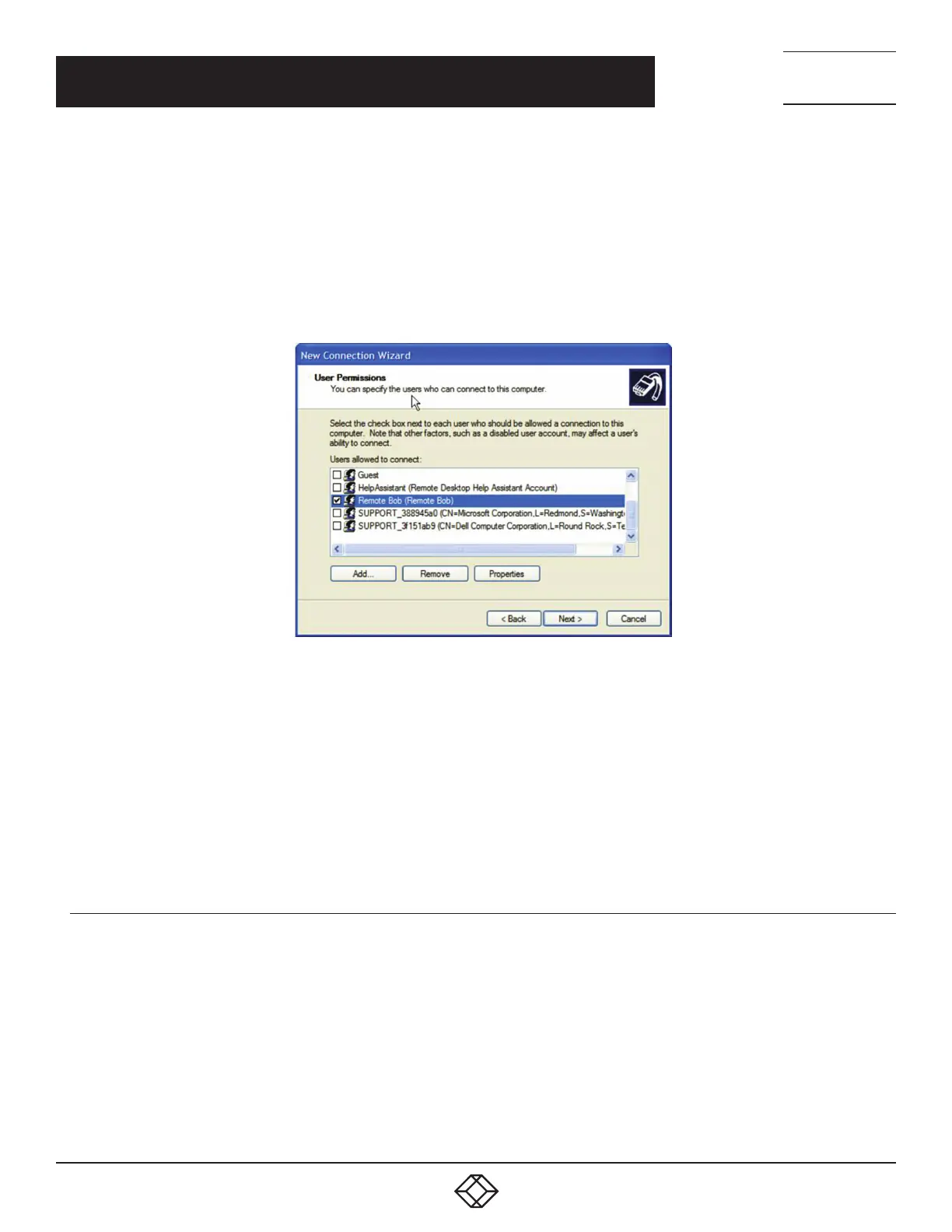
Another option is to use the console server’s default username and password to setup the Remote Desktop user and give this user
permission to use the advanced connection to access the computer running Windows.
The console server’s default Username is portXX where XX is the serial port number on the console server.
The console server’s default Password is portXX where XX is the serial port number on the console server.
For example, for an RDP connection to serial port 2 on the console server, set up a Windows user named port02 with appropriate
permissions.
FIGURE 7-24. USER PERMISSIONS SCREEN
When the PPP connection has been set up, a network icon appears in the Windows task bar.
The above notes describe setting up an incoming connection for Windows XP. The steps are similar for later versions of Windows
although the setup screens present slightly differently.
If an Incoming Connections Properties window presents, check the Always allow directly connected devices such as palmtop
computers to connect without providing a password checkbox.
Also the option to Set up an advanced connection is not available in Windows 2003 if RRAS is configured. If RRAS has been
configured, enable the null modem connection for the dial-in configuration.
7.10.2 SET UP SDT SERIAL PORTS ON THE CONSOLE SERVER
To set up RDP (and VNC) forwarding on the console server Serial Port that is connected to the Windows computer COM port:
Navigate to Serial & Network > Serial Port.
Click Edit for the particular Serial Port connected to the Windows computer’s COM port.
Select SDT Mode in the SDT Settings section.
This will enable port forwarding and SSH tunneling.
CHAPTER 7: SSH TUNNELS AND SDT CONNECTOR











 To Next Page