36
1. 8 7 7. 8 7 7. 2 26 9 BLACKBOX.COM
NEED HELP?
LEAVE THE TECH TO US
LIVE 24/7
TECHNICAL
SUPPORT
1.877.87 7.2269
CHAPTER 4: SYSTEM CONFIGURATION
If your system has a cellular modem, steps to configure the cellular router features will also present:
Configure the cellular modem connection (System/Dial page, see Chapter 6.)
Allow forwarding to the cellular destination network (System/Firewall page, see Chapter 6.)
Enable IP masquerading for cellular connection (System/Firewall page, see Chapter 6.)
After completing each of the above steps, return to the configuration list by clicking the Black Box logo in the top left corner
of the page.
NOTE: If you are not able to connect to the Management Console at 192.168.0.1 or if the default Username and Password were not
accepted, reset your console server (see Chapter 12).
4.2 ADMINISTRATOR SETUP
4.2.1 CHANGE DEFAULT ROOT SYSTEM PASSWORD
For security reasons, only the administrative user named root can initially log into a console server. So only those people who know
the root password can access and reconfigure the console server itself.
The corollary is that anyone who correctly guesses the root password can gain access and control of a console server. The initial
root password is default. It is essential, therefore, to enter and confirm a new password before giving the console server any
access to, or control of, other computers and network appliances.
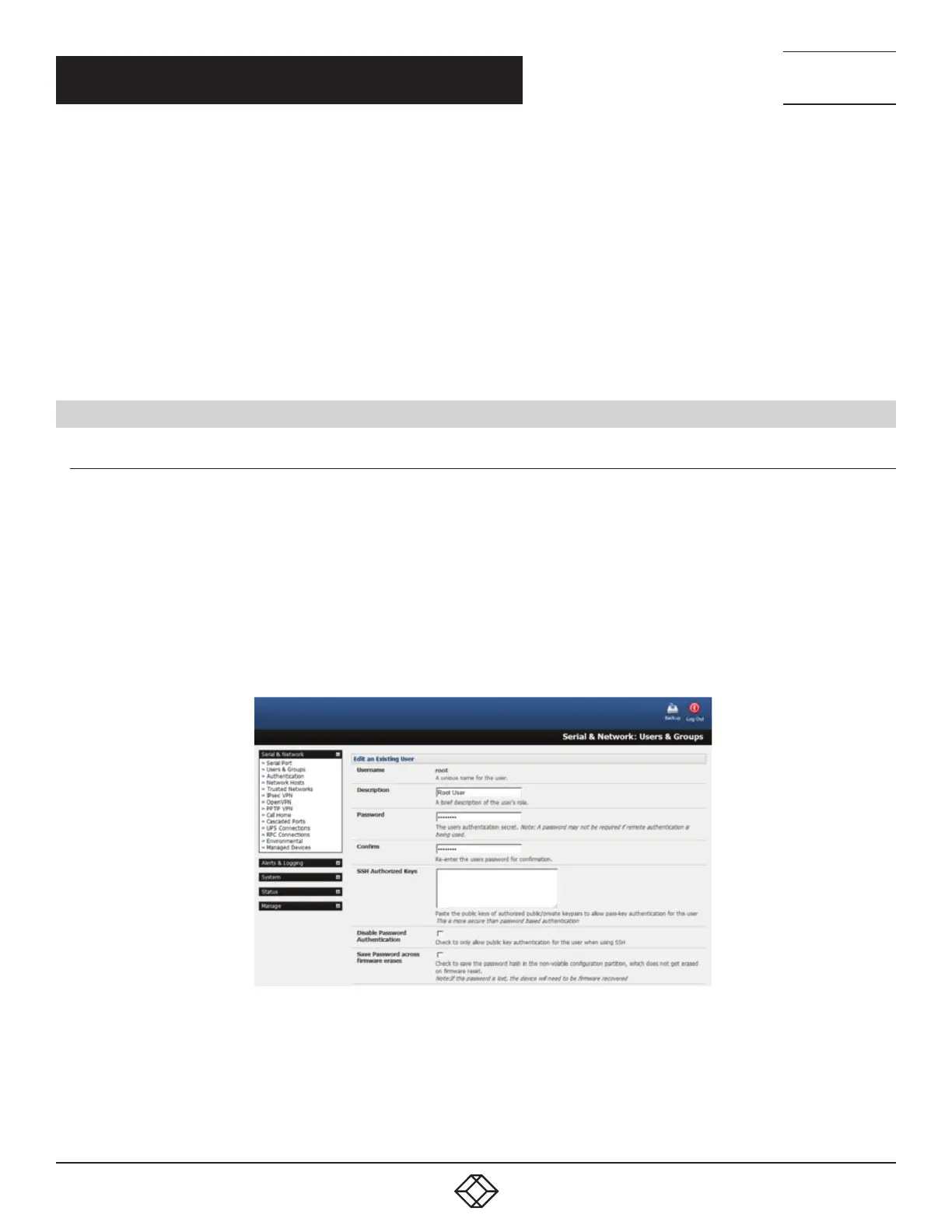
Select Change default administration password from the Welcome page.
The Serial & Network > Users & Groups page loads. From here a new, confirmed password for the root user can be set.
NOTE: There are no character restrictions in a console server user’s password. And passwords can be up to 254 characters long.
FIGURE 4-4. SERIAL & NETWORK: USERS & GROUPS SCREEN
If the console server has flash memory (such as the LES1700) you will be given the option to Save Password across firmware
erases.
Checking this will save the password hash in the non-volatile configuration partition, which does not get erased on firmware reset. If
this password is lost, the affected console server will need to be firmware recovered.
Click Apply.











 To Next Page