39
1. 8 7 7. 8 7 7. 2 26 9 BLACKBOX.COM
NEED HELP?
LEAVE THE TECH TO US
LIVE 24/7
TECHNICAL
SUPPORT
1.877.87 7.2269
CHAPTER 4: SYSTEM CONFIGURATION
For example: 192.168.1.1/24.
NOTE: If you changed the console server’s IP address, you may need to reconfigure your computer so it has an IP address
that is in the same network range as this new address (as detailed earlier in this chapter).
Click Apply.
Reconnect the browser on the computer that is connected to the console server by entering https://new-ip-address-here/.
4.3.1 IPV6 CONFIGURATION
By default, the console server Ethernet interfaces support IPv4. They can also be configured for IPv6 operation.
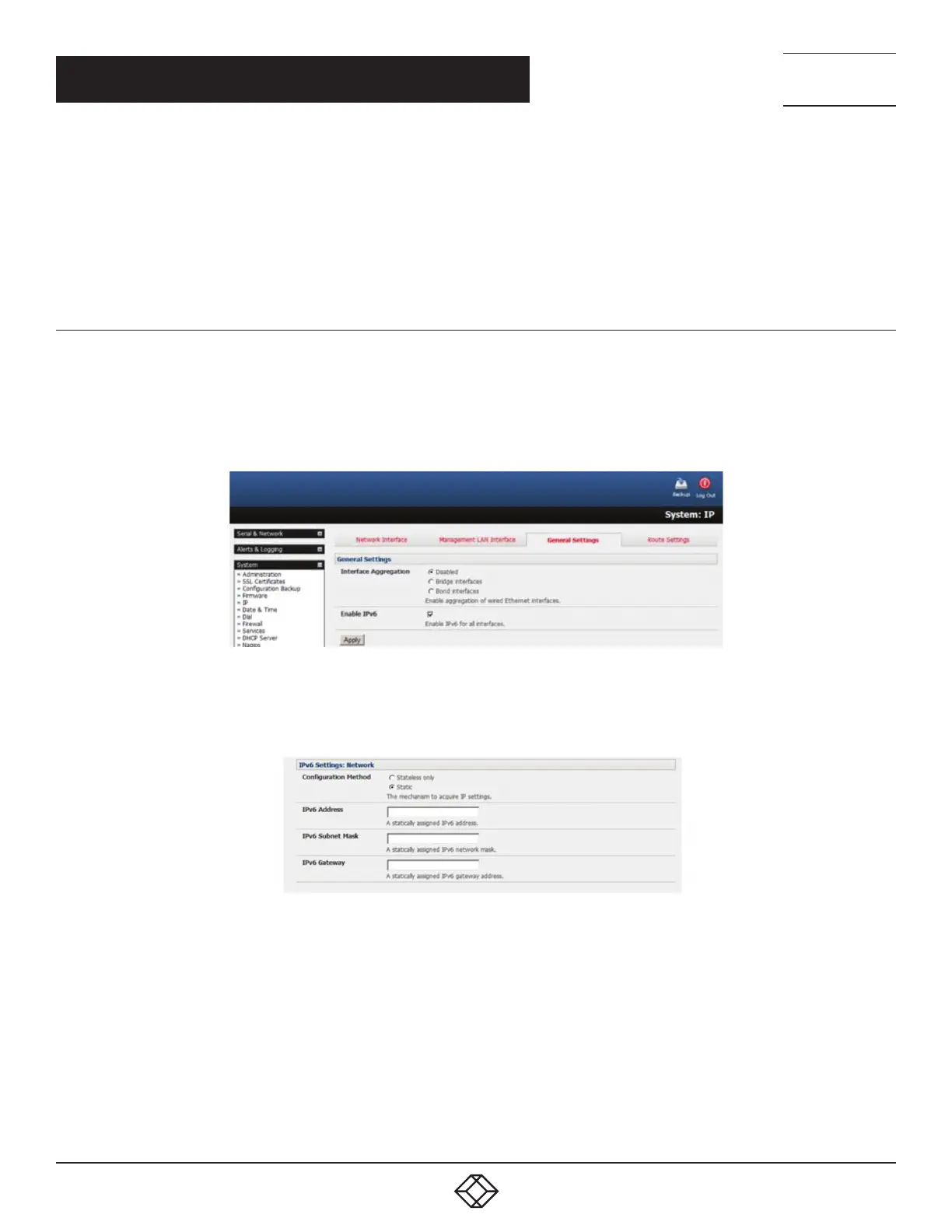
Select System > IP.
Click the General Settings tab.
FIGURE 4-8. SYSTEM > IP, GENERAL SETTINGS TAB
Check the Enable IPv6 check box.
FIGURE 4-9. ENABLE IPV6
Click the Network Interface to access the IPv6 settings section.
Configure the IPv6 settings.











 To Next Page