35
1. 8 7 7. 8 7 7. 2 26 9 BLACKBOX.COM
NEED HELP?
LEAVE THE TECH TO US
LIVE 24/7
TECHNICAL
SUPPORT
1.877.87 7.2269
CHAPTER 4: SYSTEM CONFIGURATION
4.1.2 BROWSER CONNECTION
Launch or switch to your preferred browser on the connected computer and enter https://192.168.0.1.
NOTE: Console servers ship with a self-signed SSL certificate and are factory configured with HTTPS access enabled and HTTP
access disabled.
The Management Console supports all current versions of the popular browsers: Internet Explorer, Firefox, Chrome, Safari and
more.
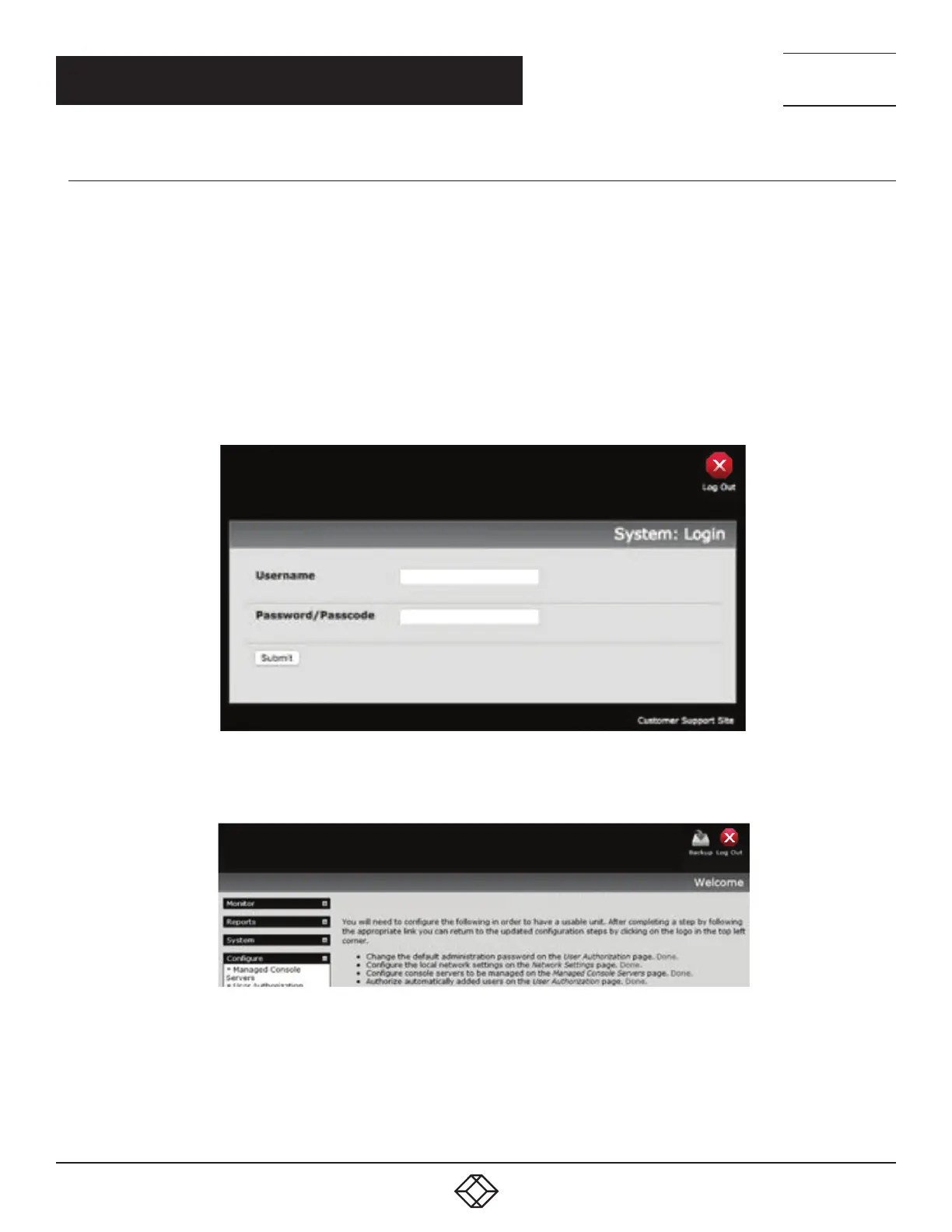
You will be prompted to log in.
Enter the default administration username and administration password:
Username: root
Password: default
FIGURE 4-2. SYSTEM: LOGIN SCREEN
A Welcome page, which lists initial configuration steps, will display.
FIGURE 4-3. WELCOME SCREEN
These steps are:
Change default administration password (Users page, see Section 4.2.)
Configure the local network settings (System/IP page, see Section 4.3.)
Configure serial ports settings (Serial & Network/Serial Port page, see Chapter 5.)
Configure user port access (Serial & Network/Users page, see Chapter 5.)











 To Next Page