41
1. 8 7 7. 8 7 7. 2 26 9 BLACKBOX.COM
NEED HELP?
LEAVE THE TECH TO US
LIVE 24/7
TECHNICAL
SUPPORT
1.877.87 7.2269
CHAPTER 4: SYSTEM CONFIGURATION
In DDNS Hostname, enter the fully qualified DNS hostname for your console server (for example, your-hostname.dyndns.org).
•Enter the DDNS Username and DDNS Password for the DDNS service provider account.
Specify the Maximum interval between updates in days. A DDNS update will be sent even if the address has not changed.
Specify the Minimum interval between checks for changed addresses in seconds. Updates will still only be sent if the address has
changed.
Specify the Maximum attempts per update (that is, the number of times to attempt an update before giving up). By default this is set
to 3.
4.4 SERVICES AND SERVICE ACCESS
The Administrator can access the console server, connected serial ports, and managed devices using a range of access protocols
and services. For each such access:
the particular service must first be configured and enabled to run on the console server.
then access through the firewall must be enabled for each network connection.
To enable and configure a service:
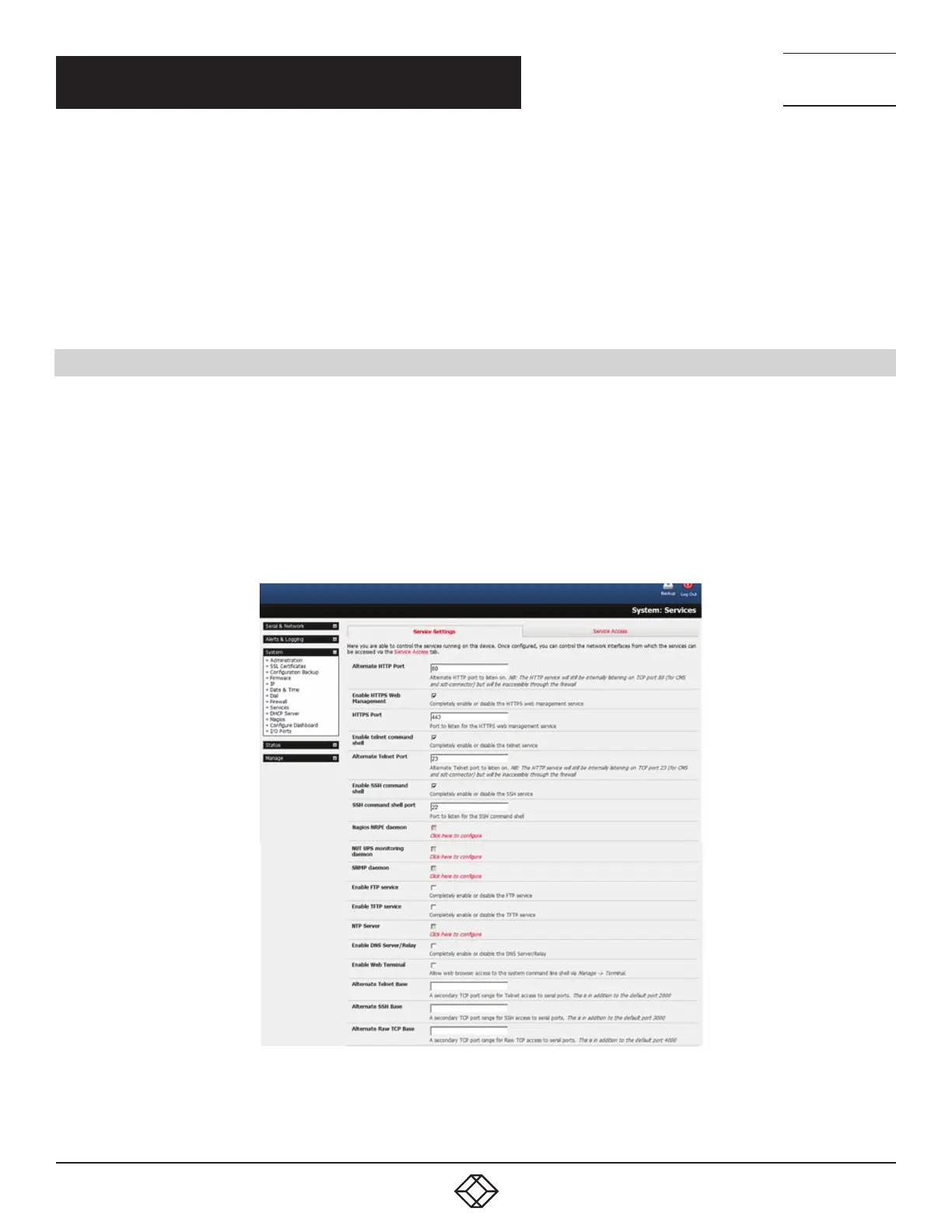
Navigate to System > Services.
Select the Service Settings tab.
FIGURE 4-11. SYSTEM > SERVICES SCREEN
NOTE: With firmware releases prior to version 3.5.3, services are enabled and configured using the Service Access tab on the
System > Firewall page.











 To Next Page