65
1. 8 7 7. 8 7 7. 2 26 9 BLACKBOX.COM
NEED HELP?
LEAVE THE TECH TO US
LIVE 24/7
TECHNICAL
SUPPORT
1.877.87 7.2269
CHAPTER 5: SERIAL PORT, HOST DEVICE AND USER CONFIG
5.1.1 COMMON SETTINGS
There are a number of common settings that can be set for each serial port. These are independent of the mode in which the port is
being used. These serial port parameters must be set so they match the serial port parameters on the device you attach to that port.
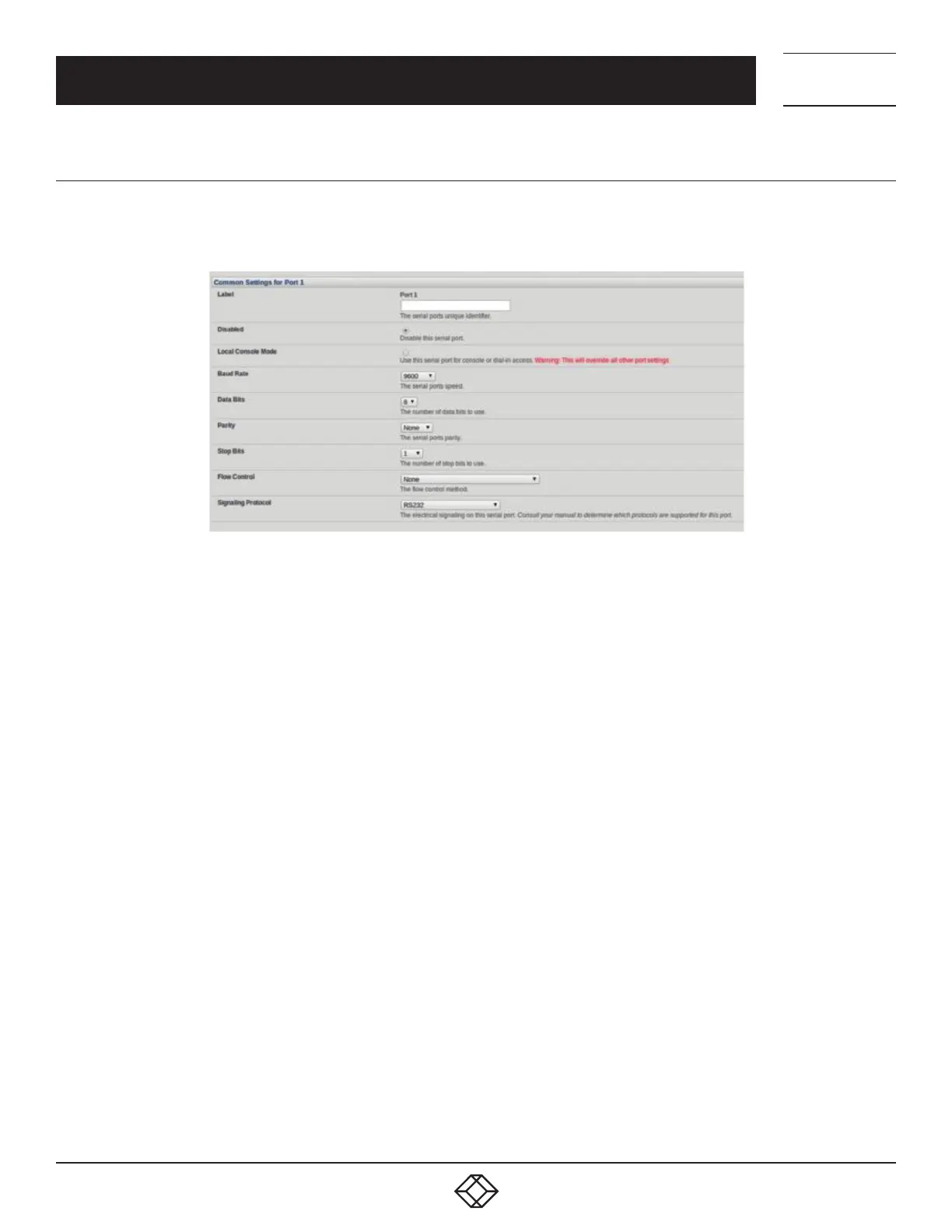
FIGURE 5-3.
Specify a Label for the port.
Select the appropriate Baud Rate, Parity, Data Bits, Stop Bits and Flow Control for each port.
Set the Signaling Protocol. This menu item only presents in ports with RS-422/485 options (all ports on LES1204A-2-I, LES1508A-I,
ACM5504-5-LA/LR/LV-I and ACM5504-5-G-I). The options available are RS-232, RS-422, RS-485 and RS-485 Echo mode.
Set the Port Pinout. This menu item only presents for LES1700 ports where pinout for each RJ-45 serial port can be set as either X2
(Cisco Straight) or X1 (Cisco Rolled).
Before proceeding with further serial port configuration, you should connect the ports to the serial devices they will be controlling, and
ensure they have matching settings.











 To Next Page