47
1. 8 7 7. 8 7 7. 2 26 9 BLACKBOX.COM
NEED HELP?
LEAVE THE TECH TO US
LIVE 24/7
TECHNICAL
SUPPORT
1.877.87 7.2269
CHAPTER 4: SYSTEM CONFIGURATION
4.5.2 PUTTY
Communications packages like PuTTY can be also used to connect to the Console server command line (and to connect serially
attached devices as covered in Chapter 5). PuTTY is a freeware implementation of Telnet and SSH for Win32 and UNIX platforms.
It runs as an executable application without needing to be installed onto your system. PuTTY (the Telnet and SSH client itself) can
be downloaded from http://putty.org/.
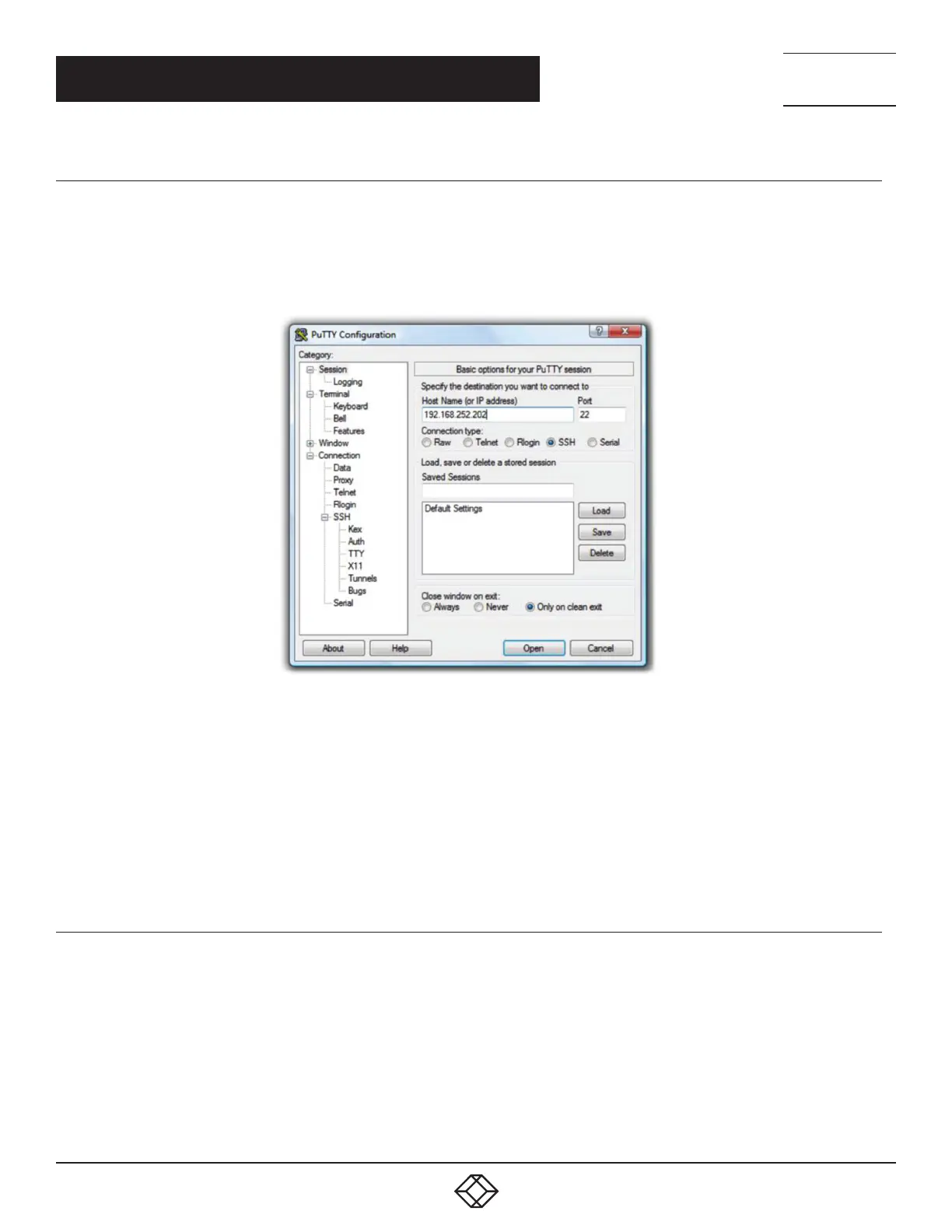
FIGURE 4-16. PUTTY
To use PuTTY for an SSH terminal session from a Windows client, you enter the console server’s IP address as the Host Name (or
IP address).
To access the console server command line, you select SSH as the protocol and use the default IP Port 22.
Click Open and you will be presented with the console server login prompt. (You may also receive a Security Alert that the host’s
key is not cached, you will need to choose yes to continue.)
Using the Telnet protocol is similarly simple, except you use the default telnet port: port 23.
4.5.3 SSHTERM
Another communications package that may be useful is SSHTerm, an open source package that can be downloaded from http://
sourceforge.net/projects/sshtools.
To use SSHTerm for an SSH terminal session from a Windows client, Select File > New Connection.
A dialog box appears for your Connection Profile.











 To Next Page