45
1. 8 7 7. 8 7 7. 2 26 9 BLACKBOX.COM
NEED HELP?
LEAVE THE TECH TO US
LIVE 24/7
TECHNICAL
SUPPORT
1.877.87 7.2269
CHAPTER 4: SYSTEM CONFIGURATION
BRUTE FORCE PROTECTION
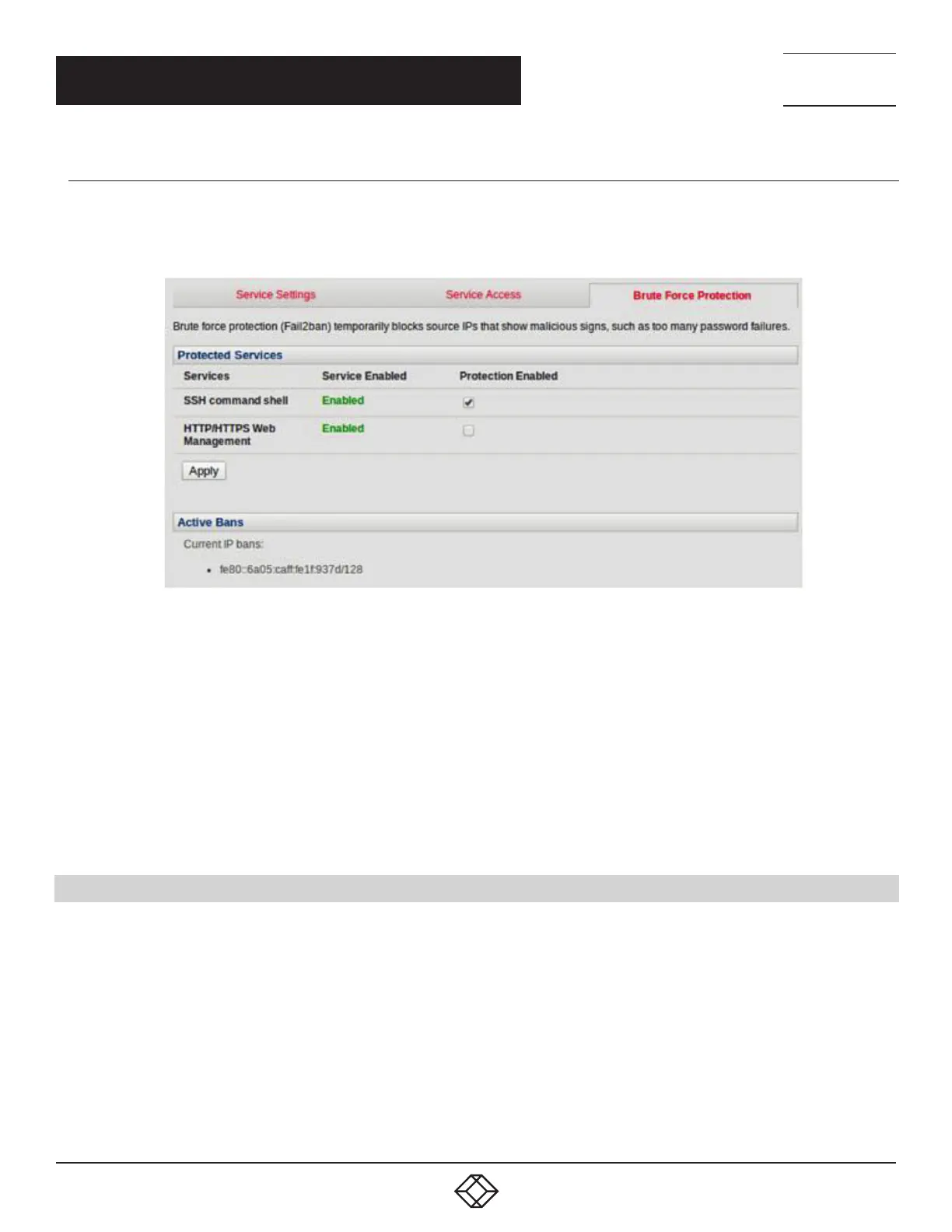
Brute force protection (Micro Fail2ban) temporarily blocks source IPs that show malicious signs, such as too many password
failures.
FIGURE 4-14. BRUTE FORCE PROTECTION SCREEN
This may help mitigate scenarios where the Black Box device’s network services are exposed to an untrusted network such as the
public WAN, and scripted attacks or software worms are attempting to guess (brute force) user credentials and gain unauthorized
access.
Brute force protection may be enabled for the listed services.
Once protection is enabled, 3 or more failed connection attempts within 60 seconds from a specific source IP trigger it to be
banned from connecting for the next 60 seconds. Active Bans are also listed and may be refreshed by reloading the page.
NOTE: When a Black Box device is running on an untrusted network, we recommend that you use a variety of strategies to lock
down remote access. This includes strong passwords (or even better, SSH public key authentication), VPN, and using
Firewall Rules to whitelist remote access from trusted source networks only.
4.5 COMMUNICATIONS SOFTWARE
You have configured access protocols for the Administrator client to use when connecting to the console server. User clients (which
may be set up later) will also use these protocols when accessing console server serial attached devices and network attached
hosts.
You will need to have appropriate communications software tools set up on the Administrator (and User) client’s computer. Black
Box provides the SDT Connector as the recommended client software tool. Other generic tools such as PuTTY and SSHTerm may
be used and these are all described next.











 To Next Page