37
1. 8 7 7. 8 7 7. 2 26 9 BLACKBOX.COM
NEED HELP?
LEAVE THE TECH TO US
LIVE 24/7
TECHNICAL
SUPPORT
1.877.87 7.2269
CHAPTER 4: SYSTEM CONFIGURATION
Since the root password has changed, a new log-in prompt will present. This time, use the new password.
4.2.2 SET UP A NEW ADMINISTRATOR
A new Administrator user should be set up and this new user should be used for ongoing console server administration, rather than
relying on the root user.
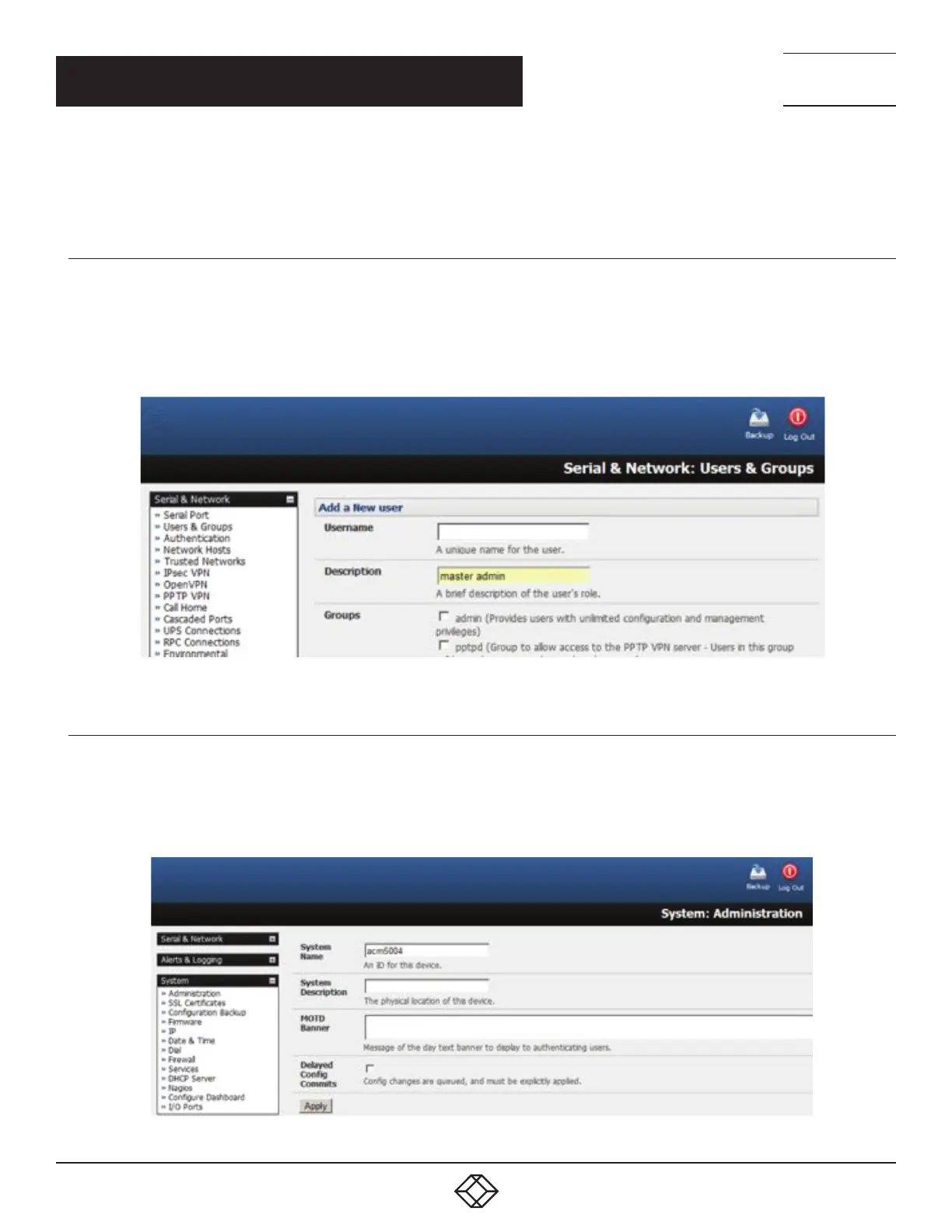
This new user can be configured in the admin group with full access privileges by selecting Serial & Network >
Users & Groups >Add a New User.
FIGURE 4-5. ADD A NEW USER SCREEN
4.2.3 NAME THE SYSTEM
Select System > Administration.
Enter a System Name and System Description for the console server to give it a unique ID and make it simple to identify.
FIGURE 4-6. NAME THE SYSTEM SCREEN











 To Next Page