50
1. 8 7 7. 8 7 7. 2 26 9 BLACKBOX.COM
NEED HELP?
LEAVE THE TECH TO US
LIVE 24/7
TECHNICAL
SUPPORT
1.877.87 7.2269
CHAPTER 4: SYSTEM CONFIGURATION
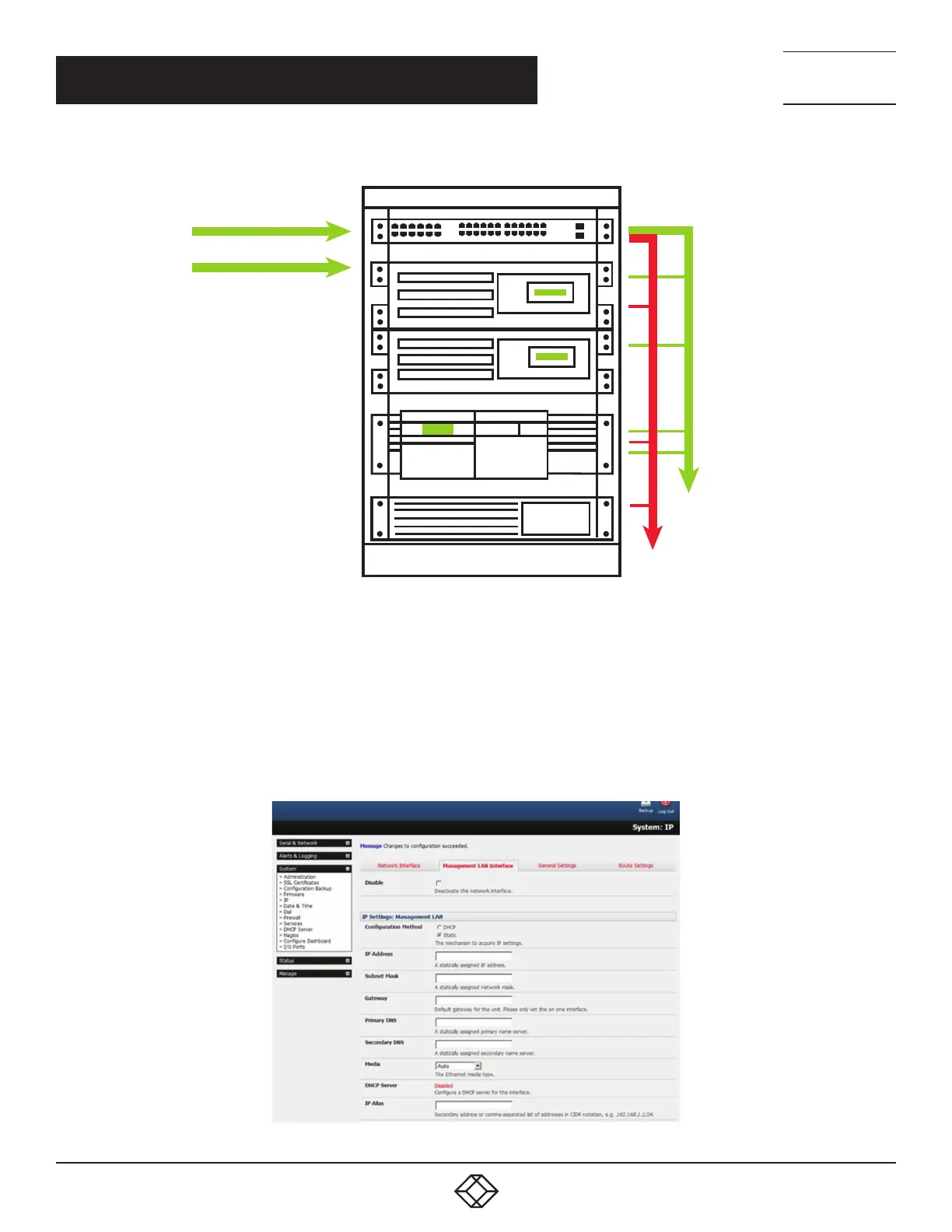
NETWORK 1
(Operations network)
Console Server
NETWORK 2
(OOB or Failover)
Eth. 1–32 or 2–4
(Management LAN)
Serially connected
consoles
FIGURE 4-19. CONFIGURE AS MANAGEMENT LAN OR OOB/FAILOVER PORT
Management LAN features are disabled by default. To configure a Management LAN gateway:
Navigate to System > IP.
Select the Management LAN Interface tab.
Uncheck Disable.
Set the IP Address and Subnet Mask for the Management LAN. Leave the DNS fields blank.
FIGURE 4-20. MANAGEMENT LAN TAB











 To Next Page