87
1. 8 7 7. 8 7 7. 2 26 9 BLACKBOX.COM
NEED HELP?
LEAVE THE TECH TO US
LIVE 24/7
TECHNICAL
SUPPORT
1.877.87 7.2269
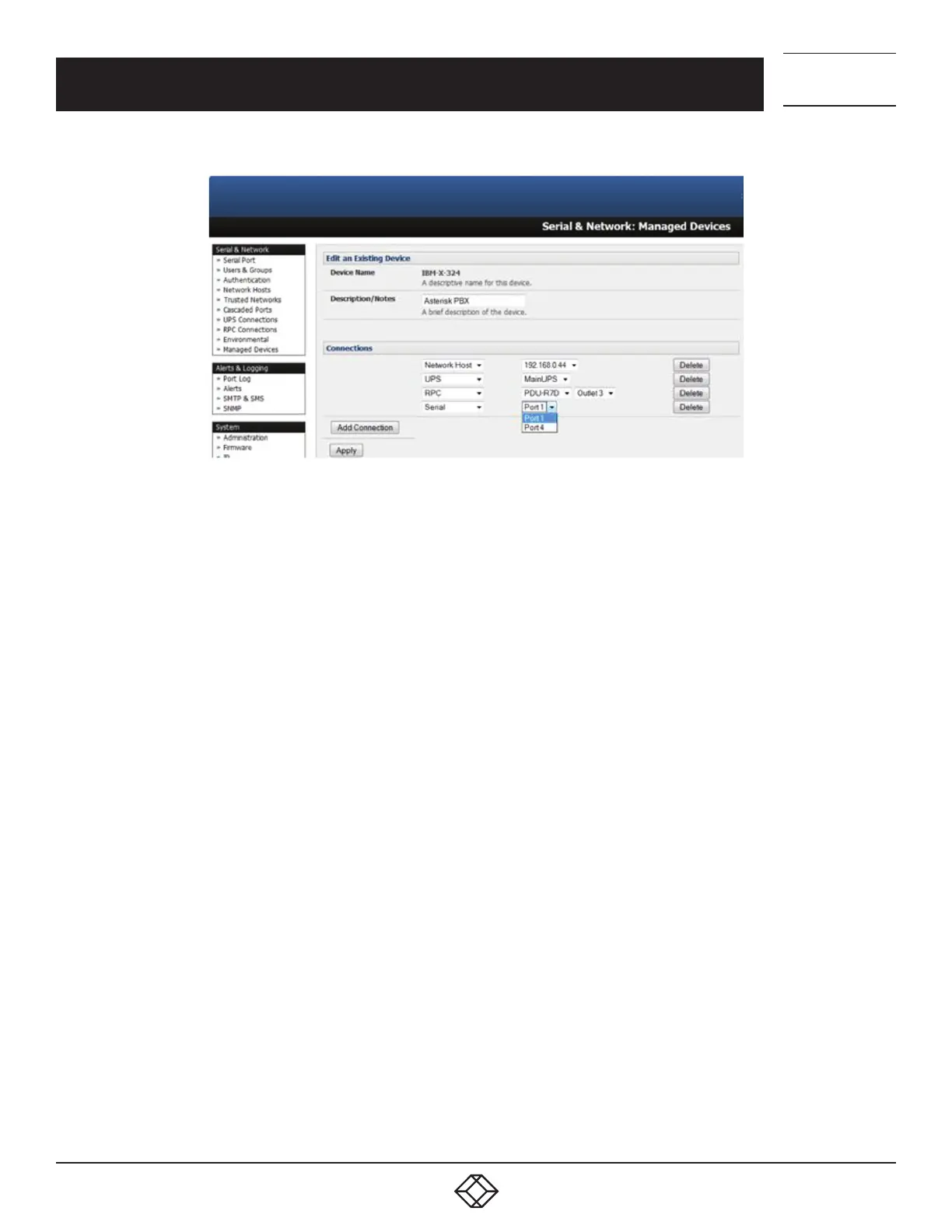
FIGURE 5-24. EDIT AN EXISTING DEVICE SCREEN
To add a new network connected Managed Device:
The Administrator adds a new network connected Managed Device using Add Host on the Serial & Network > Network Host menu.
This automatically creates a corresponding new Managed Device (as covered in Section 5.4).
When adding a new network connected RPC or UPS power device, you set up a Network Host, designate it as RPC or UPS, then go to
RPC Connections (or UPS Connections) to configure the relevant connection.
A corresponding new Managed Device (with the same Name and Description as the RPC/UPS Host) is not created until this
connection step is completed (see Chapter 10).
NOTE: The outlet names on a newly created PDU will, by default, be “Outlet 1” and “Outlet 2.” When you connect a particular Managed
Device (that draws power from the outlet) the outlet will take up the name of the powered Managed Device.
To add a new serially connected Managed Device:
Configure the serial port using the Serial & Network > Serial Port menu (see Section 5.1).
Select Serial & Network > Managed Devices.
Click Add Device.
Enter a Device Name and Description for the Managed Device.
Click Add Connection and select Serial and the Port that connects to the Managed Device.
Click Add Connection to add a UPS/RPC power connection or network connection or another serial connection.
Click Apply.
NOTE: To set up a new serially connected RPC UPS or EMD device, you configure the serial port, designate it as a Device then enter a Name
and Description for that device in the Serial & Network: RPC Connections (or UPS Connections or Environmental). When applied,
this will automatically create a corresponding new Managed Device with the same Name and Description as the RPC/UPS Host
(see Chapter 9).
NOTE: The outlet names on the PDU will, by default, be “Outlet 1” and “Outlet 2.” When you connect a particular Managed Device
(that draws power from the outlet) the outlet will take up the name of the powered Managed Device.
CHAPTER 5: SERIAL PORT, HOST DEVICE AND USER CONFIG











 To Next Page