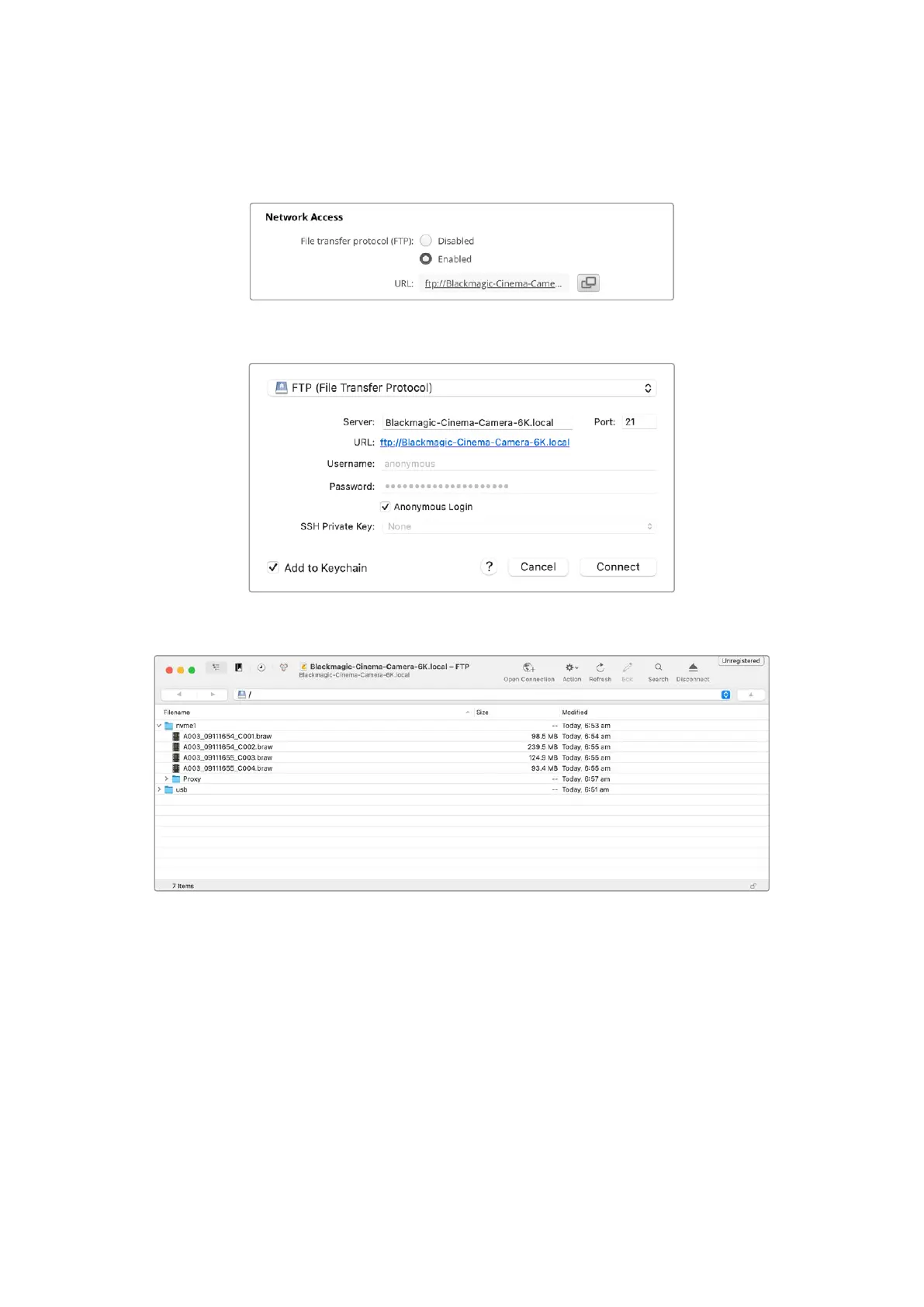
2 With your camera connected to your network, open Camera Setup and click on URL or
press the copy icon to paste it manually. You may need to click the link a second time if the
FTP program doesn’t open a connection.
3 If you are manually opening an FTP connection, paste the URL into the client’s server field.
Check ‘anonymous login’ if available.
4 Expand the ‘nvme1’ folder to see your clips. You can now drag and drop files using the FTP
interface.
137Transferring Files over a Network



 To Next Page