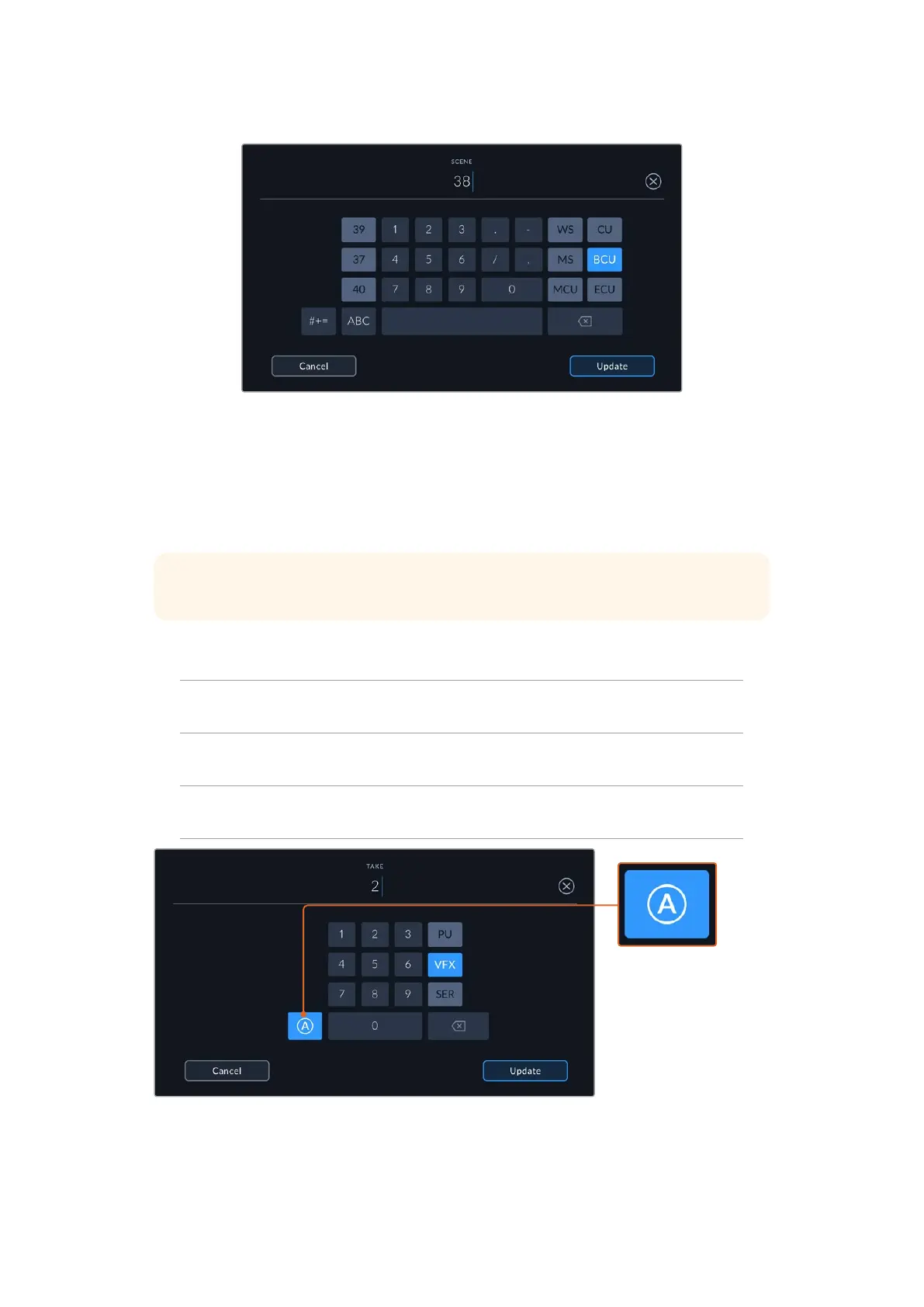
When entering ‘scene’ metadata, the camera prompts you with scene number
suggestions to the left of the touch keyboard, and shot types to the right
Take
The ‘take’ indicator shows the take number for the current shot. You can adjust it by tapping the
left or right arrows on either side of the take number, or tapping the indicator to enter the take
number editor.
TIP When the shot number or scene letter advance the take number reverts to ‘1.’
You can add descriptions in the take number editor. These are on the right of the take number
keyboard and correspond to the following scenarios:
P/U
‘Pick up.’ This refers to a reshoot of a previous take to add additional material
after principal photography has wrapped.
VFX ‘Visual effects.’ This refers to a take or shot for visualeffectuse.
SER
'Series.' This refers to a situation in which multiple takes are shot while the
camera is kept running.
Tap ‘A’ to automatically
increment the take number
for each clip while in
standby mode. Asmall
'A' appears next to the
take number on the slate
when enabled.
When entering ‘take’ metadata, your Blackmagic Cinema Camera 6K will offer prompts for additional shot types
to the right of the touch keyboard
86Entering Metadata



 To Next Page