can tap the pencil icon in this setting to enter the information manually. This will bring up the
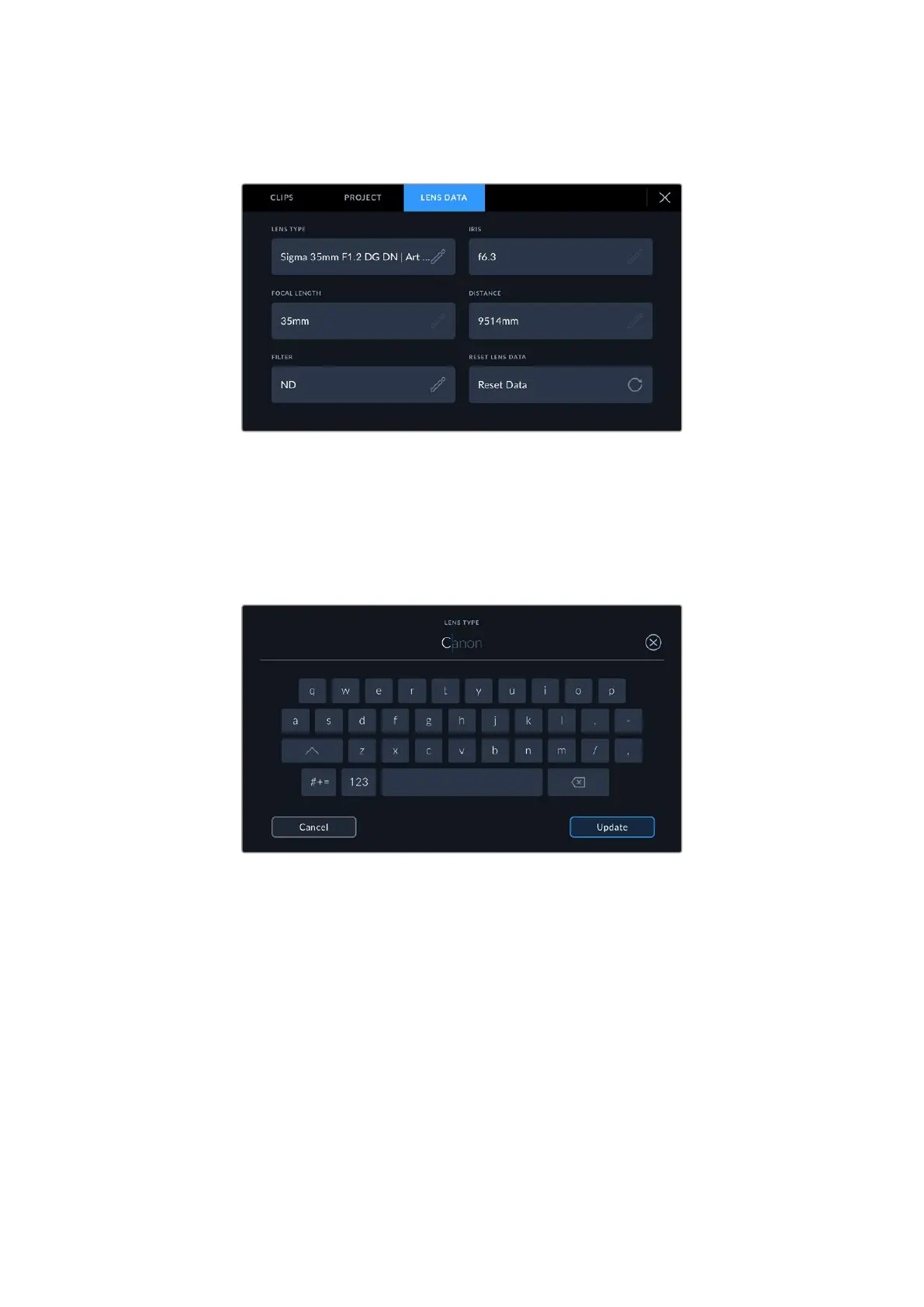
‘lens data’ menu, which contains the following information:
The ‘lens data’ menu showing information automatically populated from an
attached lens, and filter information that has been manually entered
• Lens Type
Shows the lens model. If your lens type is not automatically shown here, you can tap this
setting to enter the data manually. Your camera has an internal database stored formany
commonly used lenses, so if you need to enter data manually, your camera will suggest
names automatically as you type. This makes entering data much faster.
Use the touch keyboard to enter lens data if it is not provided automatically
• Iris
Shows the iris aperture setting at the start of your clip. This information can be displayed in
f- or T-stops depending on the lens used, if supplied automatically. Tap this setting to enter
data manually.
• Focal length
Shows the focal length setting of the lens at the start of the recorded clip. When
automatically supplied, this is shown in millimeters. Tap this setting to enter the focal
length manually.
• Distance
Shows the focus distance settings of the lens for the recorded clip. Some lenses can
provide this data automatically and it will be provided in millimeters. You can also enter this
data manually.
88Entering Metadata



 To Next Page