DICENTIS Mechanical installation of Contribution Devices | en 59
Bosch Security Systems B.V.
Hardware Installation Manual
2021.01 | V2.2 |
Connecting DICENTIS devices
The DICENTIS Conference System can be quickly and easily configured as a daisy‑chain
configuration or as a star configuration:
– Daisy‑chain configuration: Uses dedicated cabling, consisting of CAT‑5e cables including
two additional power conductors (see
Typical system setup, page 10
).
– Star configuration: Each DICENTIS device is connected with an individual standard
CAT‑5e cable. An Ethernet switch is also required for providing Power over Ethernet
(PoE).
Notice!
When Power over Ethernet is used, DICENTIS devices cannot be daisy‑chained.
The star configuration makes use of connectors underneath the devices, ensuring for a neat,
tidy system installation, especially advantageous for TV coverage.
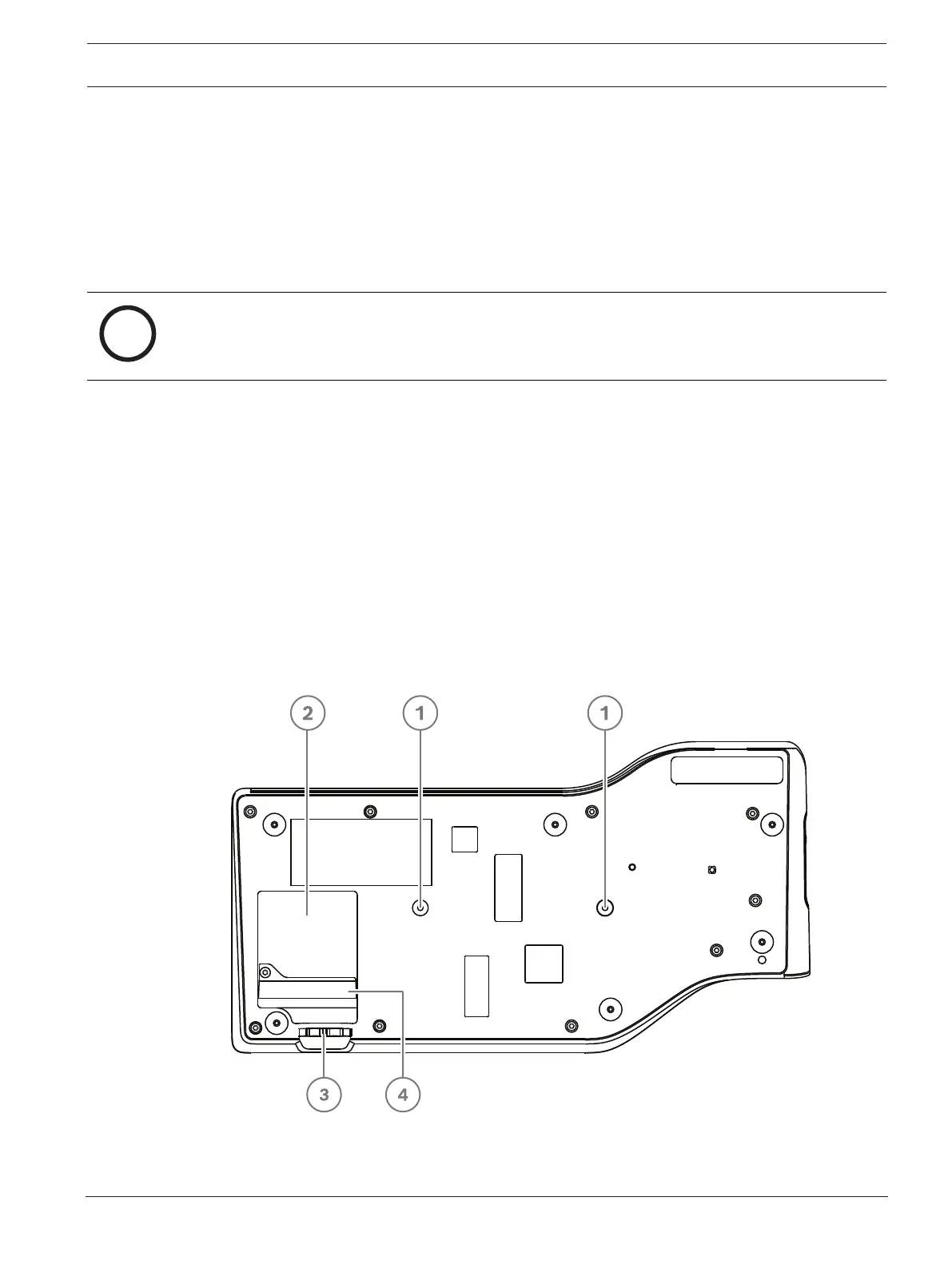
To connect the system network cables to the DICENTIS devices (refer to the following figure):
1. Insert the system network cable/connector (2).
2. Lead the system network cable through the cable guides (3).
Installing DICENTIS devices
The DICENTIS devices can be free-standing or fixed in more permanent installations using
mounting screws.
1. The distance between the centres of the screw inserts (1) on the bottom is 100mm.
2. Use M4 type of screws with a device screw insert length of maximum 5mm when
attaching the device to the bottom of the recess (1).
Figure7.3: Bottom view discussion DICENTIS devices (DCNM-MMD / DCNM-MMD2)













 To Next Page