Digital Video Recorder Additional programs | en 107
Bosch Security Systems User Manual F01U | 1.0 | 2007.11
7.2.1 Port setting
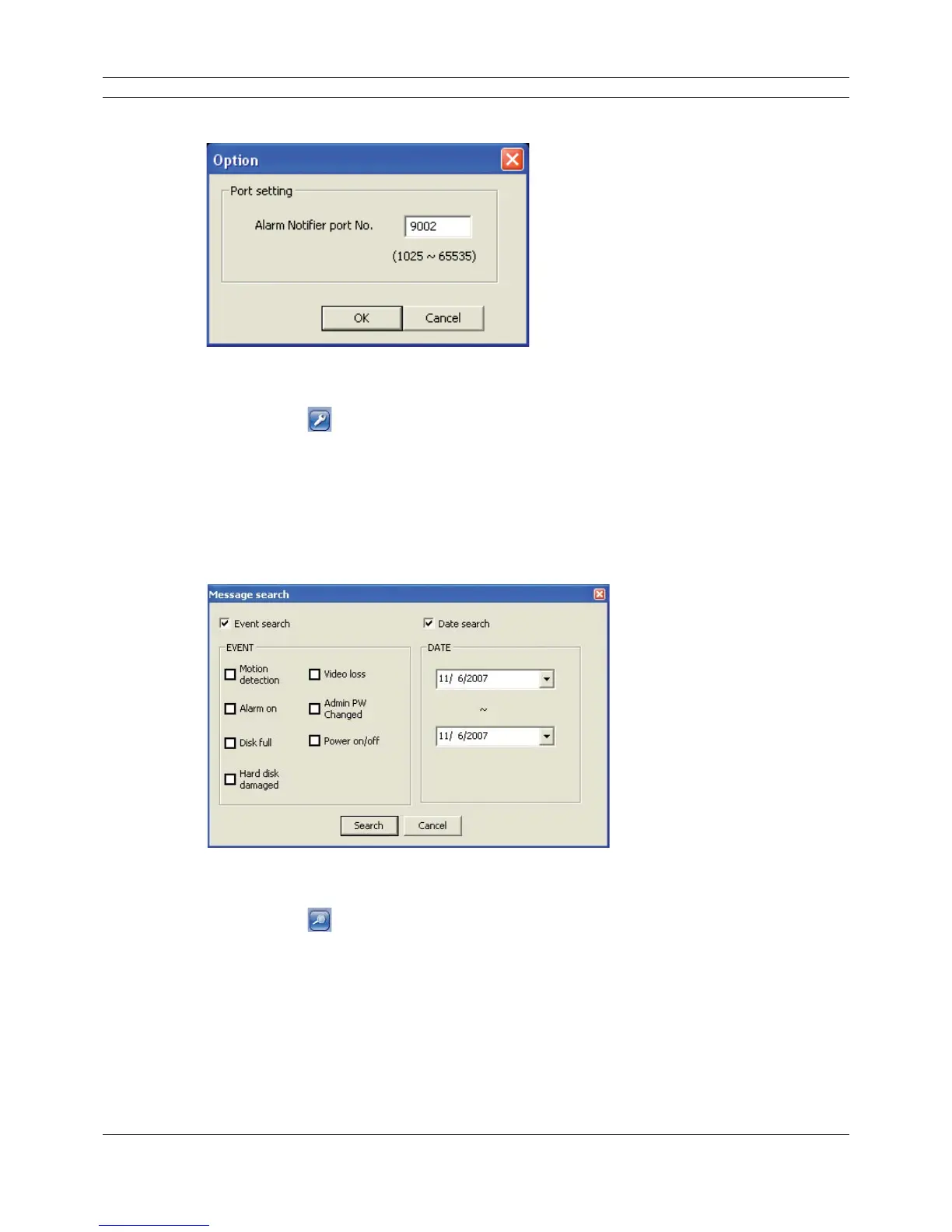
Figure 7.4 Port setting window
1. Click the
button.
The option window is displayed.
2. Enter the port number of the emergency agent listening port. The factory default port is 9002.
However in some cases it is better to change this port number for added fl exibility or security.
If desired change the port number (1025 ~ 65535).
3. Click the OK button to exit.
7.2.3 Message search
Figure 7.5 Message search window
1. Click the
button.
The message search window is displayed.
2. Select the search method.
• Event search: Search by selected type of event for the message.
• Date search: Search by selected date.
3. Click the Search button.
The search message is displayed on the [Divar MR Alarm Notifi er-Received Messages] window.



 To Next Page