Digital Video Recorder Connections and settings | en 33
Bosch Security Systems User Manual F01U | 1.0 | 2007.11
3.18 Configuration Menu
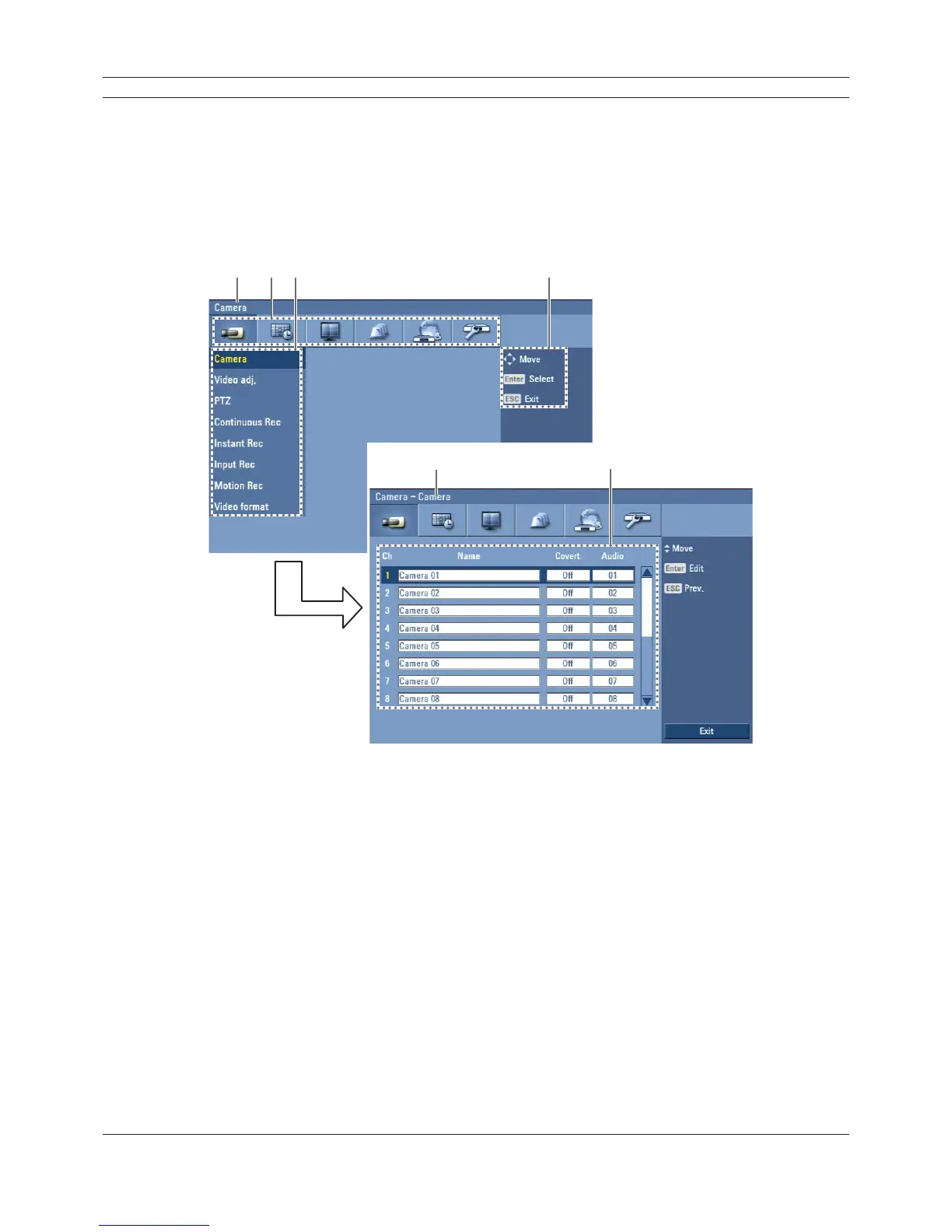
The features and options of the DVR are configured through the menu. The operations of this
unit can be set via a menu displayed on the main monitor. You can select and set the operational
conditions by using the buttons on the front panel, the remote control, or using a USB Mouse
connected to the unit.
Only administrator-level users have permission to access the Setup menu and configure the DVR.
abc d
ef
Figure 3.14 DVR setup menu
a Displays the selected main menu title.
b Displays the main menu icons.
c Displays the submenu options.
d Displays the help menu.
e Displays the selected submenu title.
f Displays the detail options for selected submenu.



 To Next Page