Digital Video Recorder Introduction | en 11
Bosch Security Systems User Manual F01U | 1.0 | 2007.11
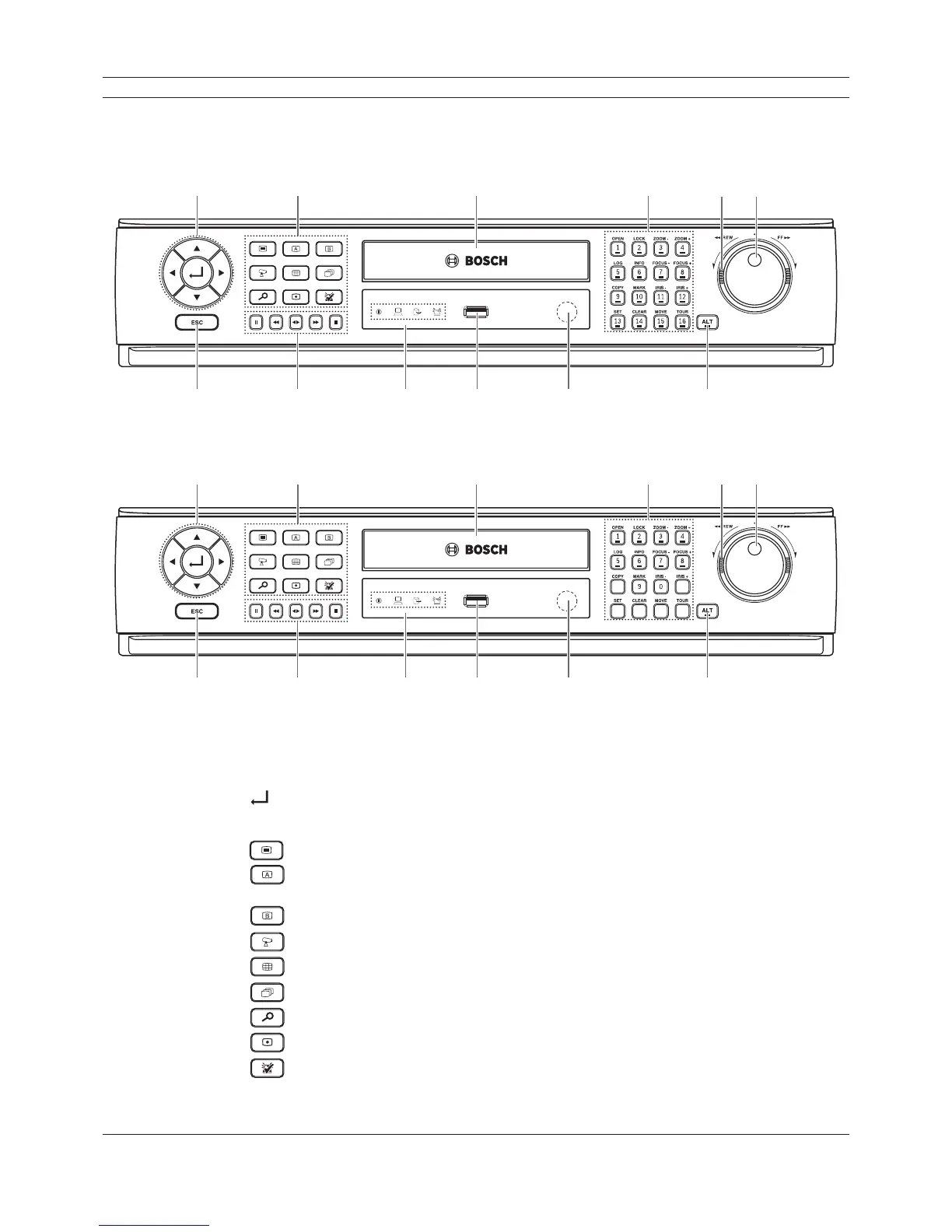
2.3 Front panel
DVR-16K / DVR-16L
ab c def
gh ijk l
DVR-8K / DVR-8L
ab c def
gh ijk l
Figure 2.2 Front panel
a Arrow Buttons (b B v V): Select or move between the menu options.
(ENTER): Confi rms menu selections.
b Function Buttons
: Displays the setup menu.
: Display the monitor A control menu to set the screen mode to full, 4, 6, 8, 9 or 16
screens. Set the video output signal to VGA mode.
: Display the monitor B control menu. Set the video output signal to MON A mode.
: Switches the unit to PTZ mode to control the connected PTZ camera.
: Press to see different multiscreen modes.
: View all channels in sequence.
: Displays the search menu.
: Starts or stops instant recording of the selected camera (yellow border).
: Cancels alarm activation and returns the system to the condition before the alarm was
activated.



 To Next Page