36 en | Connections and settings Digital Video Recorder
F01U | 1.0 | 2007.11 User Manual Bosch Security Systems
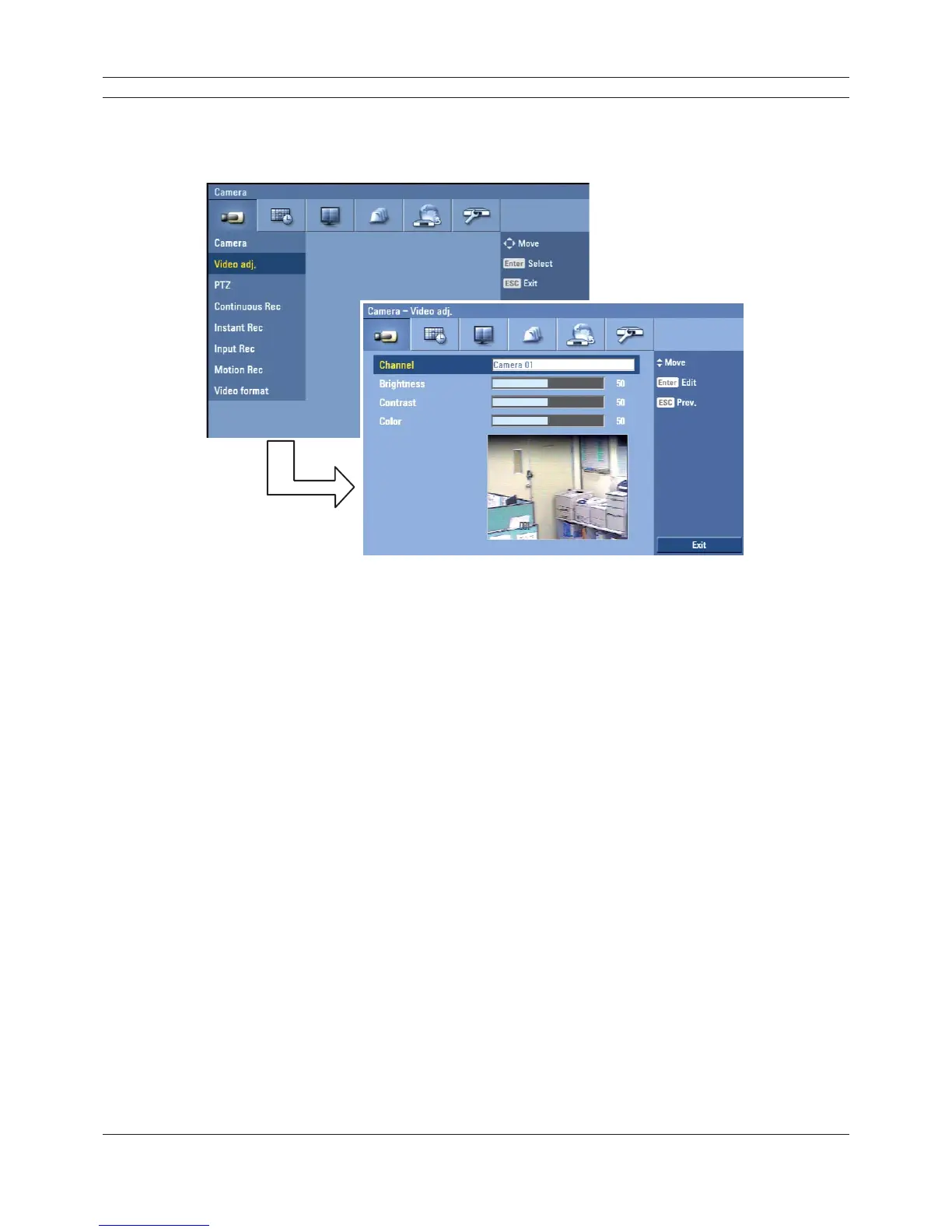
3.19.2 Video adjustment
Adjust the brightness, contrast and color settings of each camera channel. You can see the settings
screen from the preview windows.
Figure 3.16 Video adjustment setup menu
• Channel: Selects the desired channel to adjust.
• Brightness: Adjust the brightness value from 00 to 100 for the selected channel.
• Contrast: Adjust the contrast value from 00 to 100 for the selected channel.
• Color: Adjust the color value from 00 to 100 for the selected channel.



 To Next Page