Digital Video Recorder Connections and settings | en 51
Bosch Security Systems User Manual F01U | 1.0 | 2007.11
• Seq. dwell time: You can set the camera sequence time to 2 sec, 5 sec, 10 sec, 20 sec, 30 sec,
40 sec, 50 sec, 60 sec, 70 sec, 80 sec or 90 sec.
• Event popup: Displays an event popup on the monitor B if motion, input or all (motion or
input) occur.
3.22 Event settings
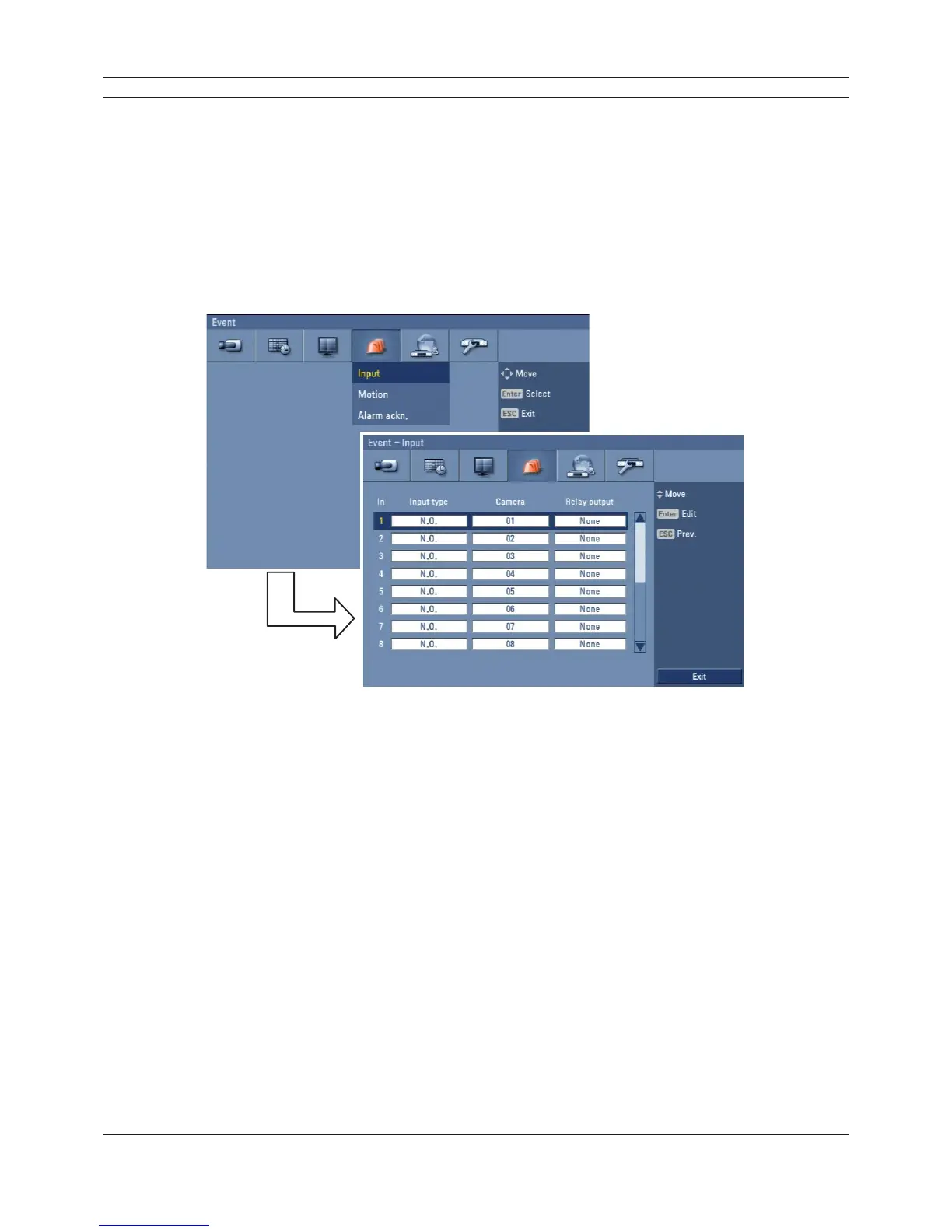
3.22.1 Input
Figure 3.37 Input setup menu
• In: Displays the number of inputs.
• Input type: The input state can be set to either N.O. (Normally Open) or N.C. (Normally
Closed).
• Camera: Select the connected camera channel to the input.
• Relay output: Select the relay output number for the selected input.



 To Next Page